
Participant
October 22, 2024

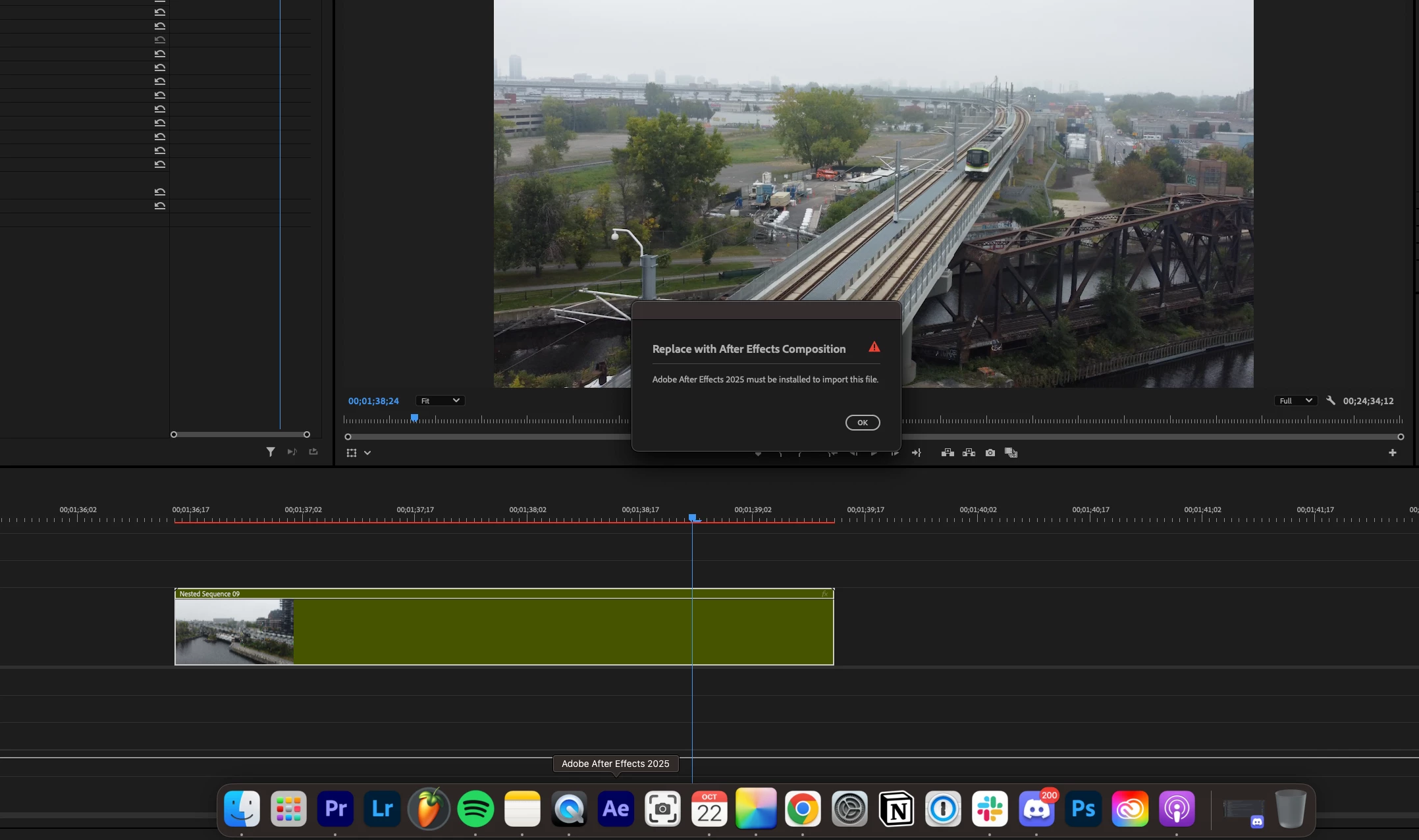
Adobe After Effects 2025 must be installed to import this file.

  • October 22, 2024
  • 29 replies
  • 17685 views

I am running into a very frustrating problem where the new version of Premiere Pro doesn't recognize After Effects. I gave both programs full disk access on Mac and ensured the versions were compatible (up to date no betas). Any solutions?
29 replies

Participant
April 1, 2025

Having the same issue.

Participant
March 26, 2025
Participant
March 26, 2025

https://www.youtube.com/watch?v=40p7OP0obEE


Here is the fix, video is two years old but it still works, just tried it again today and all was well.

Participant
March 12, 2025

Participant
March 12, 2025

Im having the exact same issue with Premiere Pro (25.1) and After Effects (25.1). I have uninstalled it all and reinstalled. Removed beta versions, restarted computer, tried to re-link manually in premiere, tried to import the AEP into premiere to re-link. NOTHING is working. This issue started to arise out of NOWHERE yesterday and havent been able to find a solution since besides to roll back to a VERY old Auto-Save, which even now, has stopped working. HELP!!!! I can't have these issues with fast turnaround clients and revisions. This is losing me money!!!! @adobe @adobe @adobe 

Participant
February 11, 2025

I'm having the same problem. Already restarted the PC and re-installed After Effects, it didn't work. I can't re-link an After Effects composition in Premiere, because I get this error message. When I try to import a new After Effects composition into Premiere, I just get an endless import progress bar that remains empty.

Participant
December 28, 2024

Hi,

I'm experiencing this right now with the latest updates on a brand new Macbook pro M4max.

I've tried all the fixes below and the ones that pop-up on YT. Doesn't work. Anybody have new insights?

Participant
December 15, 2024

Unfortunately it didn't work for me, I already re-installed After Effects but I have the latest Version (25.1) for both Premiere and After Effects installed...

Participant
November 20, 2024

Having the same issue. Haven't felt this way since Avid;)

Participant
November 5, 2024

Hi all, still seem to have this issue as well. It's not consistent, so I'm not really sure how to replicate it. It seems like possibly it happens if I rename an AE project file that was linked, however some of the comps in that same AE file may link perfectly fine, while others break. It could also be from changing the names of the comps in the AE file while they're linked. Maybe a combination of the two.

I do also work with files on Drop Box, however this issue has happened both locally on my machine and with files synched from DB.

It will then SOMETIMES break like this and give the error "After Effects 2025 must be installed on this computer to import this file" every time I try to relink those comps from then on. I have tried every solution possible, restarting, clearing cache, updating permissions, nothing fixes the issue. The ONLY solution once it happens is to manually re-import the AE linked comps (never gives issues doing this, which is weird since it's the exact same file) and replace them in every instance in Premiere by hand. Sometimes this isn't an issue if there are only a few, sometimes it is a nightmare if there are many.

I've had this issue with previous iterations of Adobe over the years, but seems to be in 2025 as well. Any help is appreciated.

MacBook Pro 16-inch 2021
Apple M1 Max
Sonoma 14.6.1
Premiere 25.0
AE 25.0.1
DropBox v211.4.6008