
Participant
October 22, 2024

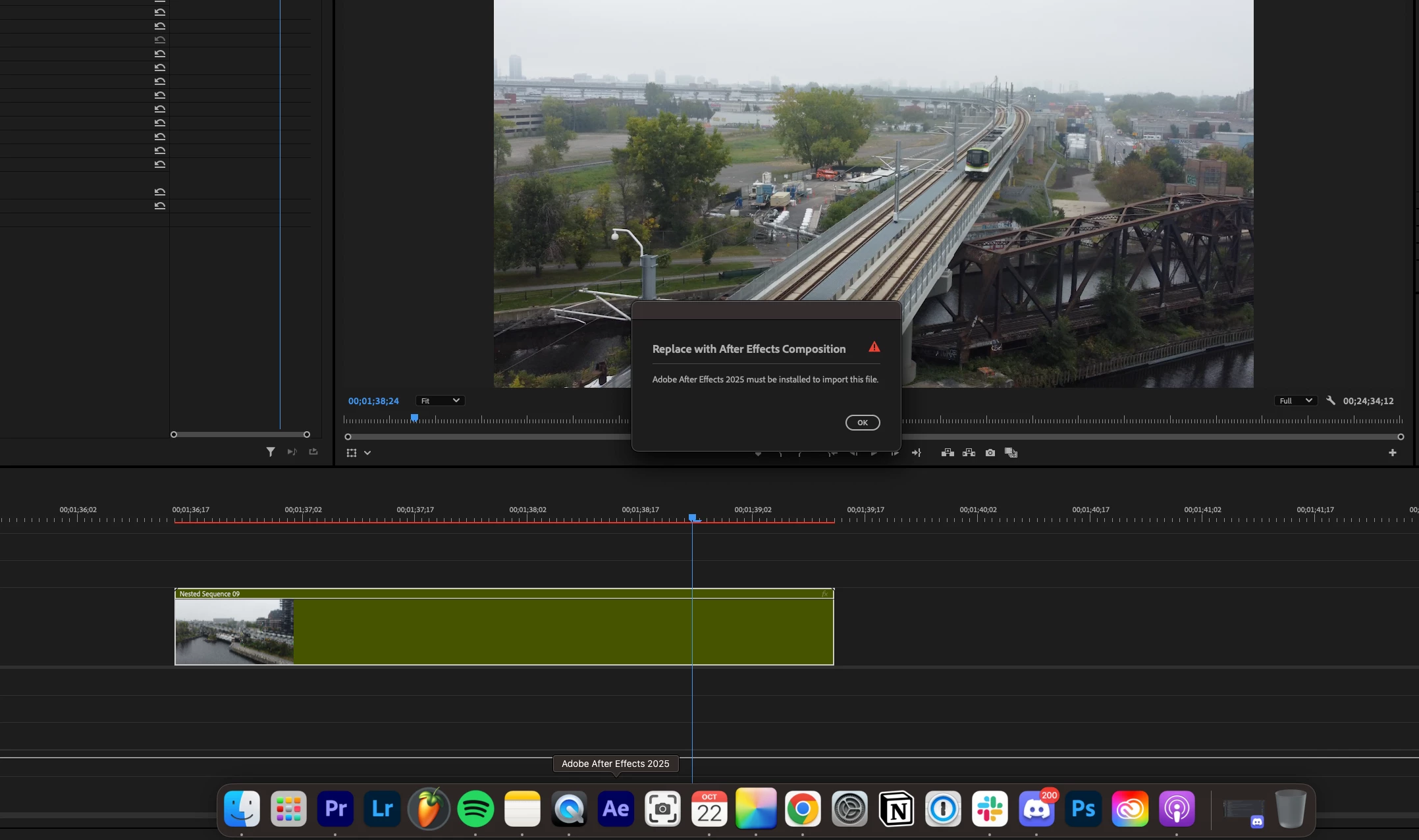
Adobe After Effects 2025 must be installed to import this file.

  • October 22, 2024
  • 29 replies
  • 18423 views

I am running into a very frustrating problem where the new version of Premiere Pro doesn't recognize After Effects. I gave both programs full disk access on Mac and ensured the versions were compatible (up to date no betas). Any solutions?
29 replies

vitalyl400625
Participant
October 30, 2024

I had the same issue with AE 25.0.1. Restarting my computer fixed it as well.

georged49770724
Participant
October 25, 2024

For anyone else having this problem - just restart you computer. Worked for me.

Participant
October 24, 2024

I'm having the same error problem.  I'm trying to re-link to after effect segments in premiere to a different different project with the same what-should-be easily re-linkable compositions.

I do have v25 of both when the problem started.  Now AE is 25.0.1 I think and problem remains.

Any thoughts?

Lois5EBEAuthor
Participant
October 22, 2024

Yes, I used the CC desktop application. Just re-installed both applications and I'm still getting this error 

Bruce Bullis
Community Manager
Community Manager
October 22, 2024

Both were installed, via CC Desktop?

[You're not in an enterprise environment using deployment packages, right?]


Lois5EBEAuthor
Participant
October 22, 2024

Lois5EBEAuthor
Participant
October 22, 2024

Yes correct

Bruce Bullis
Community Manager
Community Manager
October 22, 2024

Confirming: You have the same major versions installed; AE & PPro 25.x, right?

Lois5EBEAuthor
Participant
October 22, 2024

forgot to mention this occurs when I'm trying to replace a clip with an AE sequence.