
All clips on the left side of the timeline unlinks itself
I’ve seen this issue on old posts with no correct answers
On a pretty big timeline (4k mutlicam, 3000 + cuts), all the clips on the left side of my cursor have unlink it self from their audio
There was no “unlink” in the history panel
My computer has 32 Go RAM, Nvidia GeForce RTX 4060 and a 13th Gen Intel(R) Core(TM) i9-13900H, 2600 MHz, 14 cœur(s), 20 processeur(s) logique(s)
I was able to recover some links by copy-pasting clips from auto-saves by it’s time consuming
As i was typing this, the “right side” did the same (It was linked just before, and going back with the history does not relink it)
UPDATE :
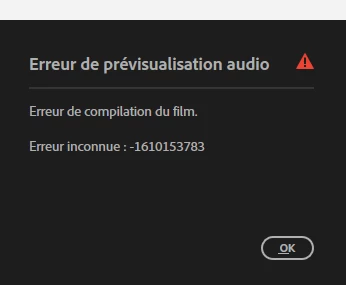
Going back to my timeline, as I tried to play it I got this error:
Then no problems to play and edit


 AdChoices