
Participant
July 23, 2025

Audio only temporarilly exists

  • July 23, 2025
  • 5 replies
  • 250 views

When importing XDcam footage, there's audio on the clips for a moment, then there isn't.


1. Import XDcam clips


2. Start editing


3. Audio on those clips no longer plays after a minute or so.


I restart Premiere and get audio back for another few minutes. Exporting media will not include the audio.

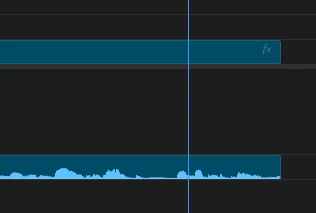
The clip even has audio waveforms, but nothing plays.
 

5 replies

Wah25Author
Participant
July 24, 2025

I reset app preferences, cleared media cache files, and reset plugin loading cache. I went to audio hardware settings and changed "default input" to "no input."


I'm still having the issue.

jamieclarke
Community Manager
Community Manager
July 24, 2025

Hi @Wah25 - Can you try and hold down "SHIFT" while launching Premiere and check the boxes
"Reset app preferences" (Backup Preferences first)
"Clear media cache files"
"Reset plugin loading cache"


Can you check your audio hardware settings and make sure Default Input is set to "No Input"


Wah25Author
Participant
July 24, 2025

There was a lot of info so I had to do two screenshots.

Thanks for reaching out.

jamieclarke
Community Manager
Community Manager
July 24, 2025

Hi @Wah25 -  Thanks for submitting your bug report. We need a few more details to try to help with the issue.  Please see, How to Report a Problem.


Can you right click on your media file and choose media file properties then post a screenshot.


Sorry for the frustration.

Wah25Author
Participant
July 23, 2025

Forgot to add - Premiere version 25.3.0, Windows 11.