
Known Participant
June 14, 2025

Betreff: AI-based Face Blur / Pixelation Workflow in Premiere Pro – Out-of-the-box Feature Request

  • June 14, 2025
  • 16 replies
  • 1047 views

Repeated System Crashes with BCC+ Witness Protection ML in Premiere Pro – Even After Full Cache Offloading

System Specs:

  • iMac 27" Retina 5K (2020)
  • 3.8 GHz 8-Core Intel Core i7, 128 GB DDR4 RAM
  • AMD Radeon Pro 5500 XT 8 GB
  • macOS Ventura
  • Premiere Pro version: Adobe Premiere 25 – Version 25.2.1 Build 2
  • Boris FX Continuum version: Most recent version (updated)

Issue Description:

I’m experiencing persistent system crashes when rendering even short sequences (under 1 minute) using the BCC+ Witness Protection ML effect inside Adobe Premiere Pro. These crashes occur:

  • During export (encoding stalls, then freezes or crashes)
  • Occasionally during real-time preview scrubbing

What I’ve already done:

  • Media Cache & Database fully offloaded to external PCIe SSD (TEKQ Veloce, 4TB, 3.2 TB free)
  • Confirmed rendering via Metal GPU Acceleration, not Software Only
  • Enabled automatic media cache cleanup after 167 GB
  • Firewall re-enabled after testing with it disabled (no impact)
  • Export location is external SSD, not Macintosh HD (which only has 18 GB free)
  • Footage is standard 4K MOV (iPhone footage) with minimal effects

Observations:

  • When BCC+ Witness Protection ML is removed, the same clip renders in seconds
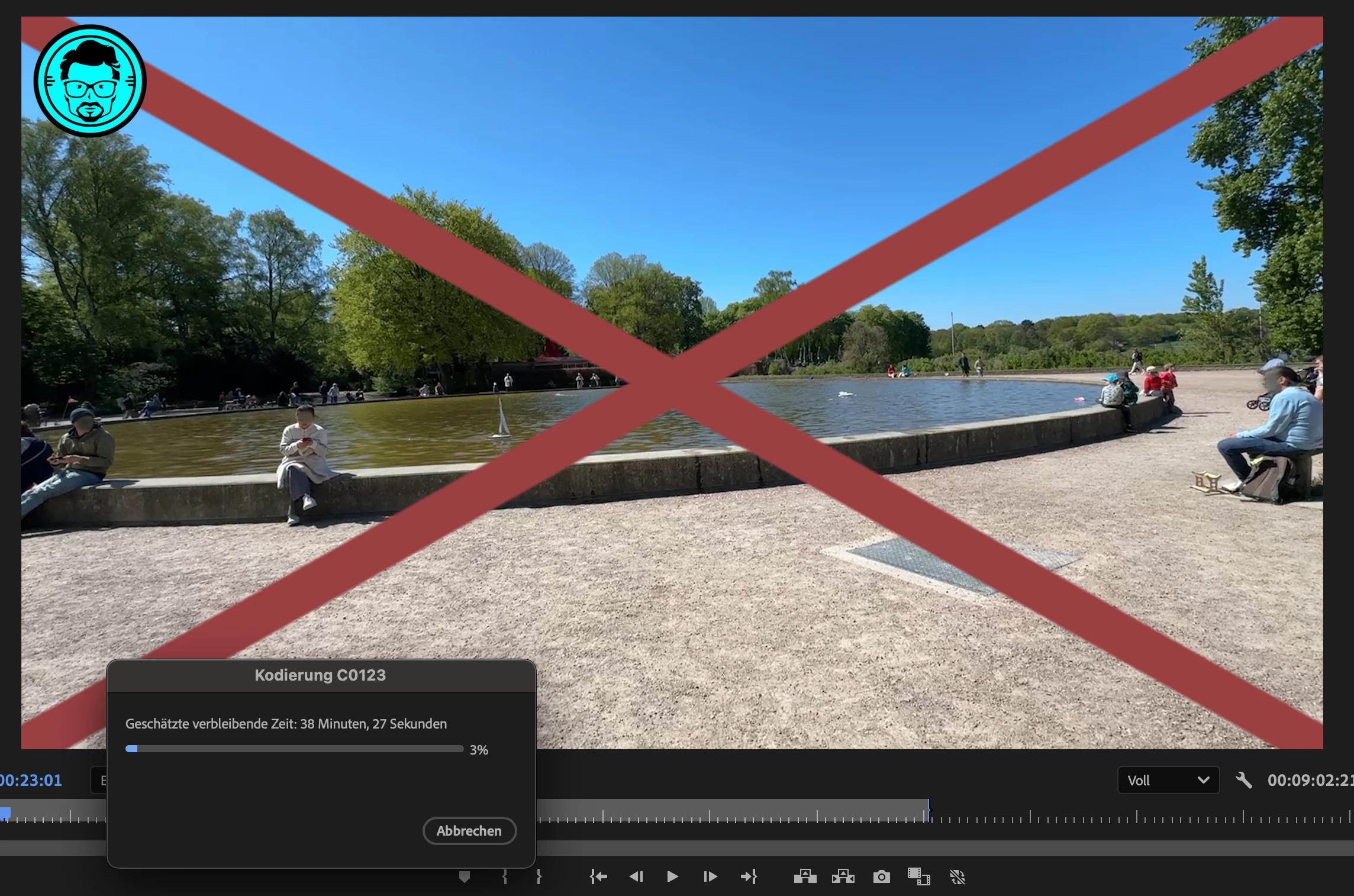
  • With the effect enabled (even at defaults with Face Detection 1.0), render time explodes to 40+ minutes for a 1-minute video
  • In some cases, Premiere Pro crashes or the system freezes completely

Questions to the community and Boris FX:

  • Is this a known issue with BCC+ Witness Protection ML on macOS?
  • Are there limitations or incompatibilities with Premiere Pro 2025 / Metal rendering?
  • Are there background processes (like the Mocha ML engine) that could overload GPU or memory?
 

    16 replies

    Known Participant
    June 19, 2025
    Hi XXX,
     
    Thanks again for your support and for escalating this internally.

    https://youtu.be/HW1IkA2nvg8 


    As you’ll see in the final render - I'm sharing the YouTube link with you and via the public forum, the scene combines dynamic camera movement with a manageable number of clearly visible faces – which makes it a perfect use case for the Witness Protection ML filter. The plugin did a solid job, and it’s exactly in such realistic settings that this kind of tool should perform reliably.
     
    You can be sure I’ll continue to follow both the feature development and any improvements or fixes with great attention.
     
    To support your internal analysis, I’m happy to provide my Premiere Pro project file as requested. I’ll send it to you via email, including a time-stamp reference where the BCC+ Witness Protection ML filter is applied.
     
    Looking forward to your feedback – and thanks again for the open communication.
     
    Best regards,  
    Sascha

    Am 19.06.2025 um 01:54 CET schrieb XXX XXXXXXX (Boris FX) <support@borisfx.zendesk.com>:
     
    Hi Sascha,
     
    Really happy to hear that this allows the operation to carry out, and appreciate the follow-up.  Since it's working now, feel free to relay me a follow-up BCC log, and with that, if you have any recommendations specifically for the Witness Protection ML's visual quality, absolutely feel free to relay them to me.  Either way, I'll alert BCC's Engineering and Product Management that this fixed it, and hopefully they can dissect what might have taken place.
     
    Just in case, would you be able to relay me a copy of the Premiere Pro project file, with a time-stamp of where the BCC+ Witness Protection ML filter was being used?  You likely shouldn't need to relay any media - we just want to see if there is something in the Project settings, or that BCC might be working in conjunction with.
     
    Thanks again.

    XXX XXXXXXX
    Boris FX Support


    Known Participant
    June 18, 2025

    ✅ Temporary Workaround confirmed – but the issue remains critical

    Just to confirm for everyone:
    Editing the com.borisfx.Continuum18.filter.ae.xml file and manually disabling OpenCL (Pref_Value="0") has resolved the render crashes on my system. You can use any plain text editor or IDE for this – just make sure all Adobe apps are closed before you edit and save the file.

    While this workaround is effective, the fact that it’s necessary in the first place points to a deeper issue.
    A plugin relying on GPU acceleration should fail gracefully – not crash the entire OS. The absence of a safe GUI toggle inside Premiere Pro for OpenCL use with BCC+ ML filters makes this even more problematic.

    👉 In short: Glad we have a workaround – but we need a proper fix.


    My answer to Boris FX:

    Hi XXX,

    I can confirm that Option A – disabling OpenCL via the XML preference file – resolved the rendering issue. The export completed successfully for the first time and within a fully acceptable duration.

    As initial feedback on the result: the BCC+ Witness Protection ML filter works reliably in detecting and blurring all relevant faces. However, there's still some room for improvement in the overall visual quality of the blur effect – particularly in scenes with dynamic motion or varied lighting.

    Nonetheless, this is a huge step forward, and I greatly appreciate your support in narrowing down the cause.If this workaround is not yet documented or integrated as a toggle in the GUI for ML effects, I’d recommend considering it – it may help others facing the same rendering crashes.

    Ideally, the issue itself should be fixed in a future update – or at the very least, the option to disable OpenCL should be reinstated directly within Premiere Pro for BCC+ ML effects.

    Thanks again,
    Sascha Block


    Known Participant
    June 18, 2025

    Update: New Anwer from Boris fx is:

    Hi Sascha,
     
    Quickly, you mention that you've cleared/offloaded the Media Cache & Database -- did you also Clear/Purge the Plugin Cache in Premiere?  Also, can you confirm that you are logged-into the MacOS as an Admin-level user account, and were at the time of installation & activation (for both Continuum and the Boris Hub, if present)?
     
    Either way, let's try this -- Can you try disabling the OpenCL and relaunch Premiere to re-attempt?  To do this, apply a standard "BCC" filter to a clip/image (not a "BCC+" filter) and then go into the Preferences in the BCC filter controls - this will likely be represented by a small button with a Gear-shaped icon.  Click on this and disable the OpenCL mode, as well as changing the Logging to "Comprehensive".  Then, Quit Premiere fully (as well as After Effects and Media Encoder, if either/both are also installed) and relaunch, apply a new instance of the BCC+Witness Protection ML filter, and see if it works faster now.
     
    If not, can you relay me the BCC.log file from here? --
    Macintosh HD :: Users :: [ Current User / Home folder ] :: Library :: Logs :: BorisFX
     
    This should hopefully contain information as to what is causing the slowdown.  With that, can you relay me a Premiere Crash log?
     
    Thank you.

    xxx xxxxxxxxx
    Boris FX Support

    Known Participant
    June 18, 2025

    18.06.2025 3:29 CET -  response per eMail from BorisFx Support, 

    Hi Sascha,

     
    Quickly, you mention that you've cleared/offloaded the Media Cache & Database -- did you also Clear/Purge the Plugin Cache in Premiere?  Also, can you confirm that you are logged-into the MacOS as an Admin-level user account, and were at the time of installation & activation (for both Continuum and the Boris Hub, if present)?
     
    Either way, let's try this -- Can you try disabling the OpenCL and relaunch Premiere to re-attempt?  To do this, apply a standard "BCC" filter to a clip/image (not a "BCC+" filter) and then go into the Preferences in the BCC filter controls - this will likely be represented by a small button with a Gear-shaped icon.  Click on this and disable the OpenCL mode, as well as changing the Logging to "Comprehensive".  Then, Quit Premiere fully (as well as After Effects and Media Encoder, if either/both are also installed) and relaunch, apply a new instance of the BCC+Witness Protection ML filter, and see if it works faster now.
     
    If not, can you relay me the BCC.log file from here? --
    Macintosh HD :: Users :: [ Current User / Home folder ] :: Library :: Logs :: BorisFX
     
    This should hopefully contain information as to what is causing the slowdown.  With that, can you relay me a Premiere Crash log?
     
    Thank you.

    XXX YYYYYY
    Boris FX Support

    My answer:

    Hi XXX,

    Thank you for your support.

    To clarify: While I hadn’t cleared the Plugin Cache before, I’ll take care of that step now. That said, it’s important to stress that the issue clearly lies within the BCC+ Witness Protection ML filter itself, which is the core feature I’m trying to use.


    Unfortunately, this filter does **not** expose any option to disable OpenCL — unlike the standard BCC filters. As such, your suggested workaround cannot be applied in this context. And since this feature is ML-based and GPU-accelerated by design, it’s also not feasible to substitute it with legacy BCC filters for testing purposes.


    I’ve tested all combinations: hardware acceleration on/off, Premiere vs. Media Encoder, and GPU fallback modes. Every attempt leads to a full system crash (watchdog timeout), which is severe and reproducible. The problem affects the entire OS and should be treated as a critical failure scenario.


    This isn’t about individual project complexity or machine performance — this is about **stability and reliability of a shipped production feature** that currently cannot be used in real-world editing workflows. I believe this needs escalation and a product-level fix via update.


    Thanks again — looking forward to your insights and next steps.

    Best regards,
    Sascha

    Known Participant
    June 17, 2025

    On 17.06.2025 um 03:29 CET wrote XXX YYYYYY (Boris FX) <support@borisfx.zendesk.com>:


    Hi Sascha,

    Quickly, you mention that you've cleared/offloaded the Media Cache & Database -- did you also Clear/Purge the Plugin Cache in Premiere? Also, can you confirm that you are logged-into the MacOS as an Admin-level user account, and were at the time of installation & activation (for both Continuum and the Boris Hub, if present)?

    Either way, let's try this -- Can you try disabling the OpenCL and relaunch Premiere to re-attempt? To do this, apply a standard "BCC" filter to a clip/image (not a "BCC+" filter) and then go into the Preferences in the BCC filter controls - this will likely be represented by a small button with a Gear-shaped icon. Click on this and disable the OpenCL mode, as well as changing the Logging to "Comprehensive". Then, Quit Premiere fully (as well as After Effects and Media Encoder, if either/both are also installed) and relaunch, apply a new instance of the BCC+Witness Protection ML filter, and see if it works faster now.

    If not, can you relay me the BCC.log file from here? --
    Macintosh HD :: Users :: [ Current User / Home folder ] :: Library :: Logs :: BorisFX

    This should hopefully contain information as to what is causing the slowdown. With that, can you relay me a Premiere Crash log?

    Thank you.
    XXX YYYYYY
    Boris FX Support


    Hi Jon,
     
    Thanks for the detailed suggestions and quick support.
     
    I’ve located the `BCC.log` file and will be happy to share it with you.
     
    However, I’d like to clarify two points:
     
    1. I’ve already tested both hardware and software encoding variants via the Adobe Media Encoder – in both cases, the system crashed with a kernel panic caused by the WindowServer (userspace watchdog timeout). So GPU vs. CPU rendering alone doesn’t seem to be the root cause.
       
    2. Your suggestion to disable OpenCL within a regular BCC effect (not BCC+) might indeed change behavior. However, I’d prefer not to manually apply unrelated filters just for configuration changes — especially as the ML-based Witness Protection filter should be able to operate reliably on its own, without side-channel adjustments. That's the core of trust in automated workflows — and I believe this goal aligns with your vision for the plugin as well.
     
    So before testing further, I’d suggest:
    - If OpenCL should be disabled, that option should also be exposed clearly within the ML-based BCC+ Witness Protection filter directly.
    - If the log file points to a deeper issue, I’d be happy to support debugging — but I’d prefer solutions that don’t require manual patchwork or detours outside the actual use case.
     
    I’ll send you the `BCC.log` file separately, and also the latest crash log from the macOS kernel panic.
     
    Thanks again – I appreciate your help in solving this together.
     
    Best regards,  
    Sascha Block
    Known Participant
    June 15, 2025

    Update & Important Findings: Export Fails Even with Media Encoder (Hardware and Software Mode) — macOS Watchdog Panic

    Unfortunately, despite switching from direct export in Premiere Pro to Adobe Media Encoder — and trying both GPU acceleration and software-only rendering — the export process crashes macOS entirely.

    The WindowServer process fails, causing a kernel panic triggered by the macOS watchdogd. This happened consistently, at different points during export (5:43 min / 11:15 min), even when system resources were optimized and background apps closed.

    Critical Insight for Adobe

    The software suite offers no prior warning or active export guidance when using ML-intensive effects that may overload system graphics or trigger OS-level failures.

     Suggestion:

    1. Premiere Pro and Media Encoder should proactively warn when ML effects like BCC+ Witness Protection are used — and recommend Media Encoder explicitly, including optimal render settings.

    2. Add pre-export analysis or stability checks that detect if system conditions or effect combinations are likely to cause GPU overload or OS instability.


    Best,
    Sascha Block

    Known Participant
    June 15, 2025

    Workaround That Solved the Issue

    After multiple crashes using the built-in export function in Premiere Pro, I was finally able to render the same project without crashing the system by exporting via Adobe Media Encoder. The export completed successfully — although performance was still heavy and rendering time excessive, no OS-level instability occurred.

    This strongly suggests that Media Encoder handles memory and GPU load management more gracefully, at least under certain ML effect scenarios. Users encountering similar issues should try this export method as a temporary workaround.

    Adobe should actively detect and notify users when critical ML-based effects are applied and proactively recommend exporting via Media Encoder instead of the native Premiere Pro export pipeline. A silent assumption hidden in documentation is not sufficient if OS-level crashes can occur — this must be surfaced in the UI.

    Known Participant
    June 15, 2025

    Proactive System Feedback Is Missing – ML Effects Should Not Risk OS-Level Failure

    Context:
    While using the BCC+ Witness Protection ML effect inside Adobe Premiere Pro 2025 (25.2.1) on macOS Ventura with a fully upgraded iMac 2020 (128 GB RAM, Radeon Pro 5500 XT 8 GB), the system crashed repeatedly and severely — leading to a full userspace watchdog timeout and WindowServer crash at the OS level.

    The issue is directly linked to rendering a short sequence (under 1 min) containing this ML-based face-blurring effect. Kernel panic logs confirm the OS watchdog triggered after WindowServer became unresponsive under system load, leading to two induced crashes and a complete halt of macOS.


    Problem

    Neither Adobe Premiere Pro nor Boris FX Continuum provides any real-time feedback, resource warnings, or export recommendations when such high-load, ML-based effects are applied. Instead:

    • The app proceeds silently into a resource bottleneck.

    • The GPU and system memory reach critical thresholds without notification.

    • Rendering freezes the UI, sometimes triggering a macOS kernel panic – resulting in data loss or forced shutdown.


    What Should Be Improved

    1. Real-Time Resource Awareness

    When ML-based effects like BCC+ Witness Protection ML are applied:

    • Display a system load indicator (GPU, VRAM, Memory) specific to the effect.

    • Flag ML-heavy operations with a „High System Load Expected“ label or warning.

    2. Preemptive Warnings

    Before starting export or preview playback:

    • Alert users if available RAM, VRAM, or system load exceeds safe margins.

    • Recommend exporting via Adobe Media Encoder if risk is detected.

    3. Fail-Safe Behavior

    If system performance degrades significantly during rendering:

    • Do not freeze Premiere Pro’s UI.

    • Instead, pause the process and notify the user with an option to cancel or fallback to lower settings.

    4. Intelligent Load Advisor (Future Feature Suggestion)

    Add a simple "ML Workload Advisor" to the Effect Controls panel that:

    • Visually indicates current resource demand (e.g., color-coded: green/yellow/red).

    • Offers suggestions like „Try Media Encoder“ or „Disable background apps“.


    Why This Matters

    Many users work with sensitive or legal content where ML-based blurring is essential for privacy. A full system crash triggered by applying such a filter is unacceptable, especially when:

    No in-app guidance is given.

    The cause is not obvious to non-technical users.

    Data loss or OS instability occurs as a result.

    Transparency and accessibility should mean:
    not just documenting limitations, but actively helping users avoid them.


     I’m happy to collaborate on solving this for the benefit of all creators.

    Thanks,
    Sascha Block

    Known Participant
    June 14, 2025

    No chance - Boris FX causes crashed every time. Without the video renders fine. I registered Boris FX in the meantime, so no reason not to fix the causes for them. 

    I’ve just captured a full kernel panic (Apple crash log), which confirms that WindowServer hangs entirely during export with BCC+ Witness Protection ML applied. This triggers a system-level watchdog timeout, leading to a forced reboot.

    The system doesn’t crash due to low disk space or memory, but because the WindowServer process stops responding — likely caused by GPU overload or unresolved UI resource contention during ML effect processing.

    I’m happy to share the crash log if helpful. It contains no personal data and confirms that Premiere Pro or the plugin pushes the system beyond UI-level limits, even on a high-end iMac with 128 GB RAM and dedicated GPU. 


    Here is the crash log:

    panic(cpu 4 caller 0xffffff80176a389b): userspace watchdog timeout: no successful checkins from WindowServer (2 induced crashes) in 120 seconds
    service: logd, total successful checkins in 2215 seconds: 222, last successful checkin: 0 seconds ago
    service: WindowServer (2 induced crashes), total successful checkins in 2180 seconds: 200, last successful checkin: 120 seconds ago
    service: remoted, total successful checkins in 2215 seconds: 220, last successful checkin: 0 seconds ago
    service: opendirectoryd, total successful checkins in 2215 seconds: 222, last successful checkin: 0 seconds ago
    service: configd, total successful checkins in 2215 seconds: 222, last successful checkin: 0 seconds ago
     
    Panicked task 0xffffff91afb57980: 3 threads: pid 148: watchdogd
    Backtrace (CPU 4), panicked thread: 0xffffff91aea680c8, Frame : Return Address
    0xffffffc4a0537510 : 0xffffff80147d9511 
    0xffffffc4a0537560 : 0xffffff801494cc16 
    0xffffffc4a05375a0 : 0xffffff801493bdac 
    0xffffffc4a0537660 : 0xffffff801476e971 
    0xffffffc4a0537680 : 0xffffff80147d9807 
    0xffffffc4a0537780 : 0xffffff80147d8e8b 
    0xffffffc4a05377f0 : 0xffffff8014fcdcc7 
    0xffffffc4a05378e0 : 0xffffff80176a389b 
    0xffffffc4a05378f0 : 0xffffff80176a3360 
    0xffffffc4a0537910 : 0xffffff80176a2465 
    0xffffffc4a0537a40 : 0xffffff8014f39cd9 
    0xffffffc4a0537a70 : 0xffffff8014f3a03d 
    0xffffffc4a0537be0 : 0xffffff80148f032c 
    0xffffffc4a0537d00 : 0xffffff80147b604c 
    0xffffffc4a0537da0 : 0xffffff80147c8ec7 
    0xffffffc4a0537df0 : 0xffffff80147c955a 
    0xffffffc4a0537ee0 : 0xffffff801491fdf4 
    0xffffffc4a0537fa0 : 0xffffff801476edd6 
          Kernel Extensions in backtrace:
             com.apple.driver.watchdog(1.0)[E9B43EE8-9D14-3295-8764-06BF73572D8D]@0xffffff80176a1000->0xffffff80176a3fff
     
    Process name corresponding to current thread (0xffffff91aea680c8): watchdogd
     
    Mac OS version:
    24F74
     
    Kernel version:
    Darwin Kernel Version 24.5.0: Tue Apr 22 19:53:26 PDT 2025; root:xnu-11417.121.6~2/RELEASE_X86_64
    Kernel UUID: 688D294B-033F-3E32-B8A5-18F0780F0688
    roots installed: 0
    KernelCache slide: 0x0000000014400000
    KernelCache base:  0xffffff8014600000
    Kernel slide:      0x00000000144e4000
    Kernel text base:  0xffffff80146e4000
    __HIB  text base: 0xffffff8014500000
    System model name: iMac20,1 (Mac-CFF7D910A743CAAF)
    System shutdown begun: NO
    Hibernation exit count: 0
     
    System uptime in nanoseconds: 2215266119311
    Last Sleep:           absolute           base_tsc          base_nano
      Uptime  : 0x00000203c826743c
      Sleep   : 0x0000000000000000 0x0000000000000000 0x0000000000000000
      Wake    : 0x0000000000000000 0x0000003dfca212e0 0x0000000000000000
    Compressor Info: 0% of compressed pages limit (OK) and 0% of segments limit (OK) with 0 swapfiles and OK swap space
    Zone info:
      Zone map: 0xffffff81a7333000 - 0xffffffa1a7333000
      . PGZ   : 0xffffff81a7333000 - 0xffffff81b7334000
      . VM    : 0xffffff81b7334000 - 0xffffff8681999000
      . RO    : 0xffffff8681999000 - 0xffffff881a670000
      . GEN0  : 0xffffff881a670000 - 0xffffff8ce4cd5000
      . GEN1  : 0xffffff8ce4cd5000 - 0xffffff91af33a000
      . GEN2  : 0xffffff91af33a000 - 0xffffff967999f000
      . GEN3  : 0xffffff967999f000 - 0xffffff9b44005000
      . DATA  : 0xffffff9b44005000 - 0xffffffa1a7333000
      Metadata: 0xffffffbe9e86d000 - 0xffffffbebe86d000
      Bitmaps : 0xffffffbebe86d000 - 0xffffffbece86d000
      Extra   : 0 - 0
     
    last started kext at 80649564080: @filesystems.smbfs 6.0 (addr 0xffffff7fa9fcf000, size 667648)
    last stopped kext at 1161907208673: >!AMuxControl2 8.1.10 (addr 0xffffff7fa8f23000, size 77824)
    loaded kexts:
    @filesystems.smbfs 6.0
    >!ATopCaseHIDEventDriver 8420.1
    >AudioAUUC 1.70
    >!AHIDALSService 1
    >AGPM 137
    >!APlatformEnabler 2.7.0d0
    >X86PlatformShim 1.0.0
    >!AUpstreamUserClient 3.6.12
    @filesystems.autofs 3.0
    @kext.AMDRadeonX6000 7.0.0
    @kext.AMDRadeonServiceManager 7.0.0
    >!AGFXHDA 400.1
    >!AGraphicsDevicePolicy 8.1.10
    >!ABridgeAudio!C 530.2
    @AGDCPluginDisplayMetrics 8.1.10
    >pmtelemetry 1
    @filesystems.nfs 1
    |IOUserEthernet 1.0.1
    >usb.!UUserHCI 1
    >!A!IKBLGraphics 23.0.0
    >!ARXE 1.0
    >!AHV 1
    >BridgeAudioCommunication 530.2
    >!AAVEBridge 6.1
    >!A!ICFLGraphicsFramebuffer 23.0.0
    >!A!IPCHPMC 2.0.1
    >!AMCCSControl 1.17
    >!AThunderboltNHISpeedTest 0.0.1
    >!AThunderboltIP 4.0.3
    >!A!ISlowAdaptiveClocking 4.0.0
    >usb.realtek8153patcher 5.0.0
    >usb.!UHostBillboardDevice 1.0
    |SCSITaskUserClient 500.120.2
    >!UMass!SInterfaceNub 556
    >!UCardReader 556
    >BCMWLANFirmware4388.Hashstore 1
    >BCMWLANFirmware4387.Hashstore 1
    >BCMWLANFirmware4378.Hashstore 1
    >BCMWLANFirmware4377.Hashstore 1
    >BCMWLANFirmware4364.Hashstore 1
    >!AFileSystemDriver 3.0.1
    @filesystems.tmpfs 1
    @filesystems.lifs 1
    @filesystems.hfs.kext 683.120.3
    @BootCache 40
    @!AFSCompression.!AFSCompressionTypeZlib 1.0.0
    @!AFSCompression.!AFSCompressionTypeDataless 1.0.0d1
    @filesystems.apfs 2332.120.31
    |!ABCM5701Ethernet 11.0.0
    >!ABCMWLANBusInterfacePCIeMac 1
    @private.KextAudit 1.0
    >!AACPIButtons 6.1
    >!ASMBIOS 2.1
    >!AACPIEC 6.1
    >!AAPIC 1.7
    @!ASystemPolicy 2.0.0
    @nke.applicationfirewall 406
    |IOKitRegistryCompatibility 1
    |EndpointSecurity 1
    @DonT_Steal_Mac_OS_X 7.0.0
    >!ADiskImages2 385.120.4
    @kec.!AEncryptedArchive 1
    >!AHIDKeyboard 8010.1
    >!AMultitouchDriver 8440.1
    >!AInputDeviceSupport 8440.2
    >!AHS!BDriver 8420.1
    >IO!BHIDDriver 9.0.0
    @9190468.IOAVBDiscoveryPlugin 1320.3
    @kext.AMDRadeonX6200HWLibs 1.0
    @kext.AMDRadeonX6000HWServices 7.0.0
    >usb.IOUSBHostHIDDevice 1.2
    >!UAudio 750.4
    >!AAudioClockLibs 420.3
    >!ASMBusPCI 1.0.14d1
    |IOAudio!F 600.2
    @vecLib.kext 1.2.0
    @kext.triggers 1.0
    >IOHIDPowerSource 1
    >!ACallbackPowerSource 1
    >!A!ILpssUARTv1 3.0.60
    >!A!ILpssUARTCommon 3.0.60
    >!AOnboardSerial 1.0
    |IOAVB!F 1320.3
    >!AUIO 1
    |IORDMA!F 1.0
    >!ARSMChannel 1
    |IORSM!F 1
    >!AIPAppender 1.0
    @kext.AMDRadeonX6000Framebuffer 7.0.0
    |IONDRVSupport 599
    @kext.AMDSupport 7.0.0
    |IOAccelerator!F2 485
    >!ASMBus!C 1.0.18d1
    @9190468.IOgPTPPlugin 1340.12
    >driverkit.serial 6.0.0
    @!AGPUWrangler 8.1.10
    |IOSlowAdaptiveClocking!F 1.0.0
    >X86PlatformPlugin 1.0.0
    >IOPlatformPlugin!F 6.0.0d8
    >!AGraphicsControl 8.1.10
    @!AGraphicsDeviceControl 8.1.10
    |IOGraphics!F 599
    >!AThunderboltDPOutAdapter 8.5.1
    >!AThunderboltDPInAdapter 8.5.1
    >!AThunderboltDPAdapter!F 8.5.1
    >!AThunderboltPCIUpAdapter 4.1.1
    >!AThunderboltPCIDownAdapter 4.1.1
    >!AHPM 3.4.4
    >!A!ILpssI2C!C 3.0.60
    >!A!ILpssI2C 3.0.60
    >!A!ILpssDmac 3.0.60
    >usb.!UHub 1.2
    >usb.cdc.ecm 5.0.0
    >usb.cdc.ncm 5.0.0
    >usb.cdc 5.0.0
    >usb.networking 5.0.0
    >usb.!UHostCompositeDevice 1.2
    >!ABSDKextStarter 3
    |IOSurface 372.5.2
    @filesystems.hfs.encodings.kext 1
    >!ASyntheticGame!C 12.5.3
    >!AXsanScheme 3
    >!AThunderboltNHI 7.2.81
    |IOThunderbolt!F 9.3.3
    >usb.!UVHCIBCE 1.2
    >usb.!UVHCICommonBCE 1.0
    >usb.!UVHCI 1.2
    >usb.!UVHCICommon 1.0
    >!AEffaceableNOR 1.0
    |IOBufferCopy!C 1.1.0
    |IOBufferCopyEngine!F 1
    >!ABCMWLANCoreMac 1.0.0
    |IO80211!F 1200.13.1
    >IOImageLoader 1.0.0
    |IONVMe!F 2.1.0
    >!AOLYHALMac 1
    |IOSerial!F 11
    >corecapture 1.0.4
    >usb.!UHostPacketFilter 1.0
    |IOUSB!F 900.4.2
    >usb.!UXHCIPCI 1.2
    >usb.!UXHCI 1.2
    >!AEFINVRAM 2.1
    >!AEFIRuntime 2.1
    >!ASMCRTC 1.0
    |IOSMBus!F 1.1
    |IOHID!F 2.0.0
    |IOTimeSync!F 1340.12
    |IOSkywalk!F 1.0
    >mDNSOffloadUserClient 1.0.1b8
    |IONetworking!F 3.4
    >DiskImages 493.0.0
    |IO!B!F 9.0.0
    |IOReport!F 47
    $quarantine 4
    $sandbox 300.0
    @kext.!AMatch 1.0.0d1
    >!ASSE 1.0
    >!ALockdownMode 1
    >!AKeyStore 2
    >!UTDM 556
    |IOUSBMass!SDriver 259.100.1
    |IOUSBHost!F 1.2
    >!UHostMergeProperties 1.2
    >usb.!UCommon 1.0
    >!ABusPower!C 1.0
    |IOSCSIBlockCommandsDevice 500.120.2
    |IOSCSIArchitectureModel!F 500.120.2
    >!AFDEKeyStore 28.30
    >!AEffaceable!S 1.0
    |IO!S!F 2.1
    >!ACyrus 1
    >!AMobileFileIntegrity 1.0.5
    $!AImage4 7.0.0
    @kext.CoreTrust 1
    >!ACredentialManager 1.0
    |CoreAnalytics!F 1
    >!ASEPManager 1.0.1
    >IOSlaveProcessor 1
    >!AACPIPlatform 6.1
    >!ASMC 3.1.9
    |IOPCI!F 2.9
    |IOACPI!F 1.4
    >watchdog 1
    @kec.pthread 1
    @kec.XrtHostedXnu 1
    @kec.Libm 1
    @kec.Compression 1.0
    @kec.corecrypto 14.0


    Known Participant
    June 14, 2025

    It really sucks - 50 GB free space on harddisc now and still the complete Mac crashes when rendering this 9min Video. This ist