
Known Participant
June 14, 2025

Betreff: AI-based Face Blur / Pixelation Workflow in Premiere Pro – Out-of-the-box Feature Request

  • June 14, 2025
  • 16 replies
  • 1047 views

Repeated System Crashes with BCC+ Witness Protection ML in Premiere Pro – Even After Full Cache Offloading

System Specs:

  • iMac 27" Retina 5K (2020)
  • 3.8 GHz 8-Core Intel Core i7, 128 GB DDR4 RAM
  • AMD Radeon Pro 5500 XT 8 GB
  • macOS Ventura
  • Premiere Pro version: Adobe Premiere 25 – Version 25.2.1 Build 2
  • Boris FX Continuum version: Most recent version (updated)

Issue Description:

I’m experiencing persistent system crashes when rendering even short sequences (under 1 minute) using the BCC+ Witness Protection ML effect inside Adobe Premiere Pro. These crashes occur:

  • During export (encoding stalls, then freezes or crashes)
  • Occasionally during real-time preview scrubbing

What I’ve already done:

  • Media Cache & Database fully offloaded to external PCIe SSD (TEKQ Veloce, 4TB, 3.2 TB free)
  • Confirmed rendering via Metal GPU Acceleration, not Software Only
  • Enabled automatic media cache cleanup after 167 GB
  • Firewall re-enabled after testing with it disabled (no impact)
  • Export location is external SSD, not Macintosh HD (which only has 18 GB free)
  • Footage is standard 4K MOV (iPhone footage) with minimal effects

Observations:

  • When BCC+ Witness Protection ML is removed, the same clip renders in seconds
  • With the effect enabled (even at defaults with Face Detection 1.0), render time explodes to 40+ minutes for a 1-minute video
  • In some cases, Premiere Pro crashes or the system freezes completely

Questions to the community and Boris FX:

  • Is this a known issue with BCC+ Witness Protection ML on macOS?
  • Are there limitations or incompatibilities with Premiere Pro 2025 / Metal rendering?
  • Are there background processes (like the Mocha ML engine) that could overload GPU or memory?
 

    16 replies

    Known Participant
    June 14, 2025

    Yes, I did contact the Boris Team 
    12 CET - Your request (61018) has been received and is being reviewed by our support staff.

    R Neil Haugen
    Legend
    June 14, 2025

    Sascha,


    Just in case you haven't, but ... I'm presuming you've communicated directly with the Boris team? On their site?

    Everyone's mileage always varies ...
    Known Participant
    June 14, 2025

    Hi Fergus,

    as a follow-up: I’ve monitored the export closely and documented the process in detail.


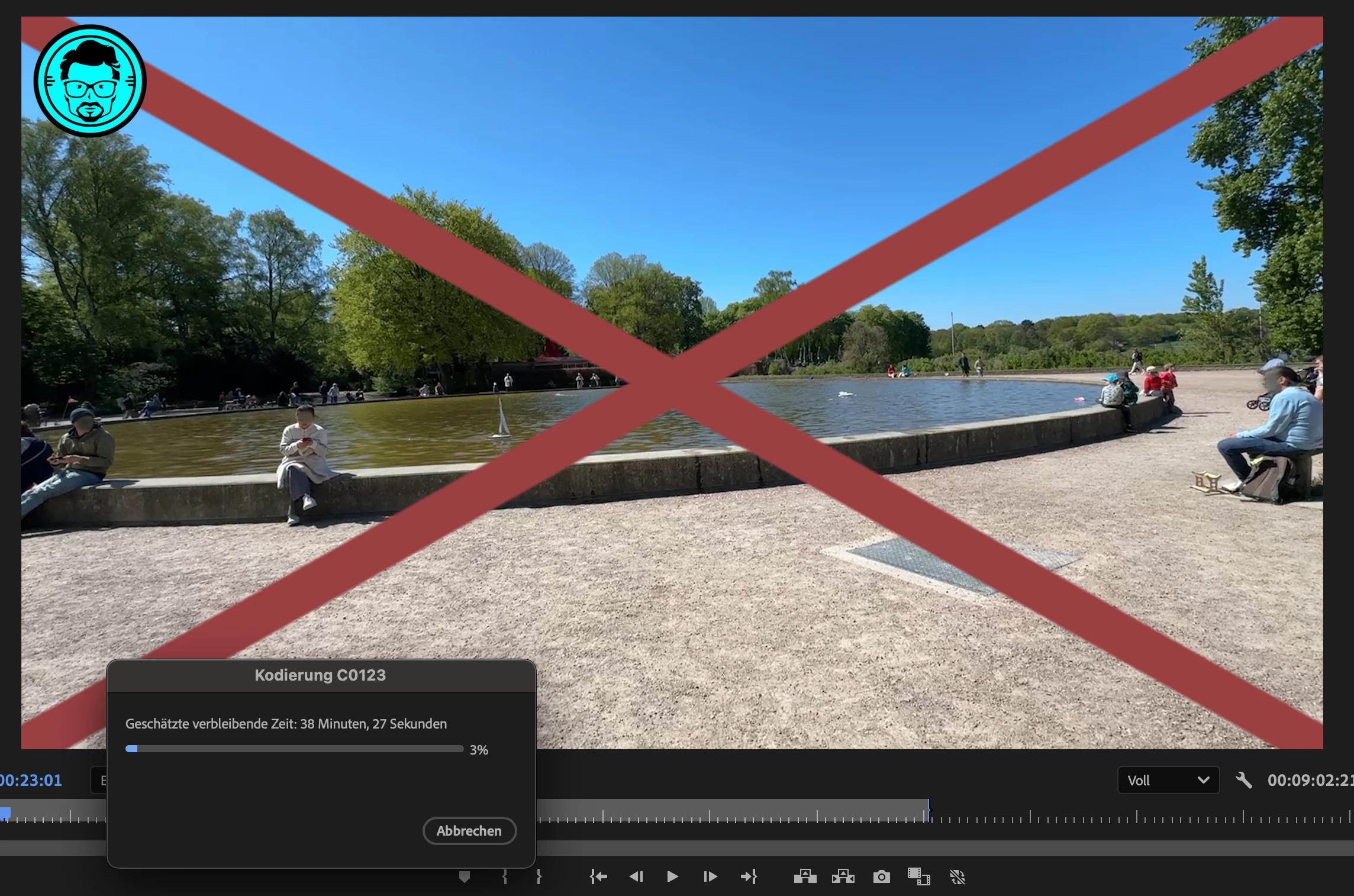
    The sequence itself is just 53 seconds long, but as soon as the BCC+ Witness Protection ML effect is applied, the export time explodes from 5 minutes to over an hour — and in many cases leads to a full crash before completion.

    Even after optimizing system storage (see screenshot), the issue persists and seems to be tied to memory load or a background process spiraling.


    One important observation:
    Premiere Pro (or the plugin) should ideally estimate the required memory or processing load before rendering begins— especially when using ML-based effects. A simple warning like “Expected memory usage exceeds X GB” would be extremely helpful to avoid crashing or hanging systems.


    Thanks again,
    Sascha


    Known Participant
    June 14, 2025

    Hi Fergus,

    Thanks for your reply and your willingness to investigate this.

    Unfortunately, I’m unable to share the original media due to privacy concerns – the footage contains identifiable individuals recorded in a public space, and anonymization was the exact reason for using the BCC+ Witness Protection ML effect in the first place.


    That said, I’ve documented the issue as precisely as possible and can provide:

    # Reproduction Info for BCC+ Witness Protection ML Crash


    ## Context
    Testing BCC+ Witness Protection ML on a real-world project (public urban footage) with the goal of anonymizing visible faces.


    ## Effect Setup
    - Model: Face Detection 1.0
    - Blur Amount: 55
    - Smooth Motion: 5
    - Feather: 3
    - All Mosaic & Tint settings: 0
    - View: Output


    ##Project Specs
    - Timeline Length: 9:02 min
    - Resolution: 3840 × 2160 px (UHD)
    - Framerate: 25 fps
    - Bitrate target: ~63 Mbps VBR 1-Pass
    - Export Format: H.264 via “Match Source – Adaptive High Bitrate”
    - Estimated File Size: 4316 MB
    - Output via: Hardware acceleration (Metal on macOS)


    ## System
    - iMac Retina 5K, 27", 2020
    - Intel Core i7 (8-Core, 3.8 GHz)
    - 128 GB RAM
    - AMD Radeon Pro 5500 XT 8 GB
    - macOS Ventura
    - Premiere Pro 25.2.1 (Build 2)
    - BCC Continuum: Most recent version (updated)


    ## Media / Caching
    - Source clip on PCIe SSD (TEKQ Veloce, exFAT)
    - Media Cache & Database also offloaded to this SSD
    - Internal disk 20 GB free space


    ## Error
    - System freezes or Premiere crashes entirely during export between 3–8% progress
    - Happens consistently on affected sequence
    - Does not occur when BCC effect is removed


    ## Notes
    Due to GDPR/privacy constraints, I’m unable to share the original video files. However, all parameters, timelines and environment are fully documented here.


    Best regards,
    Sascha

    Known Participant
    June 14, 2025

    Fore sure. My goal is to eliminate the error and to get a trustful workflow, publishing video content in respect of others privatesphere. But before licensing a tool it should work tustful as well. Still I would expect Adobe to think about offering such features out of the box or as Software as a service, so paid per usage. 

    Fergus H
    Community Manager
    Community Manager
    June 14, 2025

    @Sascha Block I moved this post from being a reply to your original request for a face blurring feature into its own post here in the Bugs forum. 


    Would you be willing to share with us a project and related media that demonstrate this issue? I cannot duplicate your issue but no doubt my BCC+Witness Protection ML effect settings are different from yours and I'm obviously using a different project & media. 


    Regards,

    Fergus