Participant
Apr 24, 2025 9:37 PM UTC
Needs More Info

Black Screen on Playback v.25.2.3

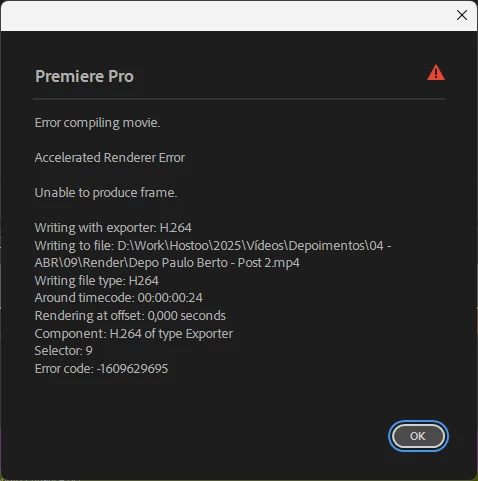
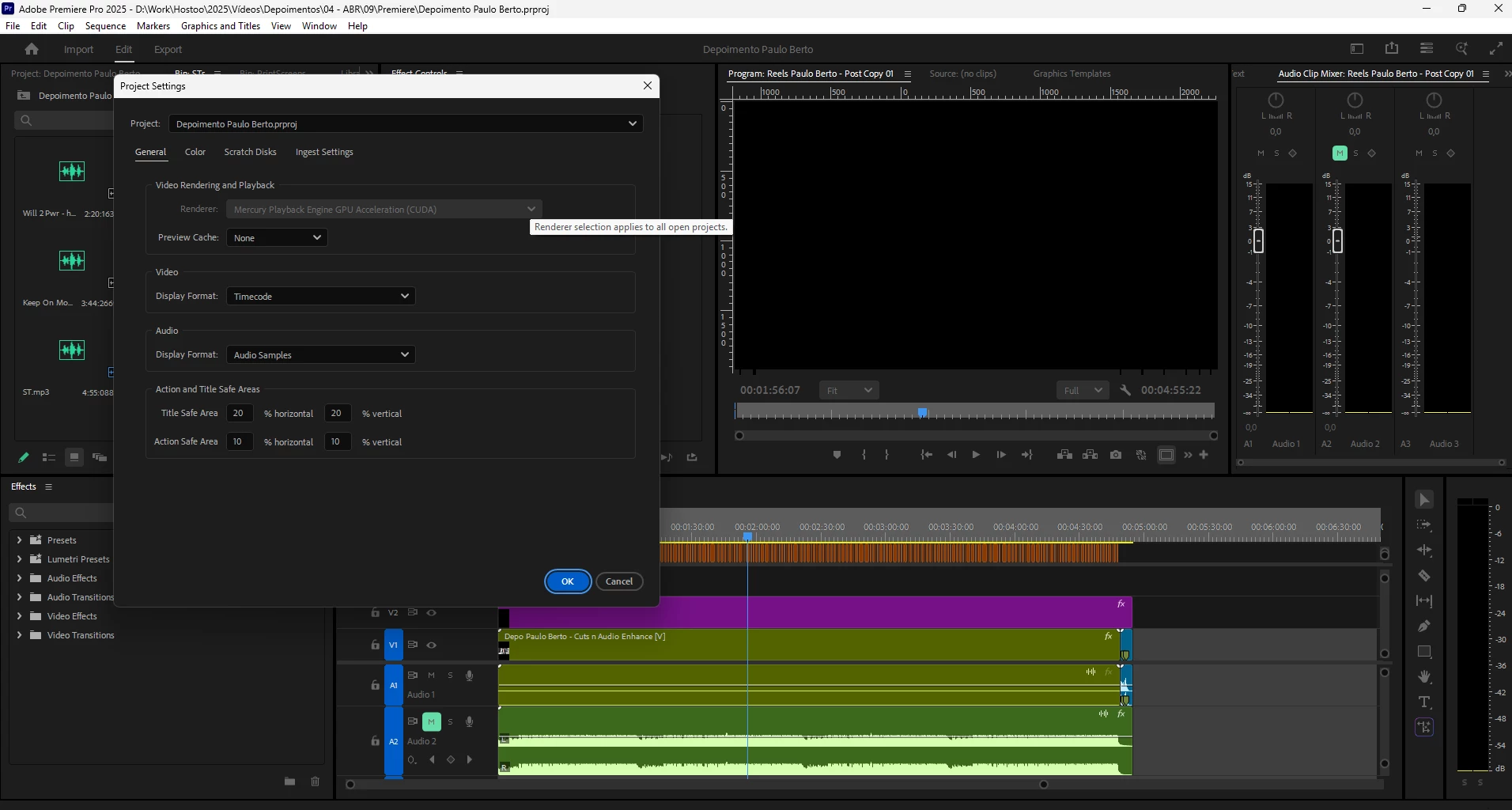
Hello guys. I would like some help with a common trouble with appearently multiple causes. My playback in Premiere won't display anything except a black screen, sometimes with a smal white bar on the bottom. The audio playback is normal. It happened when I tried to change the settings of a sequence and it just bugged out for good.
I've done a few procedures, I updated my gpu's driver. I used the clean tool to uninstall and reinstalled Adobe Premiere. 
What I couldn't do was testing changing the settings in Project Settings window, because the option to change the renderer is locked and grayed. It's locked in Mercury Playback Engine GPU Acceleration CUDA.

I'm leaving a few prints bellow of the issues.


My computer settings are:

Processor: Ryzen 5 5600x

GPU: RTX A2000 6GB Vram

1Tb SSD (System)

RAM: 64Gb
 

7 replies

marceloalmeidabr
Known Participant
Jun 23, 2025 3:56 PM UTC

After I updated the cuda version I'm editing without any problems so far.

https://developer.nvidia.com/cuda-downloads?target_os=Windows&target_arch=x86_64&target_version=11&target_type=exe_local

Translate
marceloalmeidabr
Known Participant
Jun 23, 2025 2:36 PM UTC

Exactly the same problem here! And so far no solution seems to have been found!

Translate
marceloalmeidabr
Known Participant
Jun 23, 2025 1:42 PM UTC

Same problem here, this is why i dont change to 2025 but my boss use 2025, black screen here and doesnt work anything! 

Translate
IanB_360
Community Manager
Community Manager
Apr 25, 2025 7:35 PM UTC

Thank you @elomark 

the team and I will take a look at this with the information you have provided.

Ian

Translate
elomarkAuthor
Participant
Apr 25, 2025 1:14 PM UTC

@IanB_360 


Black Screen Playback in Adobe Premiere.

A black screen is displayed when I try to playback a video in Premiere Pro timeline.

Steps:
• Start a new project;
• Import a horizontal video file: 1920x1080
• Create a vertical sequence: 1080x1920
• Start editing (cuts, subtitling etc)

Expected result: Proper playback

Actual Result: Black Screen playback

OS: Windows 11

Video Format: Quicktime (.MOV) encoded in H264

The problem affects all projects in the session once the steps ahead are done. Projects with 1080x1920 video inside a sequence with the same dimensions seems unaffected. The problem began to happen on april 24th.


PS: If these troubles don't match the category of this post, can it be moved to a proper category?

Translate
elomarkAuthor
Participant
Apr 24, 2025 11:06 PM UTC

@IanB_360 Thanks for sharing the link. 
My system is Windows 11. And yes, I tried to open other projects but they are not being displayed properly.
But, I just went to check again and I found another strange behavior. There is on project that con't be displayed properly on playback, but what is happening is once I open it up it bugs the program and no other project will be displayed properly until I restart Premiere.

Another thing I noticed is that the file has a H264 codec, but it's saved as a .MOV. I'll check is switching the file extension to .mp4 will change something.

Translate
IanB_360
Community Manager
Community Manager
Apr 24, 2025 10:43 PM UTC

Hi @elomark 
and welcome to the Premiere Pro Forum community.  Thank you for taking your time to file a bug report. Have you been able to play back any type of file other than the H264 you showed in your screenshots?  The link here  How do I write a bug report has steps to providing more information about your bug that can help us identify the issue. 
Were here to help.

Ian

Translate