
Participant
October 1, 2024

Changes made to "Media Cache Management" in Preferences will not save on exit. Can someone help?

  • October 1, 2024
  • 17 replies
  • 1695 views

Hello Adobe Premiere Pro users,


I'm trying to make a change to the "Media Cache Management" settings in Premiere Pro's Preferences.
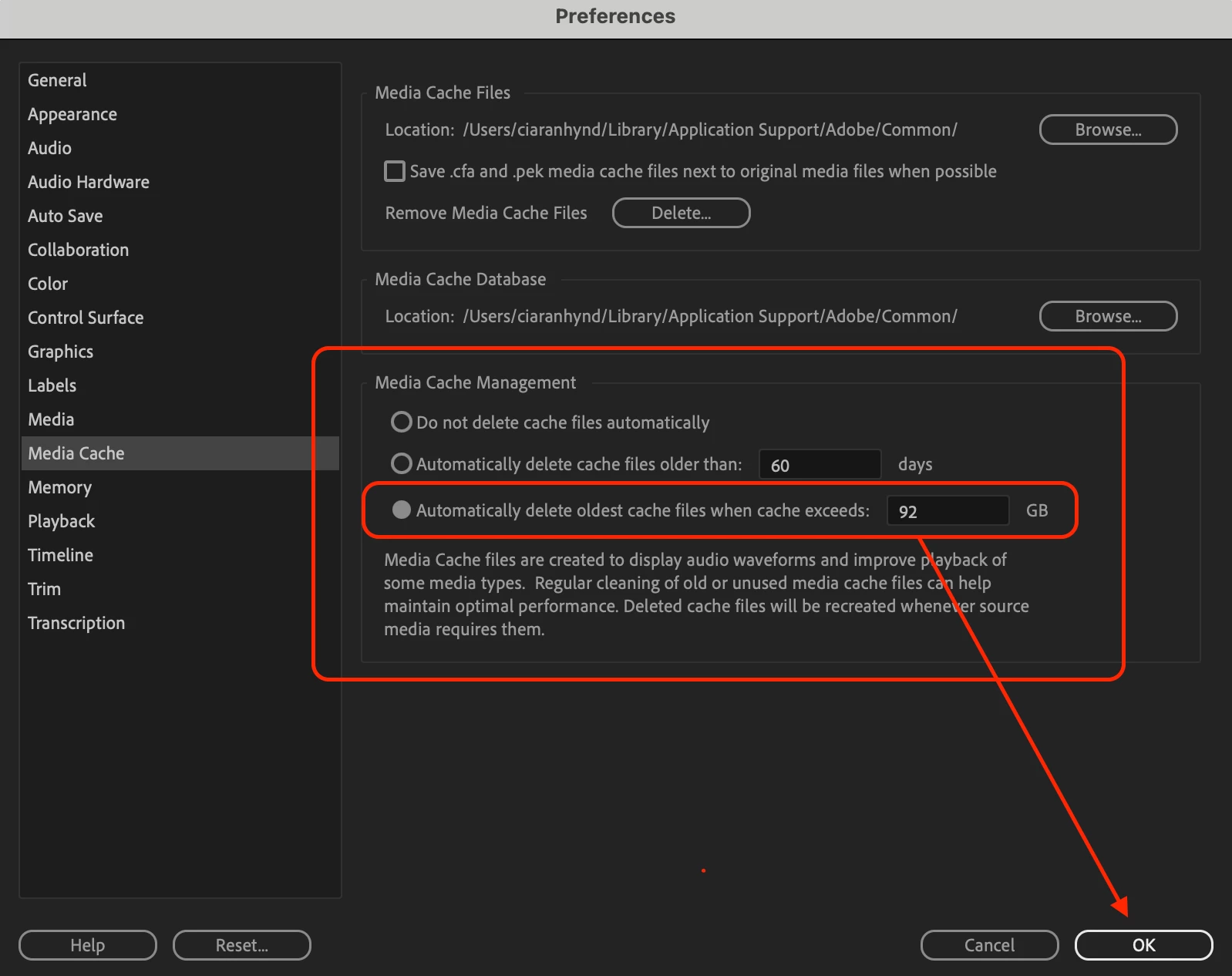


The option for "Automatically delete media cache files when cache exeeds:" is currently set to 92 GB.


This seems a bit too high for me. I'd like to change this setting.


When I change this setting, click Ok, exit Preferences, and then re-open Preferences, the setting has not saved.


I have also tried re-starting Premiere Pro, but my new configuration has still not activated.


My Premiere Pro app is up to date.


Can anyone help?


Many thanks,

Ciaran

17 replies

Participating Frequently
March 9, 2026

Manually edit the Adobe Premiere Pro Prefs file and change <Prefs.MediaCache.PurgeSize> to the byte value of the cache size you want.

Participant
June 23, 2025

Glad i helped 🙂

Known Participant
June 23, 2025

@ces3d Thank you!! This worked great for me, and the number even held after changing some other preferences, and having to reselect the "when cache exceeds" option rather than "files older than" option for the media cache. I was afraid it would jump back up like before but it didn't! 

Participant
June 20, 2025

Close Premiere

In Documents\Adobe\Premiere Pro\25.0\Profile-username\Adobe Premiere Pro Prefs edit this file with notepad. Find <Prefs.MediaCache.PurgeSize>

The value is byte. 32gb = 34359738368byte

Change the value to <Prefs.MediaCache.PurgeSize>34359738368</Prefs.MediaCache.PurgeSize>

Participant
June 3, 2025

Same issue here, Premiere 25.2.3 on MacOS 15.5. Default is 46GB, and no matter if I change it to a higher or lower value, it defaults back to 46 after re-opening preferences. Once I set it to 47, hit OK, then re-opened the preferences and it was set to 460GB, which is more space than I have available. I've had this issue on and off over the years, so it clearly needs to be addressed better. In the past i've reset preferences, re-installed premiere, nothing has helped.

Known Participant
May 12, 2025

May of 2025, I'm having the same problem, except Premiere is setting the limit to 1862 GB. That's more space than my computer even has. Bolded and italicized for emphasis because of how ridiculous it is.

I'm on version 25.2.3 for the record, Windows 10, etc. And I have reset my preferences. I've tried Premiere beta and the problem actually happens there as well! 

@jamieclarke Do you think this will ever get fixed? It's been 8 months since this was reported. 

Participant
April 30, 2025

Hi, have Adobe engineers looked into this? This is a basic setting, and it seems riduculous that is not configurable or editable. I am not able to rasie the cache setting beyond 92GB, and I just completely deleted and reinstalled Premiere Pro

Participant
March 26, 2025

Has anyone found a solution to this yet? Very frustrating
Thanks for any help

Participant
February 17, 2025

Open preferences Media Cache / Media Cache Management | Automatically delete older cache . . . and change the value to say 33 

Save and re-open preferences  and value changes often to 223 or 1

Closing and re-oping the app makes no difference.

This can be replicated with Prem 24.6.4  and Prem 25.1

Mac OS Sequoia 15.3.1


cheers angus

Inspiring
February 15, 2025

Any update with this?? @jamieclarke