Participant
May 7, 2025 7:49 PM UTC
Needs More Info

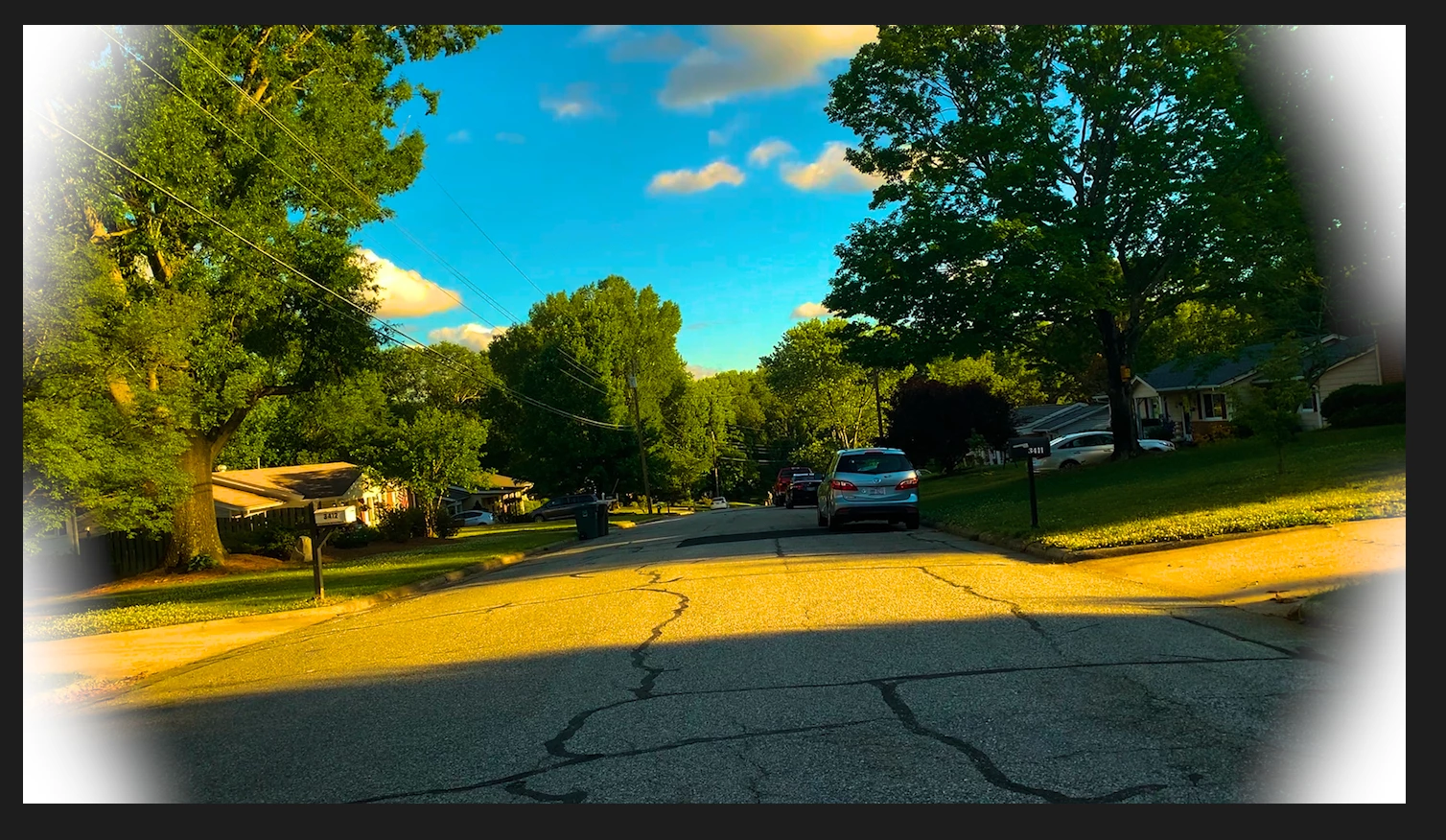
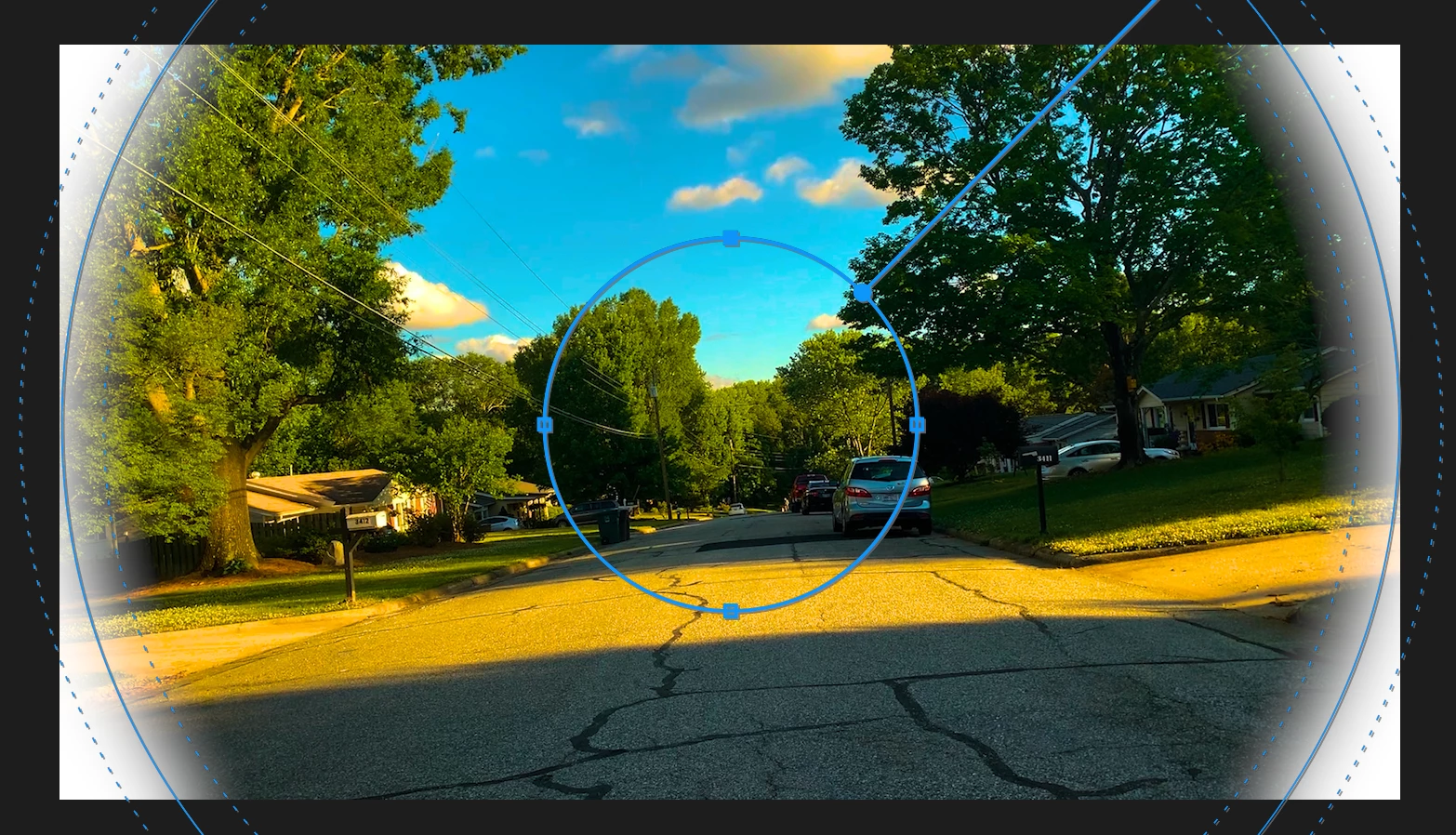
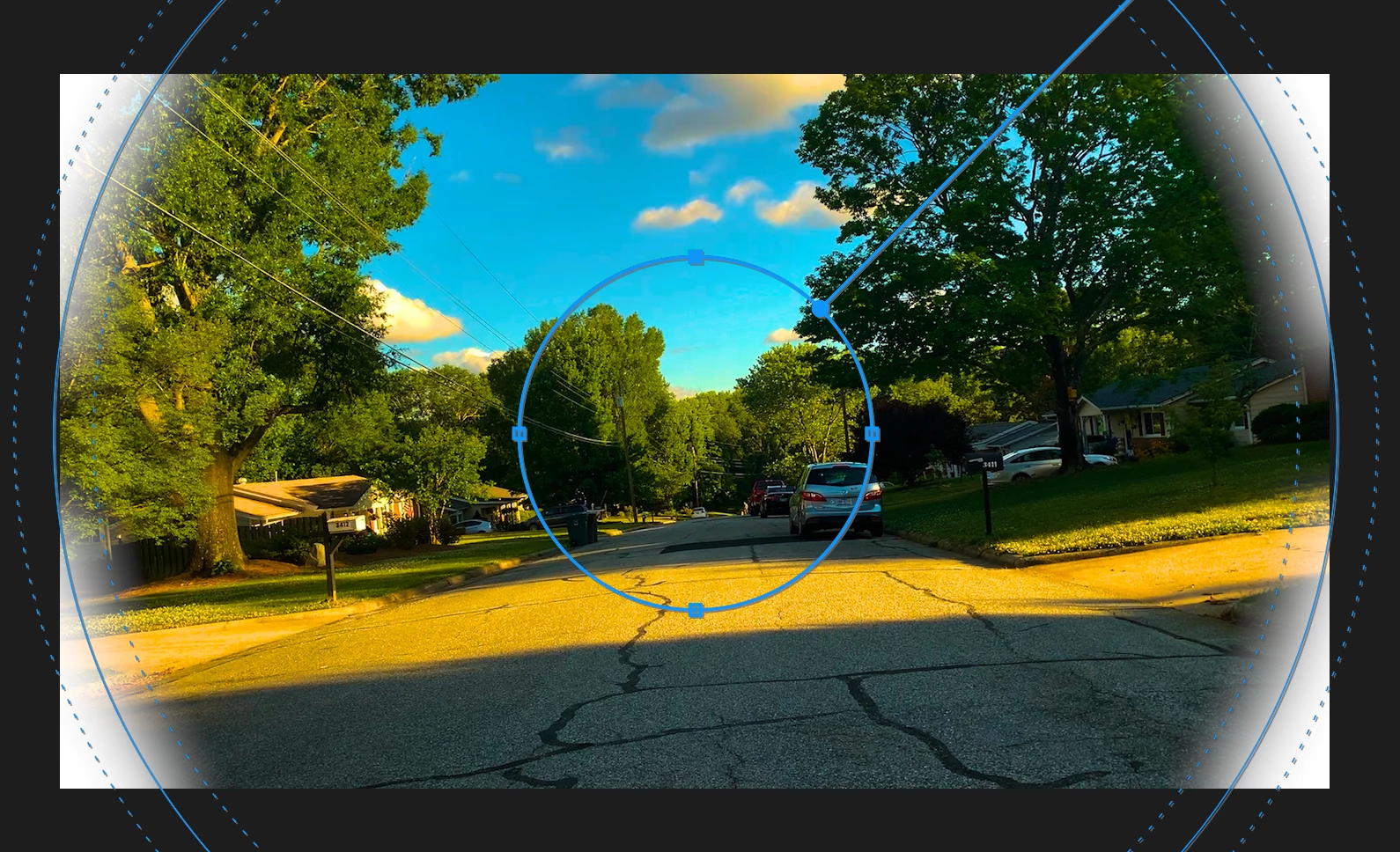
Circular mask feather clips out of frame when expanded to the edge.

I wanted to have an iris transition via a circular mask to have better control over the feathering and accelleration, but when the mask touched the screen, the feather completely disappeared for that little bit. I can't imagine why it would be this way other than a glitch. Creating a dynamic link to after effects completely fixed the issue, so I am reporting it here as a bug. Here are some screenshots I took of the issue.
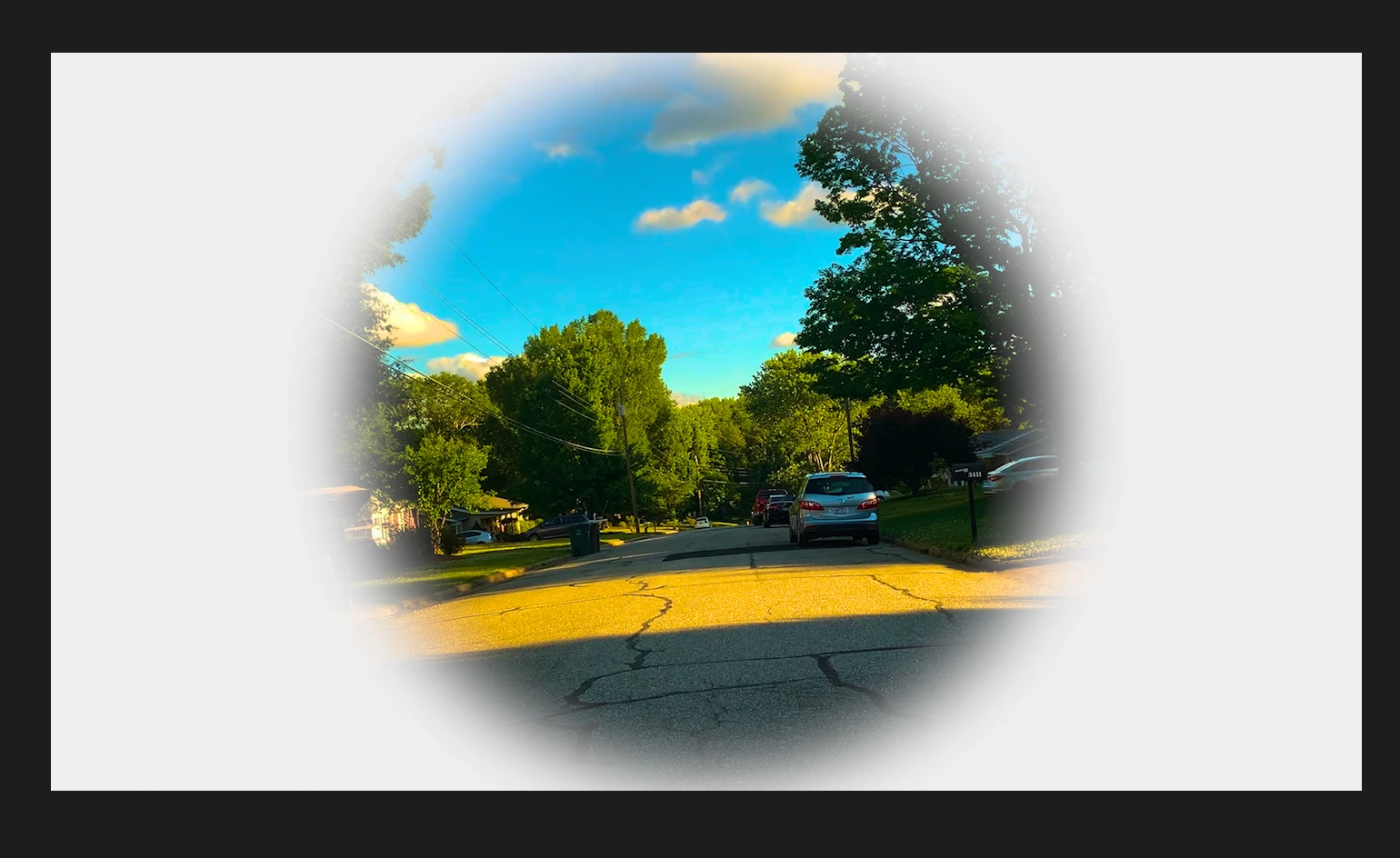
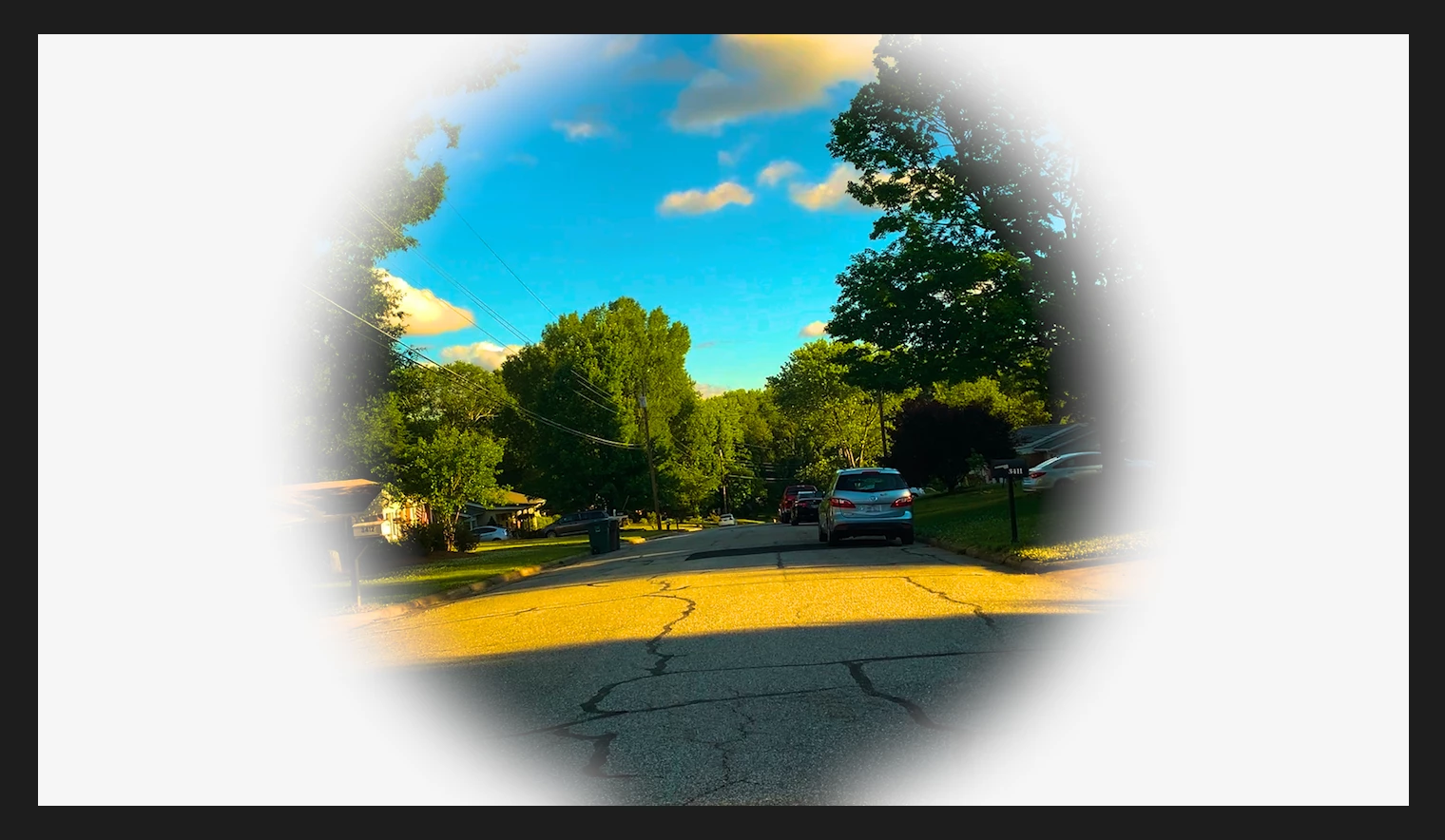
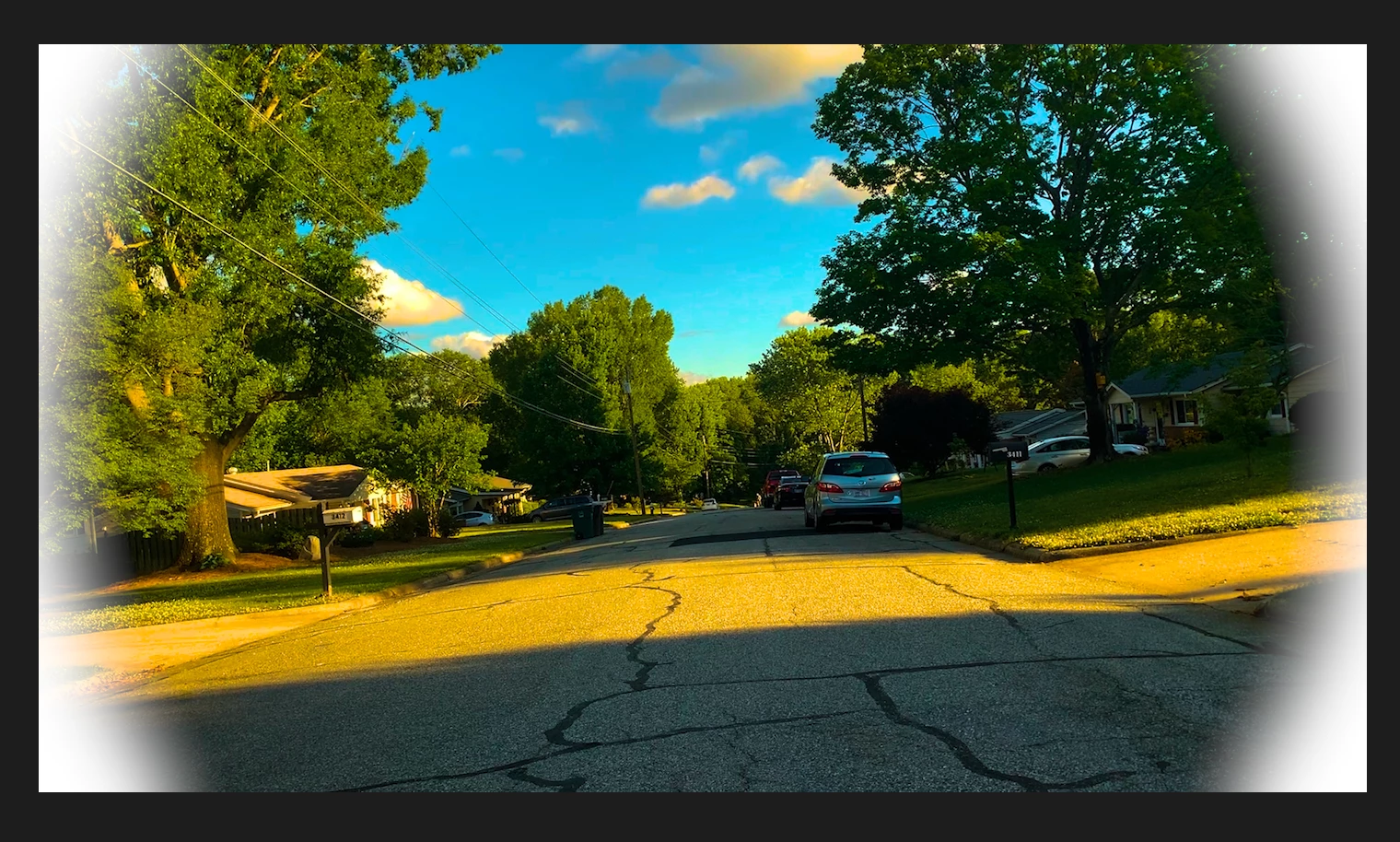
 

Please fix this. It is extremely aggervating to have to resort to going to another software to fix an issue that shouldn't be here in the first place.


Premiere Version 25.0.0

2019 MacBook Pro 2.4 GHz 8-Core Intel Core i9
 

4 replies

Community Manager
May 7, 2025 9:14 PM UTC

Hello @BrianRachal,

Welcome to the forums.  Thanks for submitting your bug report.  From your images, I can see what you mean.  Can you also send a picture of your mask settings?  If you have time, please give the team a few more details. See: How do I write a bug report?

Sorry for the frustration, and thanks for reaching out.  I hope we can help you soon.

Translate
Ann Bens
Community Expert
Community Expert
May 7, 2025 8:43 PM UTC

@AnnikaKoenig 

Translate
Participant
May 7, 2025 8:40 PM UTC

That does not fix the problem; it only seems to advance the expansion by one frame.

Translate
Ann Bens
Community Expert
Community Expert
May 7, 2025 8:16 PM UTC

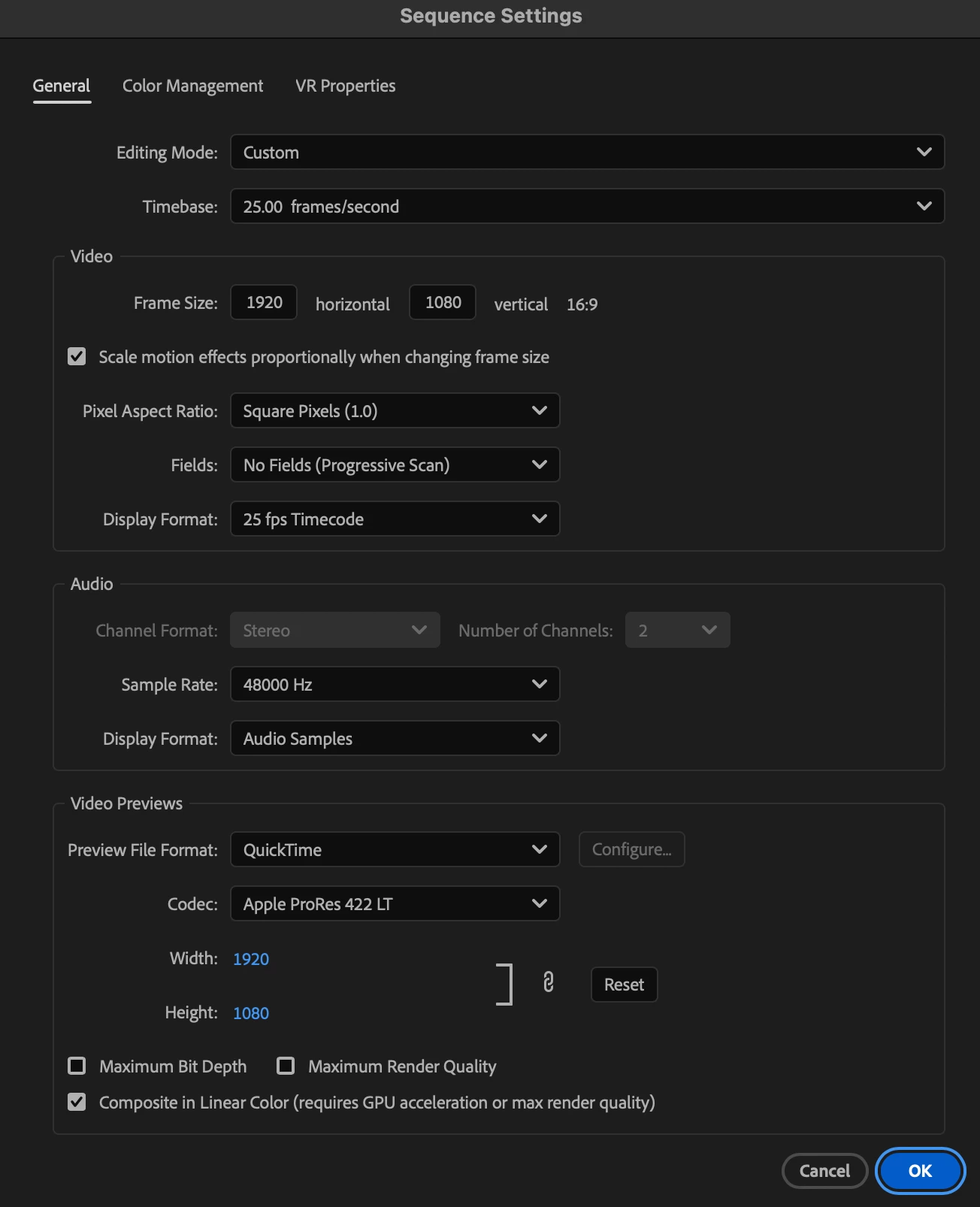
Try turning off composite in linear color.

Translate