
jgerlachcm
Participating Frequently
August 11, 2023

Clip/sequence flashing thumbnails in timeline makes editing impossible [major bug]

  • August 11, 2023
  • 22 replies
  • 2366 views

So I've been having this terrible issue recently where a whole bunch of clips have been flashing in the timeline. CPU usage starts to go up and Premiere becomes unresponsive, requiring a force close. As you can see in the GIF below, a certain subset of clips will sit there and flash (this recording is in realtime).
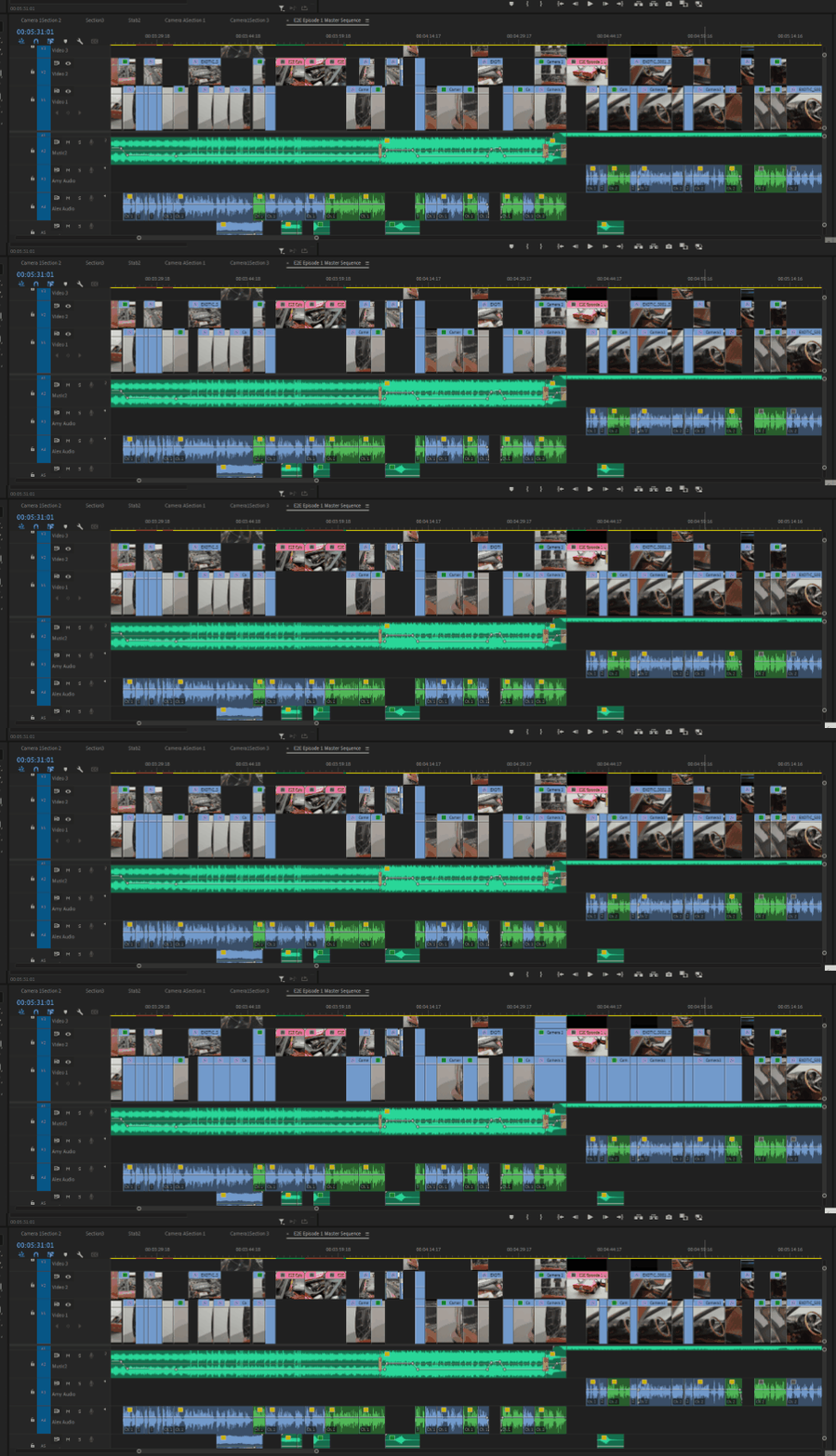
 

Flashing thumbnails in the timeline


The issues started with a multicam sequence. Whenever I would trim or edit the embedded multicam sequence, it would cause all the corresponding clips to start flashing like this. My last resort was to attempt to flatten the multicam sequence into the individual clips, but as you can see they're still stuck flashing even as non-nested clips.


I'm running the latest version of Premiere (23.6.0), I have the latest version of Windows 10 (22H2) and NVIDIA Studio drivers (536.99),


I've tried:

  • resetting Premiere preferences
  • clearing media/disk cache
  • copying sequence into a new timeline
  • importing the existing project into a brand new project
  • Flattening the multicam sequence
  • Changing thumbnail views from head only to continuous and back
  • nothing seems to work.


Any ideas? This has pretty much caused my entire editing workflow to grind to a halt. And please don't tell me I need to uninstall and reinstall Premiere or the OS. 


Specs:

Core i8-10850K
64GB Ram
RTX 3090 Ti 24GB VRAM
2TB m.2 SSD OS drive
4TB m.2 SSD Media Drive

22 replies

Kevin-Monahan
Community Manager
Community Manager
January 11, 2025

Sure hope it's fixed for you!


Thanks,
Kevin


Kevin Monahan - Sr. Community and Engagement Strategist – Adobe Pro Video and Audio
Participating Frequently
January 11, 2025

@Kevin-Monahan I haven't been experiencing the issue since I posted, though that was mostly from not working much over the holidays. That said, I'm also updated to PP 25.1 so maybe the issue is fixed?
Hopefully because 25 brought it's own new issues... 🙄

JP-PostMan
Known Participant
January 2, 2025

Any solution to this yet? Driving me crazy

IanB_360
Community Manager
Community Manager
November 2, 2024

The status of the bug report has been updated.

Ian

Kevin-Monahan
Community Manager
Community Manager
October 25, 2024

Hey @BCSFF,

Can you try a test in 25.1 Beta?


Thanks,
Kevin

Kevin Monahan - Sr. Community and Engagement Strategist – Adobe Pro Video and Audio
Participating Frequently
October 24, 2024

MAN! This is starting to get to me. I tried disabling all the audio tracks besides the one I'm using in the multicam clips, that sure helps preview render time but not this flashing thumbnail isue.
@Kevin-Monahan is there any news on this? What can I do to aide in fixing this? It is COMPLETELY interrupting my flow, having to close, restart, and then re-open my project. BTW it's not just that the thumbnails flash, but while the system apperas to be constnatly recalculating the thumbnails the play back tanks and becomes choppy. 

Participating Frequently
September 23, 2024

BTW I've since had this not work during later attempts.

"Delete Media Cache Files" is definitely different and is not project specific but I'm not really familar enough to be commenting on that

Sorry I keep forgetting to include info resulting in multiple replies! 

Participating Frequently
September 23, 2024

To delete all preview render files associated with the project, you can click 'Sequence' in the Premiere menu (top of the screen) and choose "Delete Render Files".

Known Participant
September 19, 2024

Where is the option for "Delete All Render Files"? Is that different than "Delete Media Cache Files"? 

Participating Frequently
September 19, 2024

Hey! So I was just working in a session where all the multicam clip thumbnails were flickering, when I chose to "Delete All Render Files" for the project, and instantly the flickering stopped.