

yaizaomc
Participant
May 27, 2026

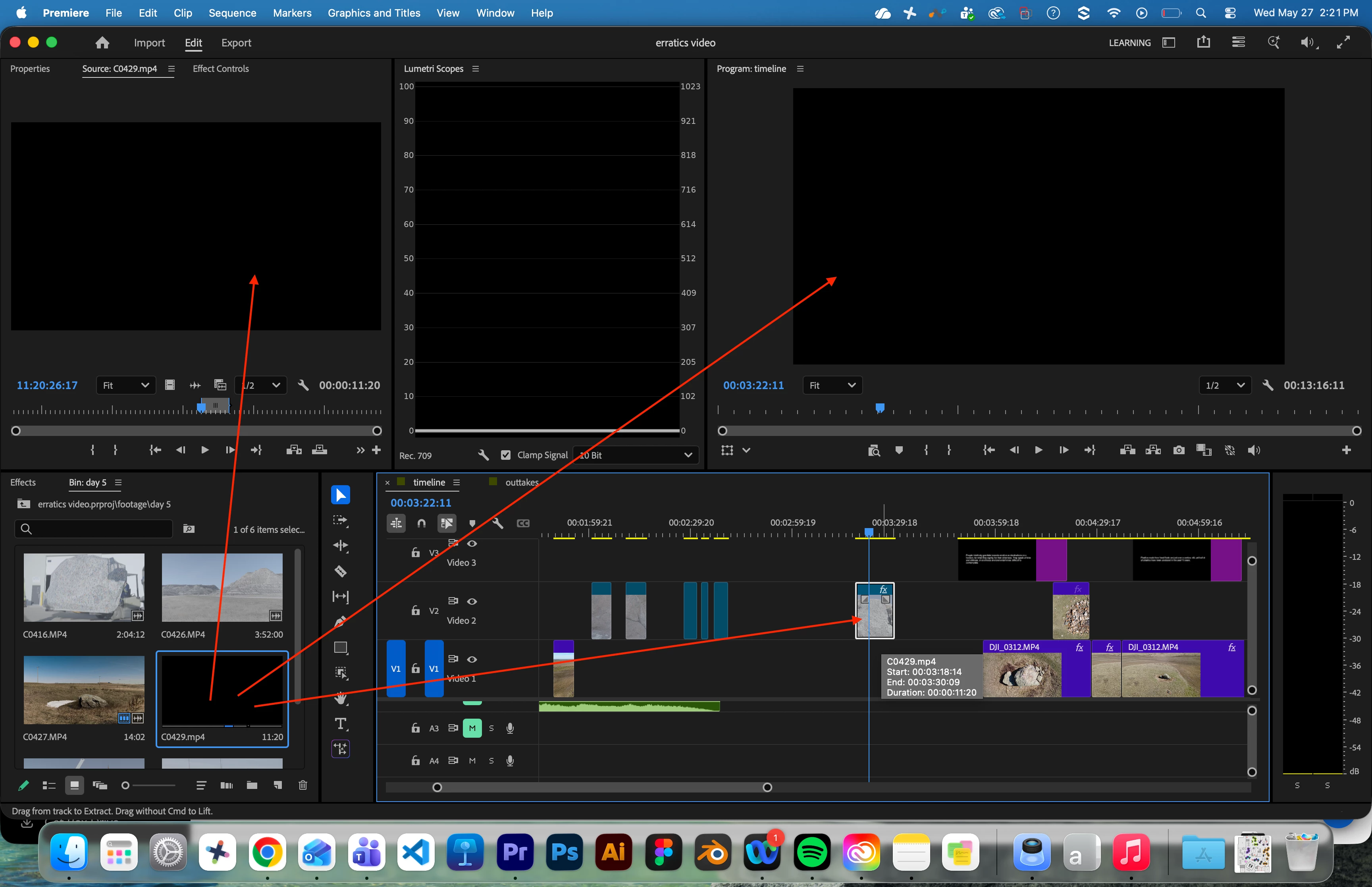
Clips are black in timeline and source monitor

  • May 27, 2026
  • 2 respuestas
  • 11 visualizaciones

Out of nowhere my clip became black. It’s still showing the preview in the timeline, but the source clip in the bin, in the source monitor and the playback monitor are all pitch black. I have tried relinking the clip, adding effects, removing effects, and nothing works. 
 

    2 respuestas

    Peru Bob
    Community Expert
    Community Expert
    May 28, 2026

    Delete the Media Cache and Media Cache files:

    https://community.adobe.com/t5/premiere-pro/faq-how-to-clear-your-media-cache-in-30-seconds-in-premiere-pro-2020/m-p/11017257/thread-id/260446?page=1

    If that doesn't work, try creating a new project and import the old one into it.

    MarekMularczyk
    Community Expert
    Community Expert
    May 28, 2026

    As you mouse over over the clip, does it show again? Or does it stay black all the time? Is it just this one clip?

    Adobe Community ExpertAdobe Certified Professional