
Known Participant
November 21, 2025

Effects Panel - All Drop-down-Menus empty

  • November 21, 2025
  • 13 replies
  • 536 views

I just updated to Premiere Pro 25.6.2. 

When I click on a drop-down-menu in the Effects Panel, it's empty. There are no entrys. I can't click anything. It's not only for Warp Stabilizer, as in this screenshot, but for all  entries. I tried resetting the workspace and the preferences. It did not help. Please fix.
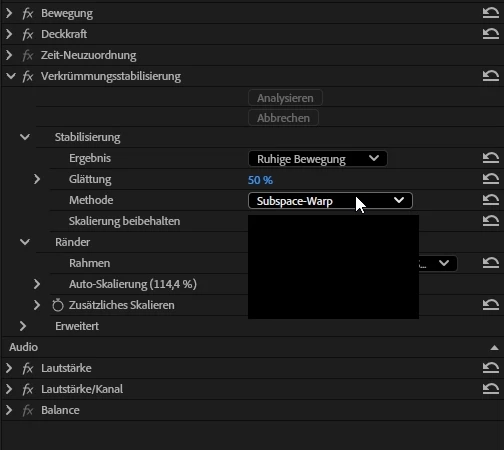


Windows 11 25H2, AMD Ryzen Threadripper 3970X, Nvidia RTX4090, 128 Gbyte RAM


13 replies

Known Participant
November 21, 2025

Sorry for the thread-Hijack, but @jamieclarke can you please get someone from the Bridge-Team to acknowledge this Months-old Bridge bug report, please? It totally disrupts my workflow 😞

Known Participant
November 21, 2025
  • Here's a screenrecording of the error. (Btw, it would be nice if you allowed direct upload of mp4-Screenrecordings, since you ask for those in the first place. It's kinda tedious to first make a gif of the recording to fulfill your bug-report guidelines.)
  • For now, I reverted to Premiere Pro 25.5, which does not show this error - but it breaks DynamicLinks with After Effects 25.6, so I had to revert to AfterEffects 25.5 as well. 

jamieclarke
Community Manager
Community Manager
November 21, 2025

Hi @pablo__0231 -  Thanks for submitting your bug report. We need a few more details to try to help with the issue. Please see, How to Report a Problem.


Sorry for the frustration.