

FIX Warp Stabilizer warning banner upon Render and Replace!
This bug or feature drives me nuts and it has been out there for eternity. When you Render and Replace a clip that was warp stabilized first you always get a warning banner if you choose Include Video effects:
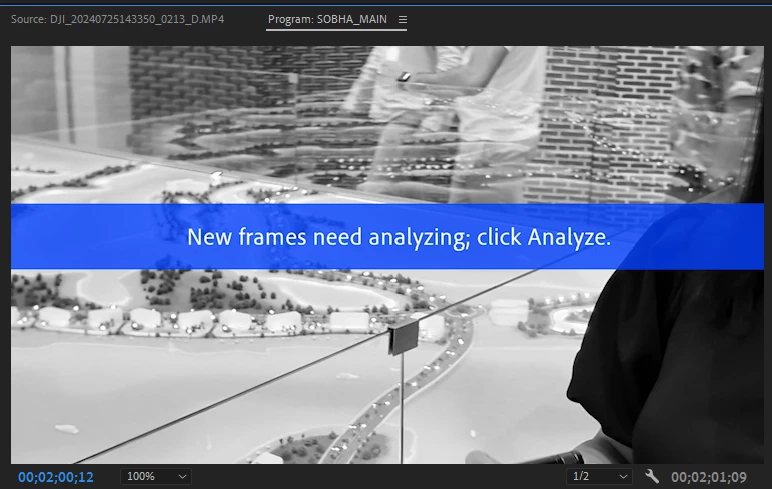
The only solution so far is to activate the Hide Warning banner checkbox in this effect's advanced menu:
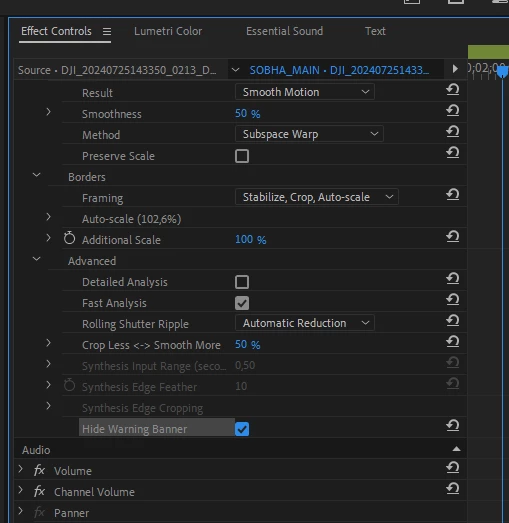
The guys in this topic here say that with Render and replacing the Warp Stabilizer effect does not work, but in Premiere Pro 24.6.1 I can clearly see my footage stabilized (see the attached video) and I still get this warning banner. Why? What's its purpose there? Why does it even show if the clip's length remains unchanged?
So. CAN ADOBE PLEASE FIX THAT ALREADY?


 AdChoices