


Needs More Info
Fonts not showing properly in Premiere Pro
Hello,
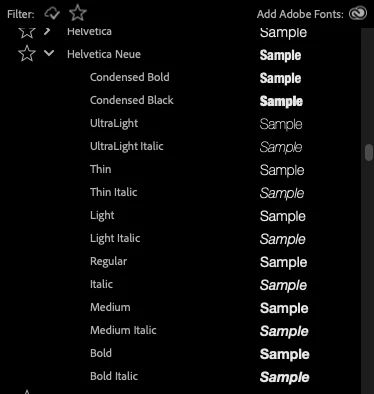
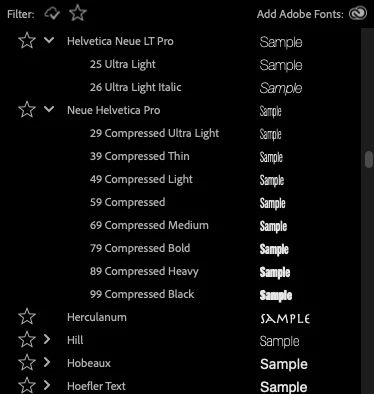
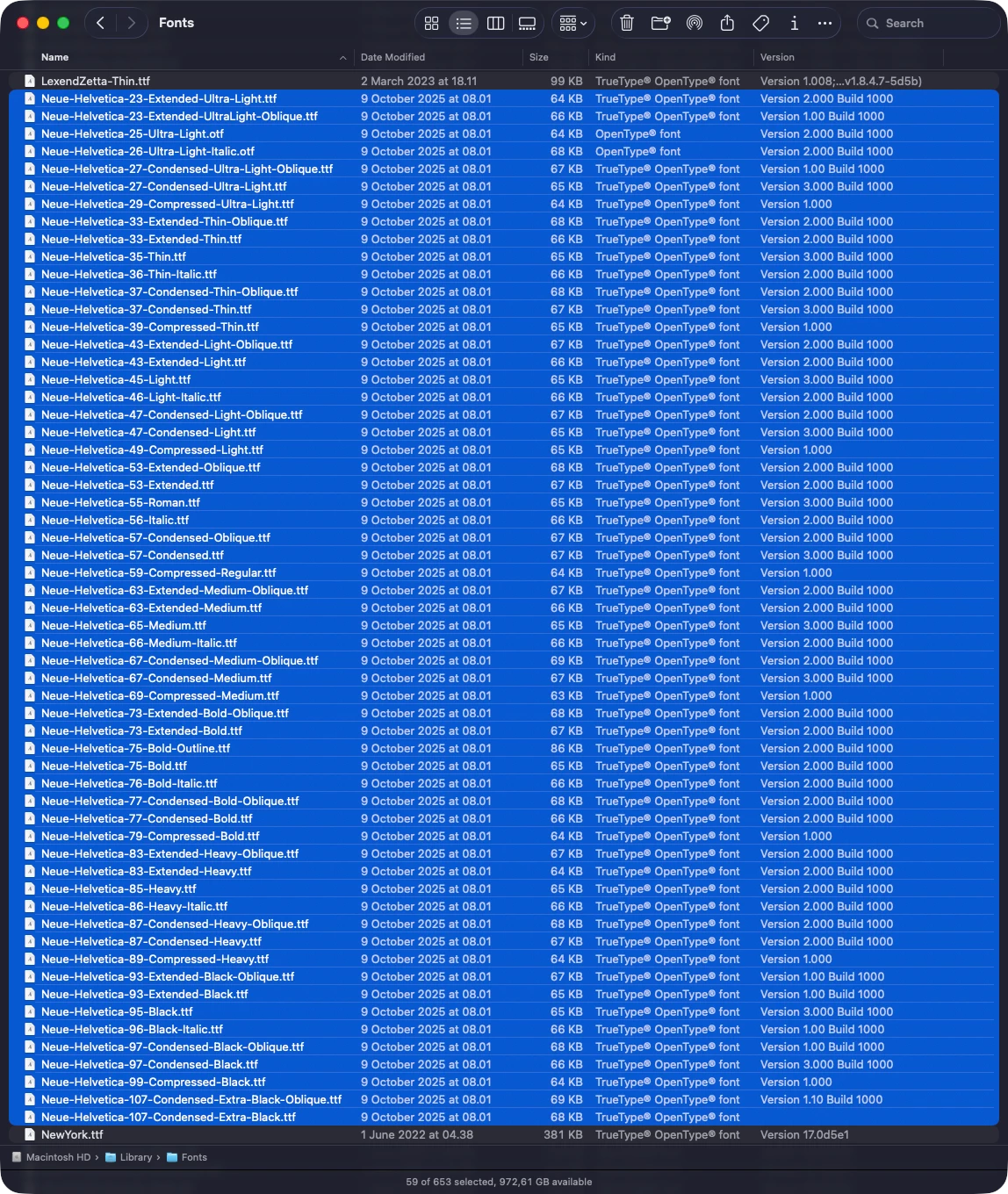
I’m experiencing a strange bug where some of my fonts are not displaying correctly in Adobe Premiere Pro. Only some fonts appear, and they show up under different names compared to other Adobe programs. For example, Helvetica Neue Black and Heavy are nowhere to be found – only 24 out of 59 fonts are shown. When I open Adobe Illustrator, all of the fonts display correctly. These aren’t special fonts or unusual file types.
Here’s what the fonts look like in Adobe Premiere Pro:
Here’s what the fonts look like in Adobe Illustrator:
Fonts library in Illustrator
Here’s what the fonts look like in Finder:
 AdChoices