
Participating Frequently
September 15, 2025

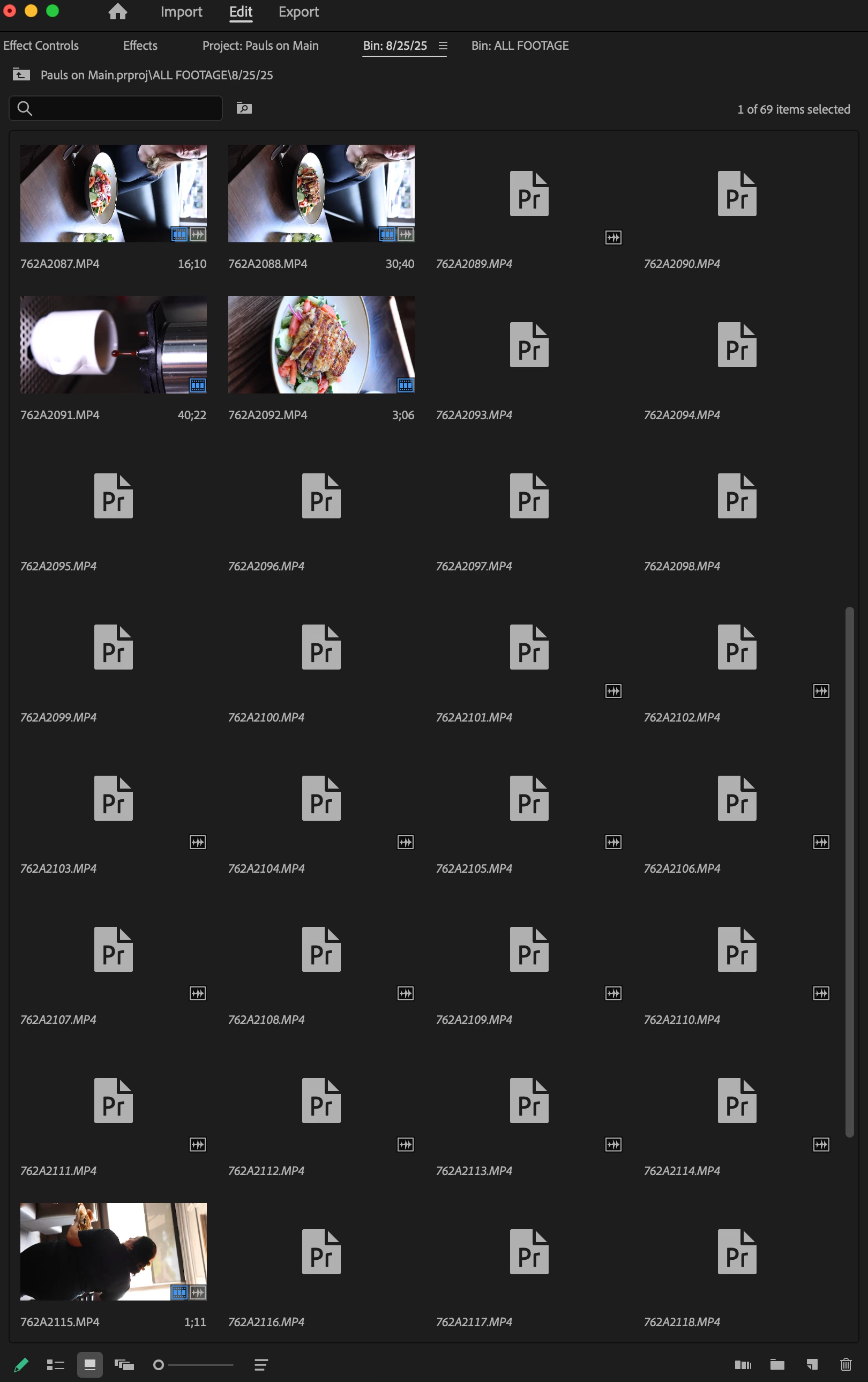
Footage Taking Way Too Long to Load

  • September 15, 2025
  • 14 replies
  • 351 views

The only footage showing up almost immediately are the ones ive used in the timeline so far. As for the rest of it, it takes close to 30 minutes to show up. The footage has never been unlinked or moved folders or anything like that. It seems since I updated to the latest premiere with the generative extend, it has not been working as efficiently as it used to.
 

14 replies

Miki5FBAAuthor
Participating Frequently
September 18, 2025

Red Giant Universe is installed, plugin wise. I'm working off an external drive, 18TB WD Easy Store. Formatted as APSF.

jamieclarke
Community Manager
Community Manager
September 15, 2025

HI @Miki5FBA - Do you have any third party plugins or panels installed?  Where is your footage located is it on an internal drive or external drive, if external what is it formatted as?  Can you share a screenshot of your folder strutcture?

Miki5FBAAuthor
Participating Frequently
September 15, 2025

Issue: Already linked footage taking up to 30 minutes to load in.

Steps to reproduce: Open Premiere Pro project file

Expected result: All previously linked footage loads in within a couple minutes max

Actual result: Footage that is not being used in the timeline takes around 30 minutes to load in

Adobe Premiere Pro version: 25.4.1 (Build 3)

Operating system: MacOS 14.4.1

Video format: 4K 60fps - 120fps from Canon R5

Comparative information: Affects mostly all projects, newer projects seem to be quicker, the problem began beginning of last week 9/8/15

jamieclarke
Community Manager
Community Manager
September 15, 2025

Hi @Miki5FBA -   Thanks for submitting your bug report. We need a few more details to try to help with the issue.
Please see, How to Report a Problem.

Sorry for the frustration.