
Participant
May 1, 2025

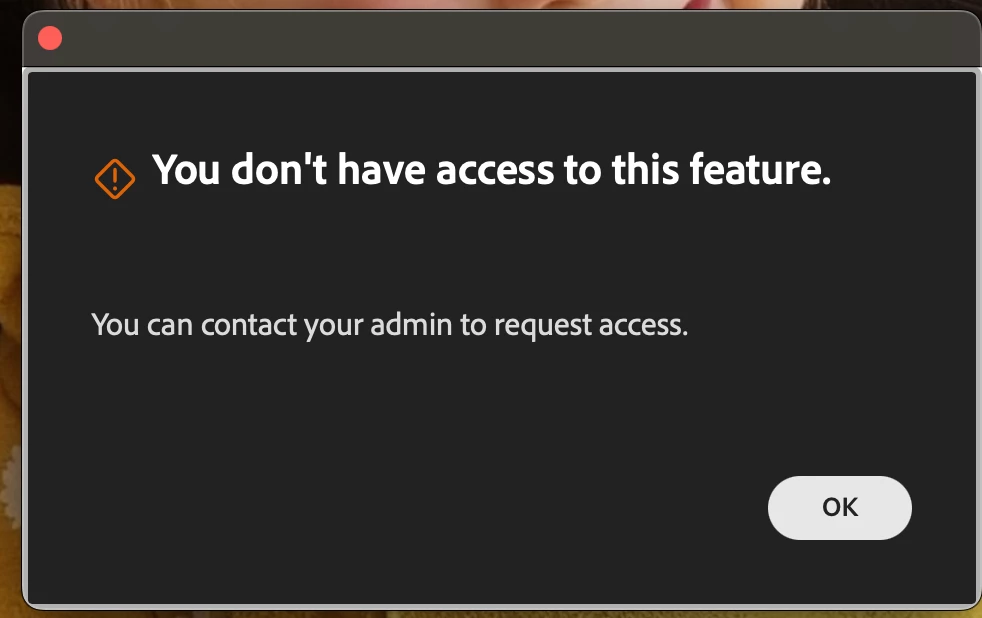
Generative Extend- "You Don't have Access to this Feature"

  • May 1, 2025
  • 18 replies
  • 2711 views

Hi everyone,

I receive This error message every time I try to use it. Any ideas?
Information:

Premiere Pro v25.2.3 (Build 4)
Hardware: Macbook Pro 2023. 64Gb Ram. Apple M2 Max. Sonoma 14.6.1

Firewall is turned off.

Internet connection is working.


Thanks in advance.


18 replies

Participant
July 14, 2025

I'm having the same issue in our educational environment. Is an update coming so we can use generative extend in Adobe Premiere?

Participating Frequently
May 22, 2025

@Matthew27062300zwot My fault- I was responding to the other person.  I should've quoted them.  I didn't mean to make you think i was asking you all that stuff.  I'll be honest- I've annointed your thread the "official google search result" for this issue.  So I was trying to provide some info for any wayard souls who find their way here.  Ultimately though, edu license folks can't get it for now.  Probably because they're figuring out the costing model.

Participant
May 22, 2025

To answer a few people's points:

No, I don't own the Adobe license myself. I'm an educational user. 


When I click on my account, it says I have "Generative AI uses" and I have 1,000 credits available. 

As I said at the beginning, I'm using 25.2.3 build. 

"Secondly, to be clear, are you seeing the generative extend icon and when you extend the video, it lets you, but after it processes to 100%, it throws the error? "

Yes, that's what's happening.  

"You may be able to file a help request with Adobe to get a definitive answer."

I don't know how to do that.

Known Participant
May 21, 2025

Thank you!

Participating Frequently
May 21, 2025

I will mention that even though my place is technically "edu", when i go to look at the license info, it is listed as "enterprise".  I just pass this along because it's possible that anything listed as "enterprise" is in the same boat.  I'd say have your purchasing folks file a ticket to find out, unless Adobe lets you submit a request through their website. 

Known Participant
May 21, 2025

I'm running the latest update of the beta 25.4.0 and yes it is throwing up the box after I use the tool and it goes through the entire process.

Known Participant
May 21, 2025

It is through work so I believe it is an enterprise account. According to CC, I have 496 firefly credits remaining.

Participating Frequently
May 21, 2025

What license do you have?  What I mean is- is it enterprise?  Did you buy it yourself?  Did your company buy it? 


Are you on Premiere Pro version 25.2?  This only very recently came out of beta.  If not, run the updater.  Secondly, to be clear, are you seeing the generative extend icon and when you extend the video, it lets you, but after it processes to 100%, it throws the error? 

Finally, do you know how many generative credits you have?  When you use this tool, you are spending generative credits.  I'm not sure what the different licensing plans have, but it's something to consider.  You should be able to see that by logging into Adobe's website and you'll see it under your profile pic when you click on it to expand.

I know this is a lot- just wanted to give you some things to cross off your list.  It is possible that whatever version you are using is being treated the same way as an educational version.  You may be able to file a help request with Adobe to get a definitive answer.  I was unable to beacuse edu versions have to go through the purchasing department, but I had my university's webstore file the ticket. 

droopydog500
Community Manager
Community Manager
May 21, 2025

Hi @EN_CreativeServices,


If you are not an EDU customer then it most likely means your enterprise plan does not include Firefly premium services. Your local Adobe administrator will need to contact their Adobe account representative about plan changes to add Adobe Firefly premium services.'


My best,

   droopy

Adobe Community Expert (not an Adobe employee)
Known Participant
May 21, 2025

I'm having this issue and I'm not an EDU user. I've tried signing in and out of cc, still getting this error.