

Micah Snacks
Inspiring
May 21, 2024

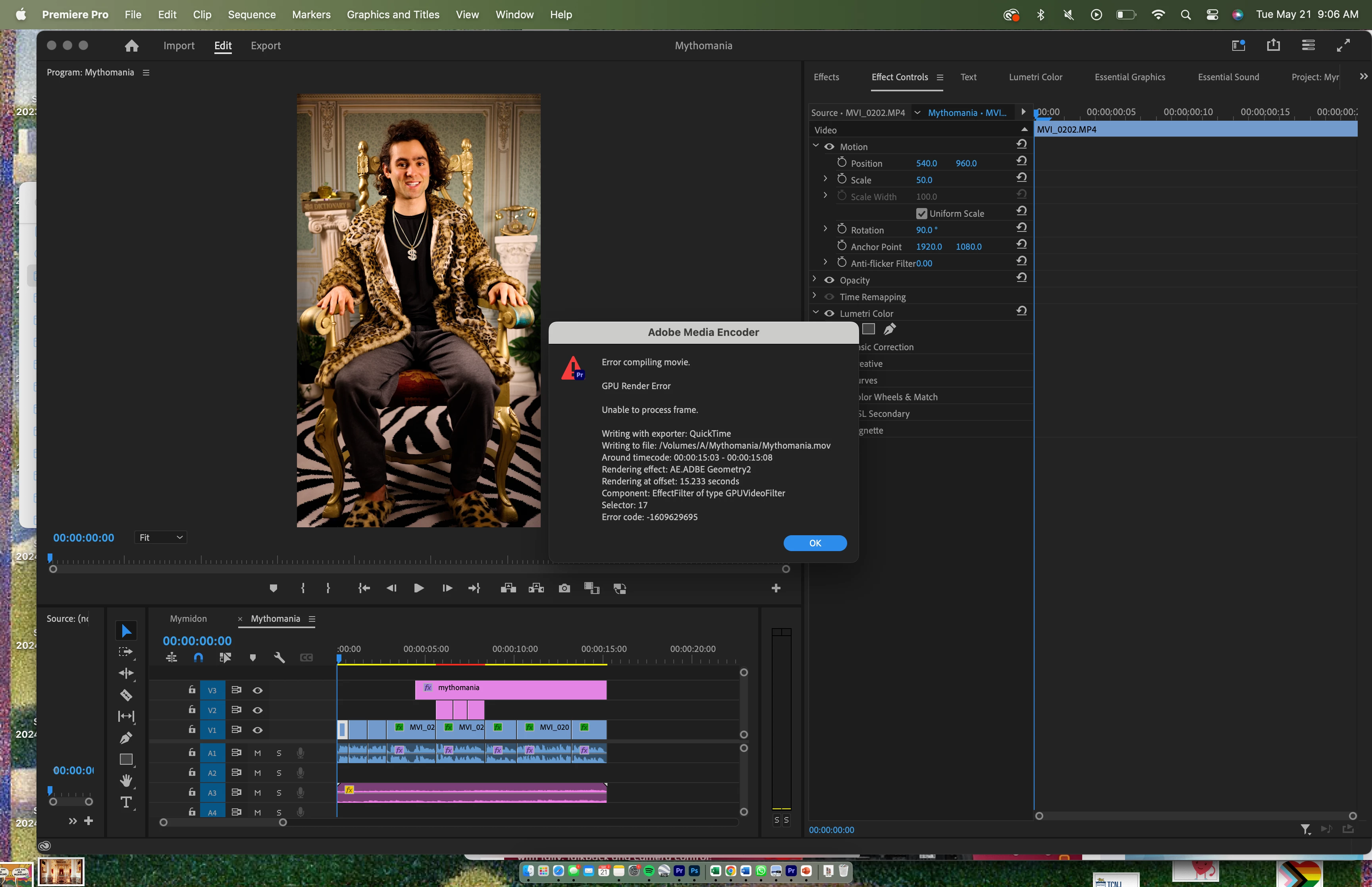
GPU Render Error (-1609629695) for Simple Caption Motion Graphic

  • May 21, 2024
  • 12 replies
  • 889 views

I am constantly getting the following error when I go to export. What is so strange is that I am not exactly exporting anything complicated - a simple caption that I upgraded to motion graphic is causing the dreaded export bug. The caption simply floats around slowly. How do I fix this error?? It has totally ruined my workflow and is making me late for deadliens as I type this . . . 


Tried doing QuickTime instead of 264, exporting timeline to a new projecrt, quiting out of Premiere and reopening it, reinstalling Premiere, etc and nothing works. On a Apple M1 Pro chip (so I cannot switch out of Metal renderer) and programs / os updated.


THANK YOU.


This topic has been closed for replies.

12 replies

Kevin J. Monahan Jr.
Community Manager
Community Manager
May 22, 2024

Hello @Micah Snacks,

Thanks for posting your bug report. Sorry for the lack of a response so far. Please give the team more details in the following format for best results in fixing the issue: How do I write a bug report?


I hope that the community, support, or developers can assist you with this problem.

Sorry for the frustration.

Take Care,
Kevin
Adobe Support and Community

Kevin Monahan - Sr. Community and Engagement Strategist – Adobe Pro Video and Audio
Micah Snacks
Inspiring
May 22, 2024

Nobody has a possible solution?  😞