
Participant
January 28, 2026

Hello

  • January 28, 2026
  • 2 replies
  • 21 views

Hello

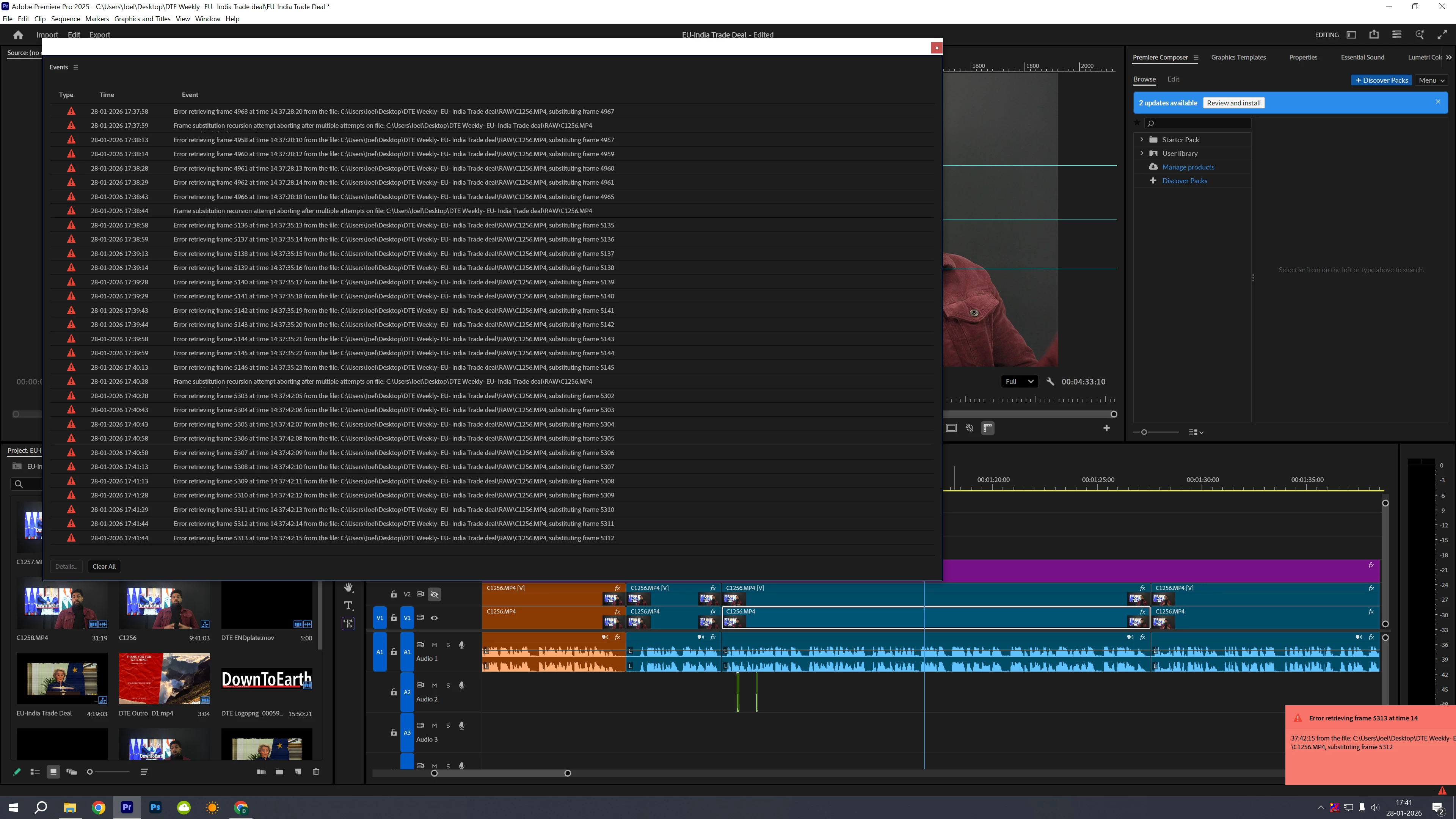
I’ve been getting these Frame substitution and error retrieving messages on my Premiere Pro. 
My Premiere Pro version is 25.6.2,. The footage is the A roll which I cannot remove and which has never before troubled me. I’ve tried deleting cache, creating a separate sequence, restarting Premiere Pro but nothing works.
Is there a way to solve this problem? 
Updated it to 26.0, still doesn’t work.

Attaching a screenshot
 

    2 replies

    AndrewTheGreat
    Known Participant
    January 29, 2026

    @surangya_8030 

    Be my guest 

    Totally a related issue, render error again.

    Community Manager
    January 29, 2026

    Hi ​@surangya_8030,


    Thank you for reporting a problem and sorry you’ve been experiencing issues. We need a few more details to help like hardware information. Please see How to Report a Problem.


    What kind of media are you working with? (Camera source, format, frame rate, resolution, etc)


    It looks like all the errors pertain to file C1256.MP4. Have the errors shown up for any of the other files? This error can sometimes occur with corrupted or variable frame rate media. Did you work with this file in a previous version of Premiere without issue?


    Sorry for the frustration,
    Dani