
Participant
April 2, 2025

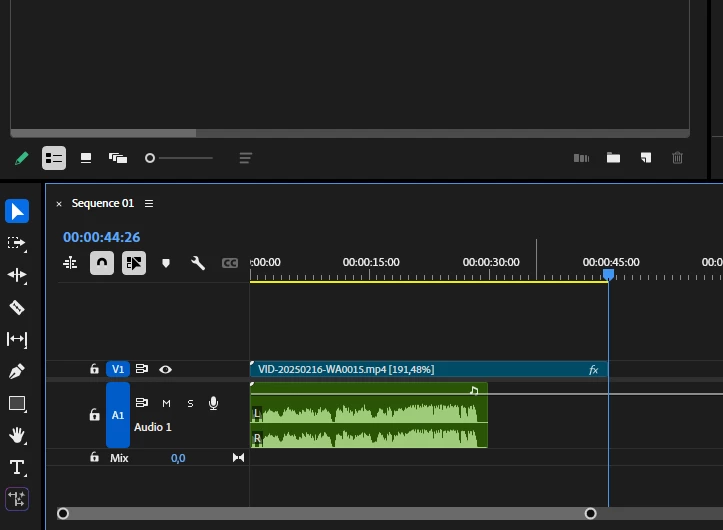
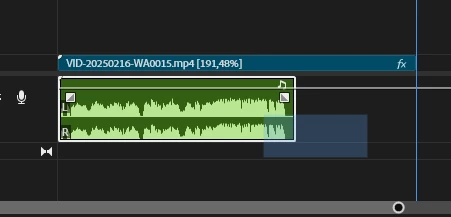
I can't select the audio section by clicking on it in the timeline.
  • April 2, 2025
  • 5 replies
  • 306 views


I can't select it by clicking on the sound section in the timeline.

The sound layer is selected only by selecting it as an area.

I remember the times when I used autocad, press and draw a square, select the area 🙂

5 replies

jamieclarke
Community Manager
Community Manager
April 2, 2025

Hi @jeffb56004601 - We need a few more details to try to help with the issue.
Please see, How do I write a bug report?

Inspiring
April 2, 2025

I'm having the same issue but only with a stock music track. Also audio clip keyframes don't seem to want to copy from that music track. I can drag select the audio clip but not click select and in any case, it won't move once selected. Dialogue tracks seem to be ok.

jamieclarke
Community Manager
Community Manager
April 2, 2025

Hi @BaranSEREN -  We need a few more details to try to help with the issue.
Please see, How do I write a bug report?

Participant
April 2, 2025

Sorry, the result is the same. I rolled back to version 25.0 and it works without any problems.

jamieclarke
Community Manager
Community Manager
April 2, 2025

Hi @BaranSEREN -  Thanks for submitting your bug report. We need a few more details to try to help with the issue.
Please see, How do I write a bug report?

Can you try and hold down "SHIFT" while launching Premiere and check the box 
"Reset app preferences" (Backup Preferences first)


Sorry for the frustration.