
Inspiring
December 23, 2022

Is this a bug or do I have bad video card?

  • December 23, 2022
  • 5 replies
  • 830 views

Here's how to reproduce this:

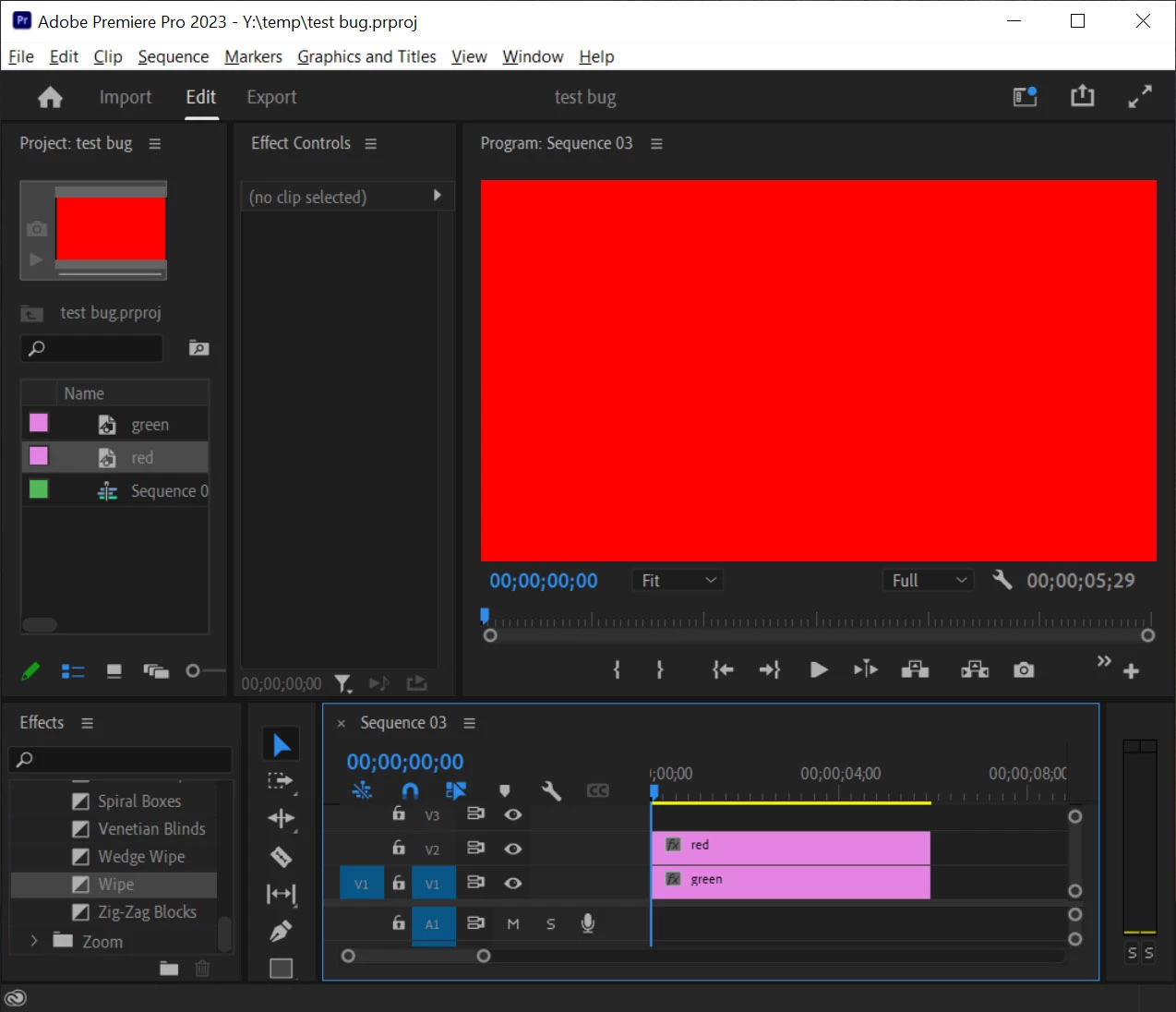
(1) create a green matte and a red matte, put the red matte on a layer above the green one. It should look like this. All further operations are on the red (top) layer.


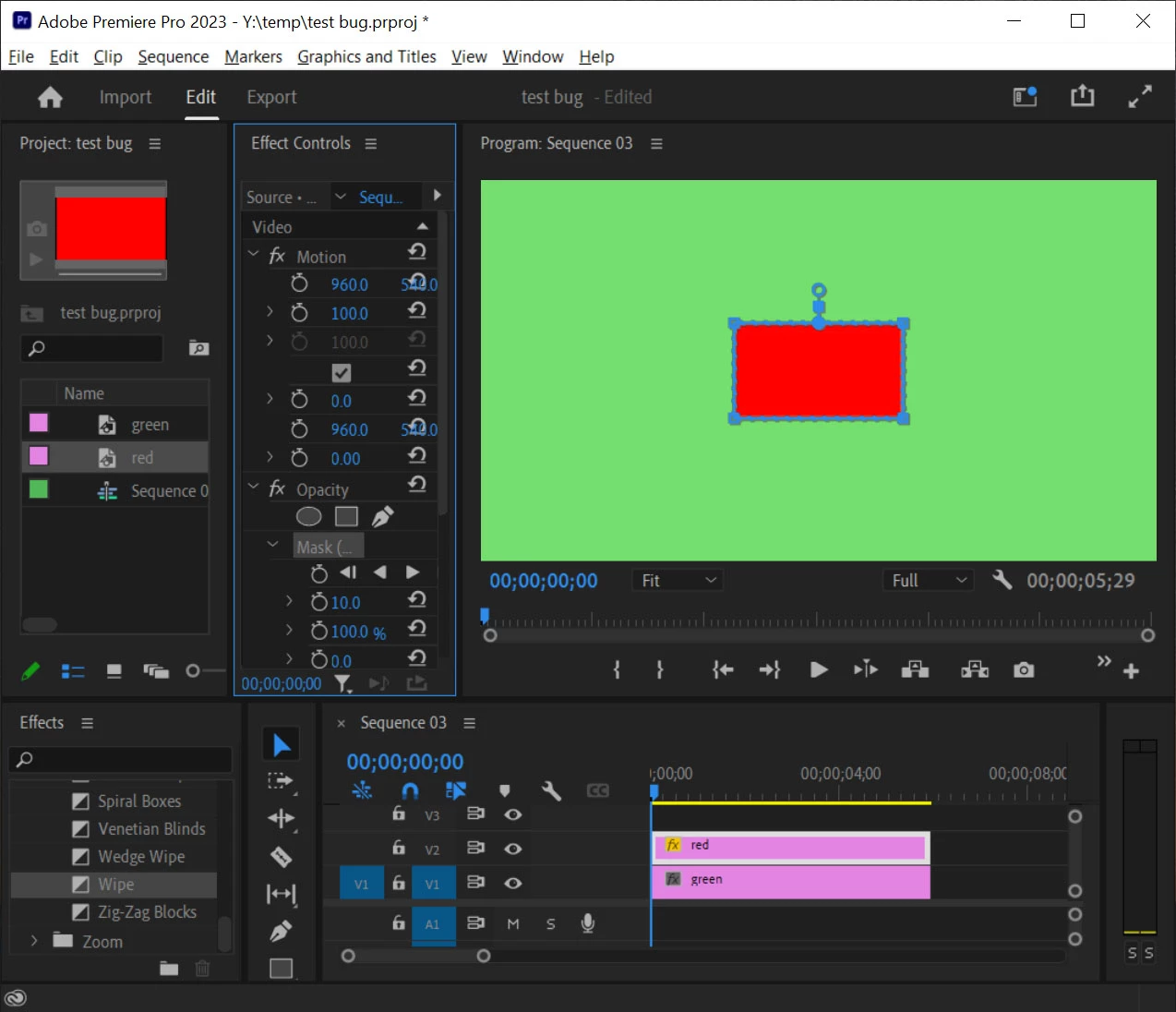
(2) create a rectangular mask on the red layer by clicking the rectangular mask. It should look like this:
 

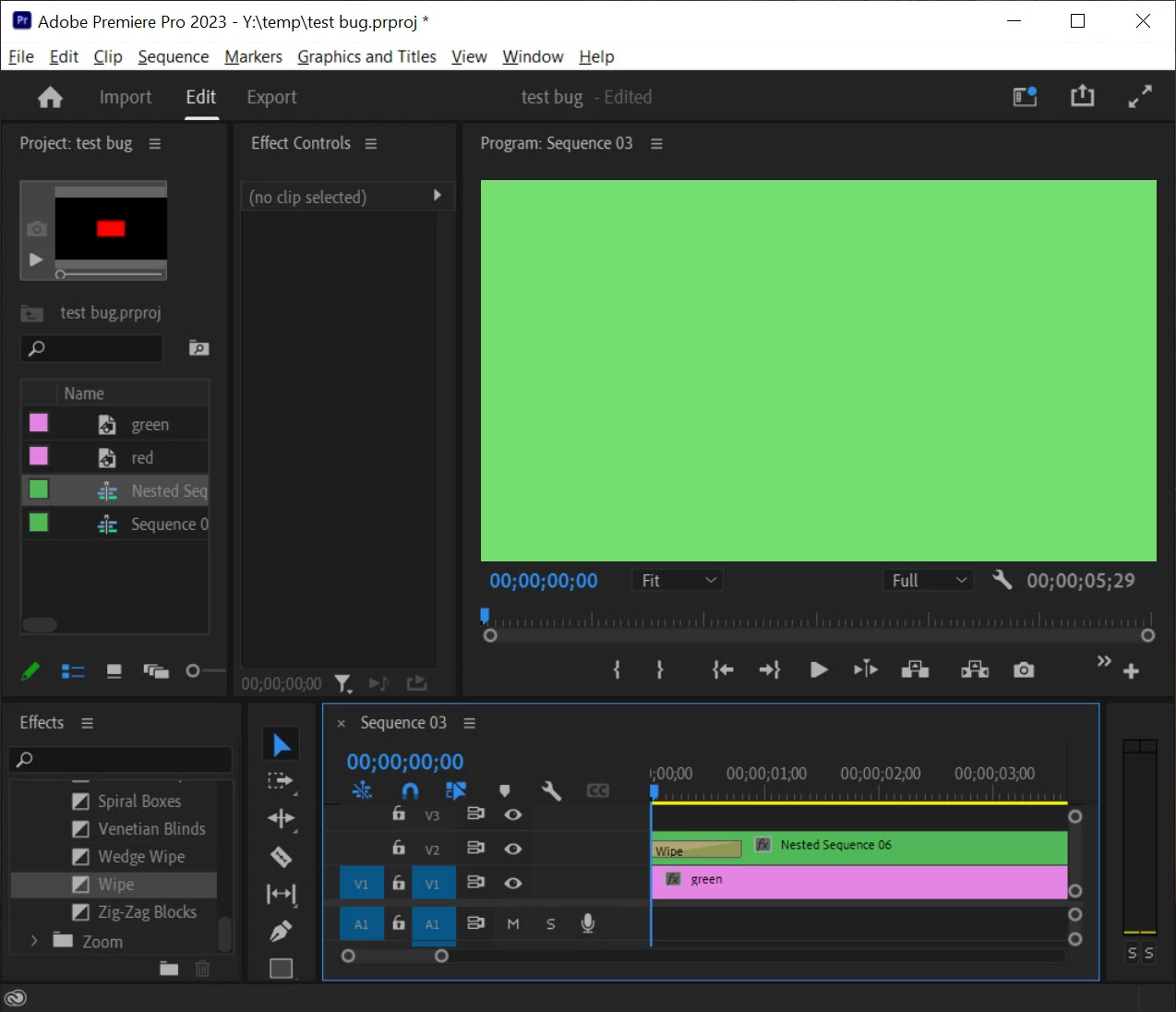
(3) nest the red layer and put a wipe transition at the beginning of the layer.
 

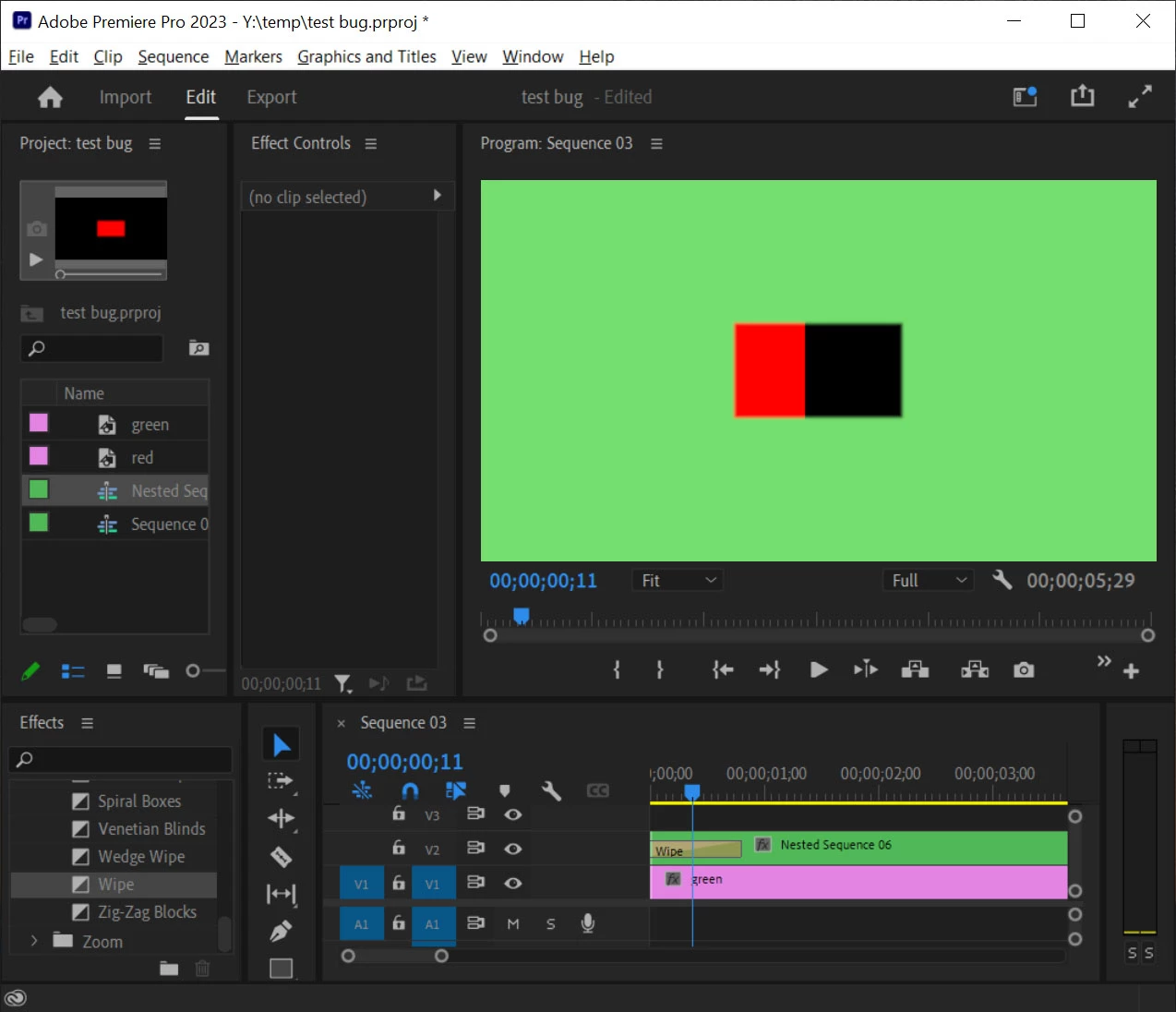
(4) Now as I step through this video frame by frame by pressing the right arrow key repeatedly, I first see a black rectangle unexpectedly, then red color starts to wipe into this rectangle. If I stop pressing the arrow key, after a second the black part will turn green (green is what I expect), until I press the right arrow key again.
 

Turning off GPU in project setting seems to make this go away. Can anyone reproduce this? I have an old nvidia GTX 1080 gpu with the latest driver installed by nvidia experience, and I tried both the studio and game driver with the same result.


I also tried the previous version of premiere pro (v 23) with same result.


I need to know if upgrading to a newer gpu (e.g. RTX 30xx) would eliminate this problem, because that would be the quickest way for me to continue work.

This topic has been closed for replies.

5 replies

Kevin J. Monahan Jr.
Community Manager
Community Manager
March 26, 2024

Hello @avpromedia,

A team member has updated the status of this issue. I have also moved the post into the Bugs forum. I hope that's OK.


Thanks,
Kevin

Kevin Monahan - Sr. Community and Engagement Strategist – Adobe Pro Video and Audio
Kevin J. Monahan Jr.
Community Manager
Community Manager
March 26, 2024

Hello @avpromedia,

Thanks for the message. I apologize for the lack of response to this bug report. Are you still having this issue? The team will need more info from you to reproduce the bug. Can you provide the information required here? How do I write a bug report?


I'll move your post to the Discussions board while we await your information.


Thanks,


Kevin

Kevin Monahan - Sr. Community and Engagement Strategist – Adobe Pro Video and Audio
Inspiring
March 26, 2024

still have the problem even though I moved to a totally different PC

windows 11

premiere pro 24.2.2 (build 2) non beta

CPU intel i7 12700K

GPU nvidia GeForce RTX 3080

nvidia studio driver version 551.86 release date 03/19/2024

RAM 32G

C:\ boot drive and adobe install drive, 500GB internal SSD

E:\ 4TB internal HDD - this is where I save the project; free space 3.06 TB

scratch disk is set to same as project for everything


Reproducing steps is the same as my original post. In fact I followed those steps just now to reproduce it.

Kevin J. Monahan Jr.
Community Manager
Community Manager
March 26, 2024

Thanks for reporting back. @Kyle Plumadore may be able to assist here. What do you think, Kyle?


Cheers,
Kevin

Kevin Monahan - Sr. Community and Engagement Strategist – Adobe Pro Video and Audio
R Neil Haugen
Legend
December 24, 2022

Try reverting to the 517.40 Studio driver, that's the last one that seems universally stable. If that's no better, or if it is ... please post back the results.


Neil

Everyone's mileage always varies ...
Inspiring
December 23, 2022

premiere pro 23.1.0 (build 86)

nvidia studio driver version 527.56 release date 12/08/2022

OS = windows 10 64 bit

Rendering does show the bug (black box)

nesting the red clip makes the problem obvious. If I don't nest it, I only see the black box for a split second and then never again.

Cropping instead of masking does not cause the problem.

These transitions also has problem: cross dissolve, slide, whip

Inspiring
December 23, 2022

It seems very likely that this is a bug and not because you have a bad video card. I moved this post to the Bug section of the forums, but go back to that section, take a look at the "how do I file a bug" post and add any relevant information from there that could help the team, including exact version of Premiere (not just 2023) and exact driver version. 


Does this render with the issue or only show in your timeline? I would also try to recreate your effect in a different way to see if the problem goes away. Instead of using a mask on the red shape, have you tried the Crop effect? What if you didn't nest anything at all and instead use the Crop effect directly on the layer and then animated the crop further instead of applying the Wipe transition?