
Lumetri Color gets stuck on a clip and i can't change it.
Let me try to explain the issue the best way that i can, i like coloring my scenes individually (i color a clip, copy the lumetri color settings, paste on the next clip, and change whatever is necessary while mantaining the coloring style, i'm not a fan of adjustment layes for color grading since each clip can have different lighting and such)
I started to notice if i color grade a clip, sometimes the lumetri color will get "stuck inside" the clip and i cannot remove it.
My main work is videos for parties and weddings, I always make a first sequence just for selecting the clips that i will use on a video, then a second sequence for the actual video with the selected clips, music, effects and color grading, so if i accidentaly delete a clip i have my first sequence as a backup.
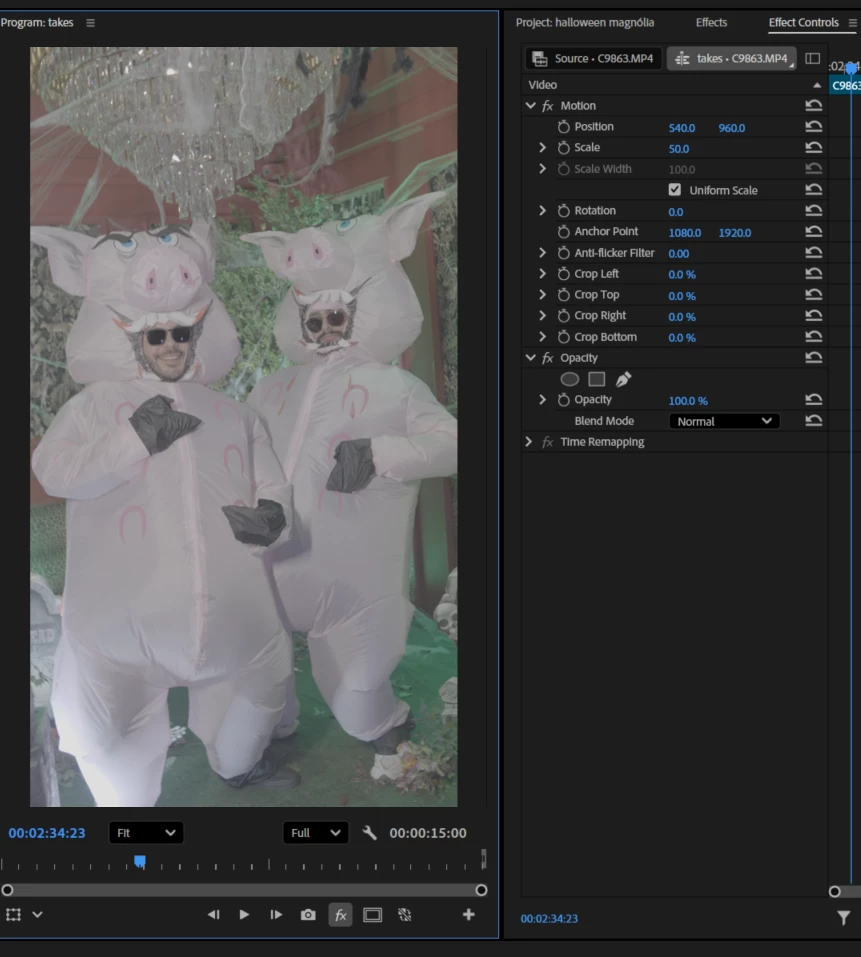
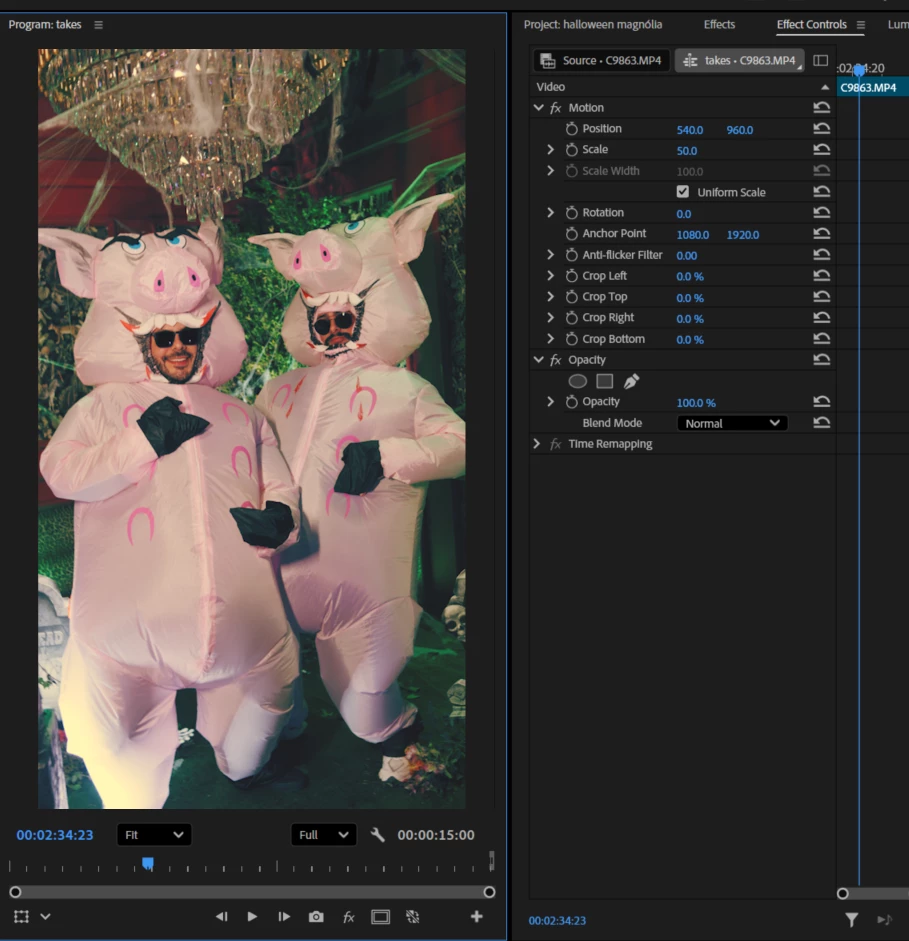
Here's an example, i finished the main video on the second sequence, i got back to the first sequence (again, the first sequence is just the clips i selected to use, no color grading or anything) and it already has the color grading i added on the second sequence (first picture i disabled all FX, second picture i turned on), you can see in the effect controls that there's no Lumetri Color in there.
Does anyone else started to have the same problem? Is there any solution or just wait for a future Premiere patch? Should i just start using adjustment layers for color grading?


 AdChoices