
MASSIVE MEMORY LEAK! PPro 25.5 with 2025 Apple M3 Ultra
So thank goodnes I am not working on anything that has any super immediate deadlines coming up, because this is a big problem and I am seriously shocked that: 1) it is happening in the first place, and that 2) there is not more attention to this issue by Apple and Adobe both. With that said-- I will say I understand that I don't really honestly know who exactly is at fault here (Adobe or Apple, probably both?), so I understand the confusion and stalling by both sides, but please! tell your companies to grow up and start caring about your customers more! (ha)
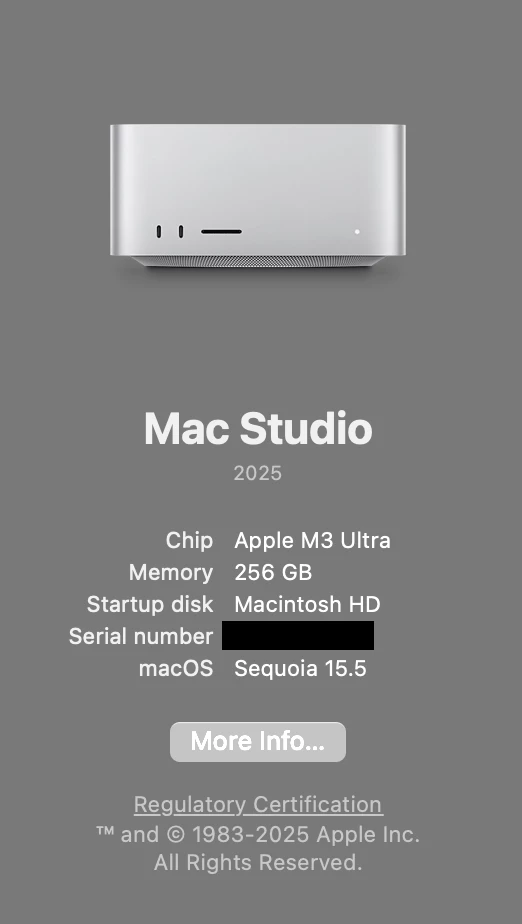
Here is my issue: I have (or I should say my company bought for me to use) a brand spanking new fully-loaded Apple Mac Studio 2025 with 256GB of RAM and a shiny new M3 Ultra chip, and it is really a great computer. However!-- even though it *usually* cuts through anything (even 6K footage) like butter, unfortunately I have had numerous "memory leaks" upon rendering, even the simplest projects/sequences, and while this has occurred mostly via Media Encoder, this issue has also manifest during renders via PPro as well, so I am listing this issue here to start. The strangest thing to me is how truly MASSIVE the 'leak' is!-- even though my system has a total 256 GB of RAM, my Activity Monitor states a MUCH higher usage amount-- the highest I have seen it go to is 670.71GB, which again is SUPER strange because I only have 256GB to begin with! Not sure how this is even possible, to be honest...
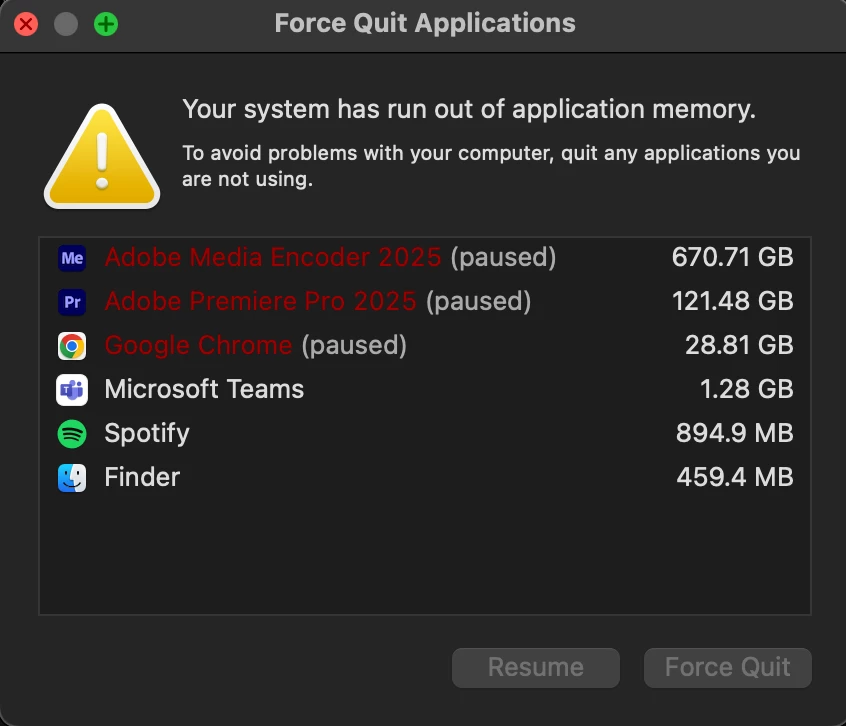
I could upload screenshots of this as well, but when rendering and the system gets stuck in this memory leak, it essentially 'ramps up' from a reasonable usage, eg. 4-5GB or RAM usage, and very quickly goes up to 400-500GB+. What's stranger even still is that if I happen to also have AE and/or Photoshop open, these programs also kind of get "sucked in" to this memory leak as well, even if I am not rendering or even referencing anything in AE (eg. no linked AE comps in PPro, etc.), so that also seems really weird to me.
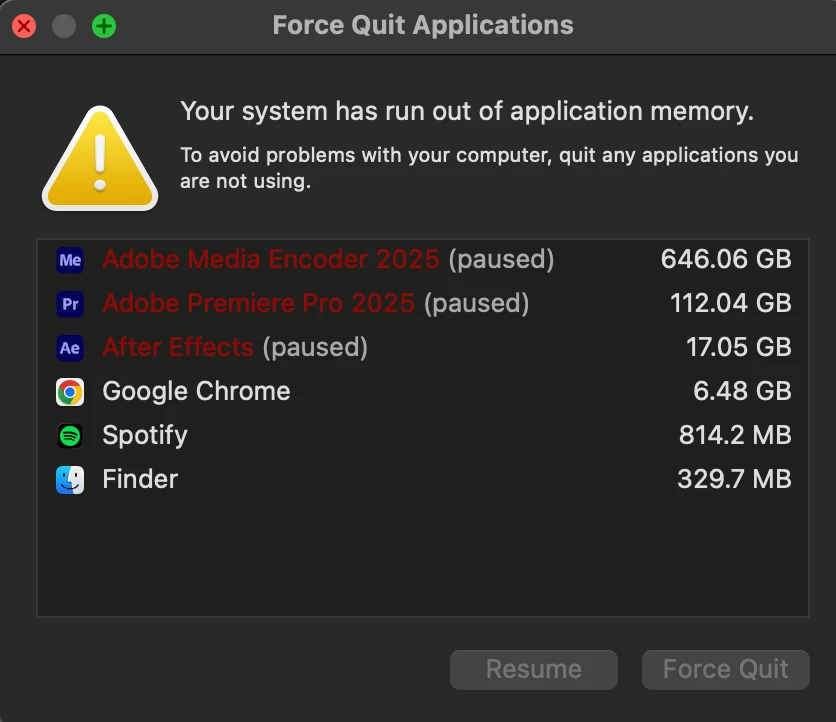
I usually force quit all Adobe apps at this point, but once or twice I have let my system 'power through' the leak, and it eventually did complete the render without any actual errors contained in the video. As for render times- when this leak occurs, the actual render time ends up being at least 10x longer, eg. a render that usually takes 1-2 minutes will take 10-15.
Also, I will mention that if this issue pops up, it *usually* works to shut everything down, clear project files/media cache, restart and re-open everything, and then it may magically not happen. Sometimes it will happen no matter what... it seems to be a 50% chance of occurring at the moment.
Lastly, I will just mention that I am on macOS Sequoia 15.5, which I know is a bit behind on the Apple side, but I am seeing that people with newer OS's are still having this same issue anyway, aka I don't think that the Apple OS is the core of the issue here, but rather something is going really wrong with the way Adobe apps are working with the M3 (and M2/M4) chips.
ƪ(“╰ _ ╯ )ʃ Either way, I sure wish it wasn't happening....! (●__● )


 AdChoices