

_nicdean
Community Expert
Community Expert
October 4, 2024

Most Recently Used Filepath for Text tab > Export SRT broken

  • October 4, 2024
  • 3 replies
  • 287 views

Repro steps:

Text Window, Captions tab, 3 dots, Export to SRT file  > Select export destination
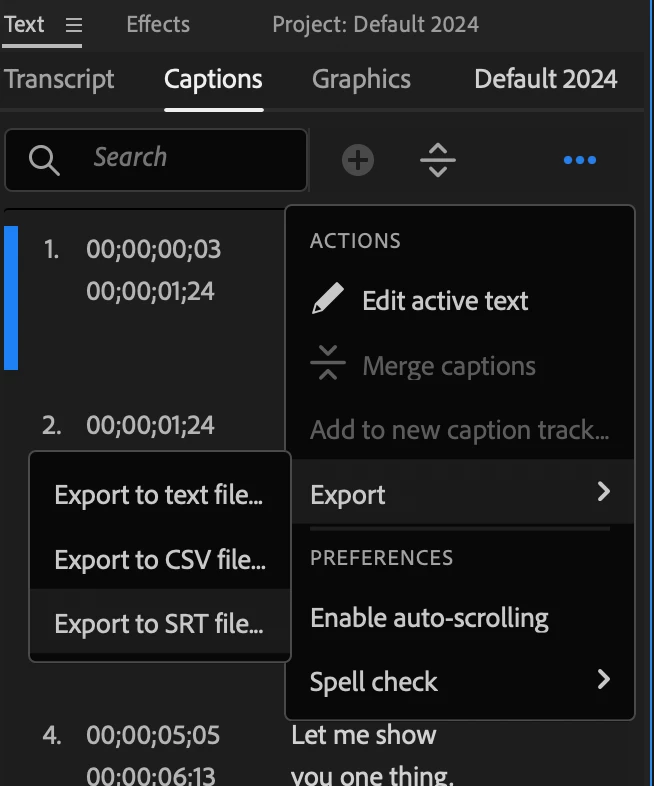
 

Bug:

Export to SRT file does not use last export destination as most-recently used filepath (MRU). It always defaults exporting to the current project file folder.


Other export models of CSV and Text file do respect the MRU filepath.


Request:

Please fix so we don't have to change the export destination of SRT every single time.

This topic has been closed for replies.

3 replies

Kevin J. Monahan Jr.
Community Manager
Community Manager
October 15, 2024

Hi @_nicdean,

Can the team have more info? See, How do I write a bug report?


What hardware are you using, for example?


Thanks,
Kevin

Kevin Monahan - Sr. Community and Engagement Strategist – Adobe Pro Video and Audio
_nicdean
Community Expert
_nicdeanCommunity ExpertAuthor
Community Expert
October 12, 2024

@Stan Jones  the old dialog for File > Export > Captions does not have this problem and respects MRU.


I experience this issue across both Mac and PC.


Text panel > Captions > Export > SRT always defaults to project folder.

Stan Jones
Community Expert
Community Expert
October 12, 2024

@_nicdean,


I can't replicate in 2024.6.1 on Win 10. I also can't explain what it is doing.


All 3 export options from the Captions tab/3 dots behave the same, and they use the last designated Export path. An export does not need to be used, only designated in the Export dialogue/Location/save as.


If I select the sequence and use File -> Media -> Captions it goes to a path I used for many exports, but it does not change if I designate a new path or actually use it for an export. And it is not the path of the last Import or project file location.


Stan