Participating Frequently
June 7, 2024

Mysterious Overlay on footage in Premiere Pro and After Effects CC

  • June 7, 2024
  • 20 replies
  • 1621 views

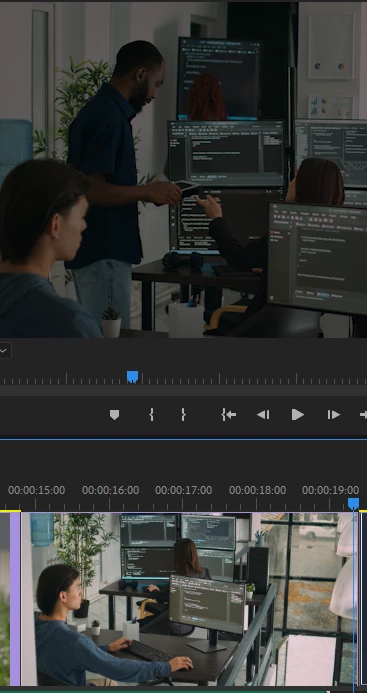
Hey everyone, I have been suffering from this issue that there are 2 footages i m placing in my timeline, they both have no overlays in original, but when i import them into premiere or After effects.. they both become darker, (both in source monitor and program view window... 
BUT...! interestingly, the thumbnail preview of same footage in timeline & project bin looks fine..!!!

and in After effects, the footage is darker for first few seconds and then becomes normal....
when i open the same project file in another PC, both having same versions of 23.6.5.. it works fine...

Please note that i have not applied any effects on it.. 

Adobe's support team is extreeemely slow on FB... they take hours to reply...

This topic has been closed for replies.

20 replies

Kevin J. Monahan Jr.
Community Manager
Community Manager
June 13, 2024

Excellent news, @Osamah37824321cd36!! Happy editing.


Cheers,

Kevin

Kevin Monahan - Sr. Community and Engagement Strategist – Adobe Pro Video and Audio
Participating Frequently
June 13, 2024

Yes i did that, got reply from your Social media support team...
and it worked for me..!!

Thank your Kevin for your support thorughout!!

Kevin J. Monahan Jr.
Community Manager
Community Manager
June 12, 2024

Hi @Osamah37824321cd36,

See if rolling back to 552.22 might work better.


Thanks,
Kevin

Kevin Monahan - Sr. Community and Engagement Strategist – Adobe Pro Video and Audio
Participating Frequently
June 8, 2024

ok so i just i update my driver to the latest version... but still its not working with CUDA... now what?

Kevin J. Monahan Jr.
Community Manager
Community Manager
June 7, 2024

Cool, thanks so much, @Osamah37824321cd36. The community appreciates you.


Cheers,
Kevin

Kevin Monahan - Sr. Community and Engagement Strategist – Adobe Pro Video and Audio
Participating Frequently
June 7, 2024

Thank you...!! I'll share my update on it soon


Kevin J. Monahan Jr.
Community Manager
Community Manager
June 7, 2024

Hi @Osamah37824321cd36,

Thanks for the note. I found the link for the RTX 2070 studio driver: https://www.nvidia.com/download/driverResults.aspx/226796/en-us/


Check it out.


If you need help, I suggest you work with Adobe Support to install the correct driver for your hardware. I hope they can help you. Post back after working with them.


Cheers,
Kevin

Kevin Monahan - Sr. Community and Engagement Strategist – Adobe Pro Video and Audio
Participating Frequently
June 7, 2024

@Kevin-Monahan Actually i am bit afraid to install it.. coz i dont know if it brings another stumbling block...
which version should i go with?? 
please note that my both machines dont support AVX2 processor... (this requirement is another pain)...
so please suggest me if i should go with the latest studio driver or not?


Kevin J. Monahan Jr.
Community Manager
Community Manager
June 7, 2024

Hello @Osamah37824321cd36,

You might try reinstalling the latest NVIDIA studio driver (not the game-ready driver). Please report back after trying this.


I am sorry about your experience troubleshooting your issue with Adobe Support via Adobe Care. I am on the Adobe Care team and do our best in troubleshooting over social media. In my opinion, it is more efficient to troubleshoot issues in the forums or by contacting Adobe Support, as outlined in my earlier post. I hope this advice may help you in the future.


Feel free to work with Adobe Support to reinstall the NVIDIA studio driver if needed.


Thanks,
Kevin

Kevin Monahan - Sr. Community and Engagement Strategist – Adobe Pro Video and Audio
Participating Frequently
June 7, 2024

Ok so i have found the solution for it.

In the Projects setting => General... there was this setting for video rendering and playback.. it was set on Mercury playback engine GPU Acceleration (CUDA)... i changed it to software.. and it fixed..


Though i still dont understand why is this happening, i have another machine Dell T3610 that has a GTX1050, 16 GB RAM with E5-1620 v2 processors, pretty much low as compared to my main machine thats HP Z820 with 64GB RAM and RTX 2070 (8GB) and E5-2640 processor.. My lower spec machine is having no issue with CUDA acceleration. whereas high end machine is working on software... though it did fix my problem, but i m not sure how far is it going to effect my performance overall by disabling it...?? not so satisfied with it at all, but if it works, so don't touch it... 😊

Any guidance in this regard would be appreciated..
Thanks..!