
Known Participant
March 20, 2025

Nested Layer Outputs to different x position than what is showing in the program monitor

  • March 20, 2025
  • 4 replies
  • 296 views

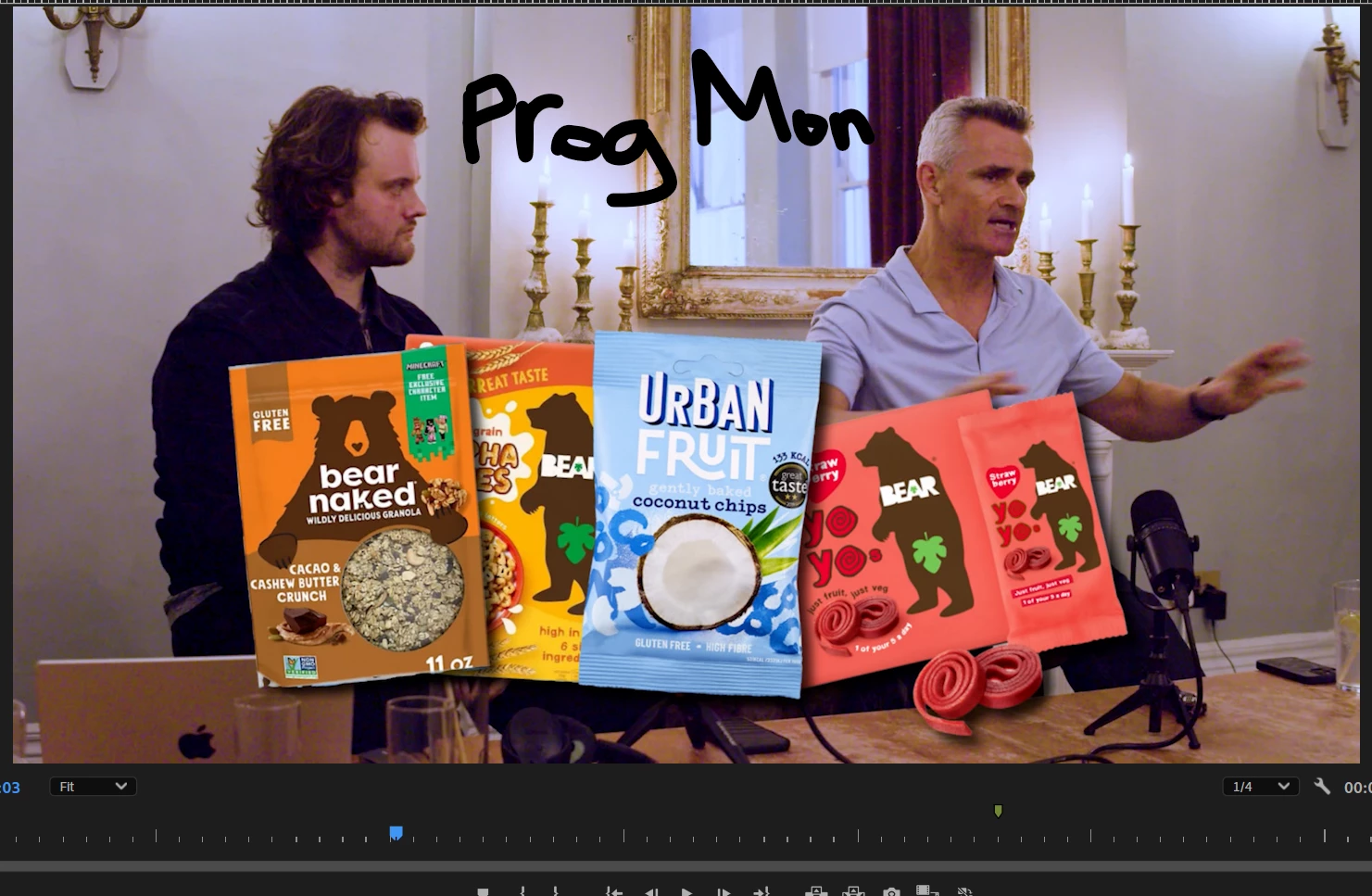
Hi there I've never had this issue before, here you can see I have a nested layer of the animation of these snacks. But their position shown in the program monitor is different from the position that ultimately gets rendered (slightly offset left). Usually the culprit is the transform effect when this happens while in the process of changing position, And you get a wonky view in the program monitor but usually it goes back to the correct position after you're done adjusting.  I've never seen it continue to stay at the offset position after Making adjustments. And there is no Transform effect on this nested layer.
Im on v25.1, Windows 11 latest version.



4 replies

Community Manager
March 20, 2025

Interesting.  Are you working with Multicam?  Another user had a similar issue when changing position and scale keyframes.  Let me know if it sounds similar.  Does the problem happen when you just adjust either scale or position instead of both?  Are you adding a temporal interpretation?

Known Participant
March 20, 2025

Hi sorry for the lack of details.


UHD 4k timeline and footage

No adjustment layers

I have proxies but they are disabled


To get this bug I simply created some simple animations with the transform effect on a few images, nested them and then adjusted the positioning of the nest. then I created a frame hold to extend the nested seq at that desired postion.


The bug seems to be isolated to the program monitor and the way it's displaying the positioning because if you take a screenshot of the current frame, resulting screenshot has the correct positioning.


Hope that's helpful.  

Community Manager
March 20, 2025

Hi @Geoffrey37968971duzb,


Thanks for the message. Welcome to the forums. Can you tell me if you are using adjustment layers?  Are you working with proxies?  If you have time, please give the team a few more details. See: How do I write a bug report?

Known Participant
March 20, 2025

 forgot to include the effects on the nested sequence. Only position was keyframed.