Known Participant
May 26, 2026

New Mosaic effect adds blur/softens the image

  • May 26, 2026
  • 1 reply
  • 74 views

Issue

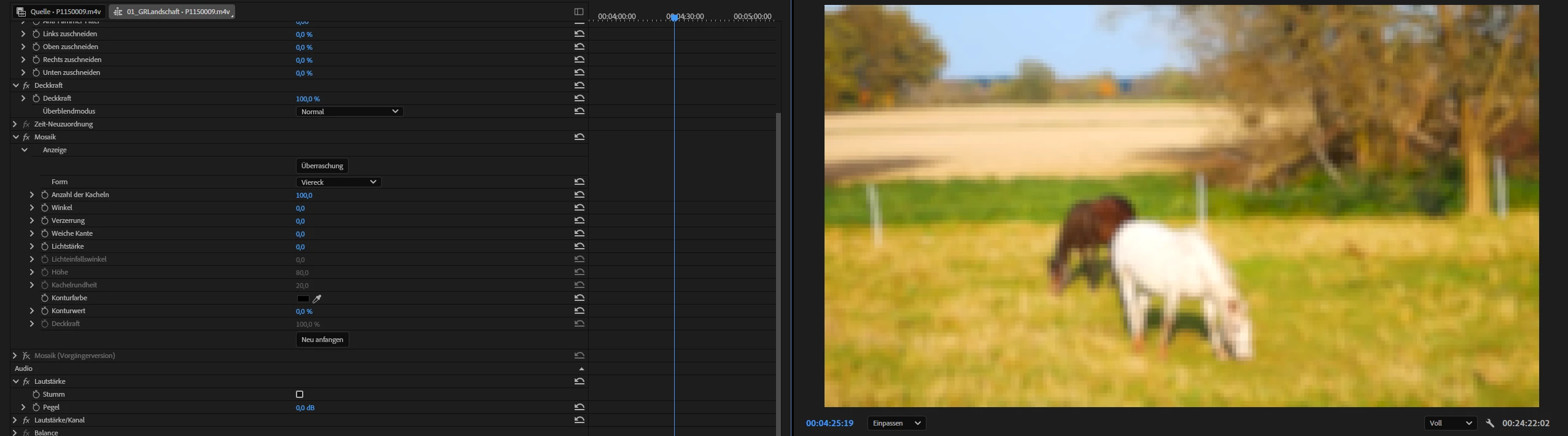
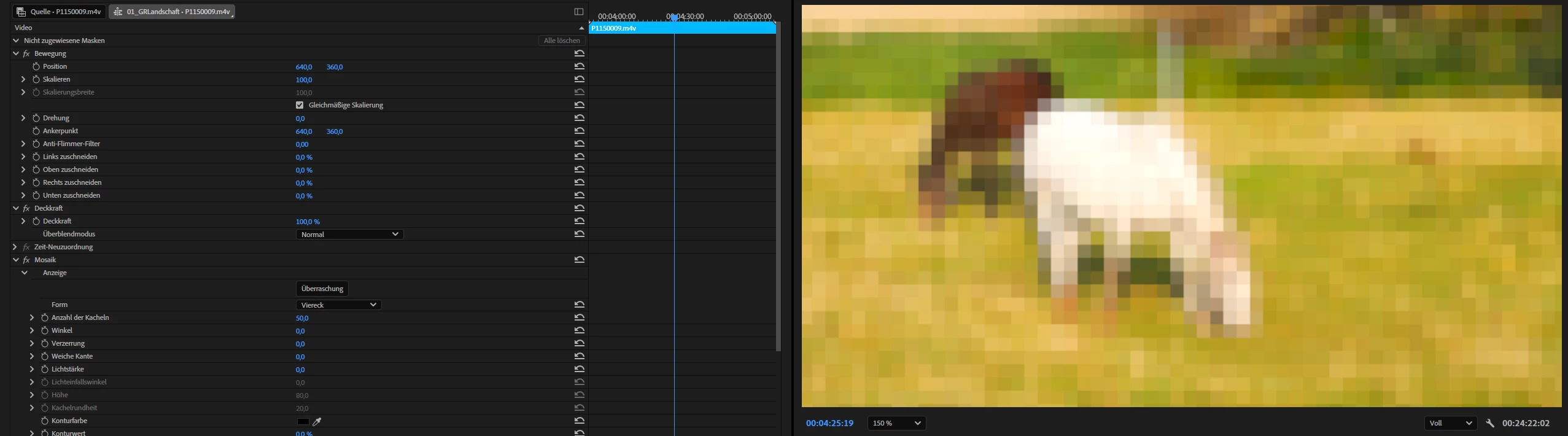
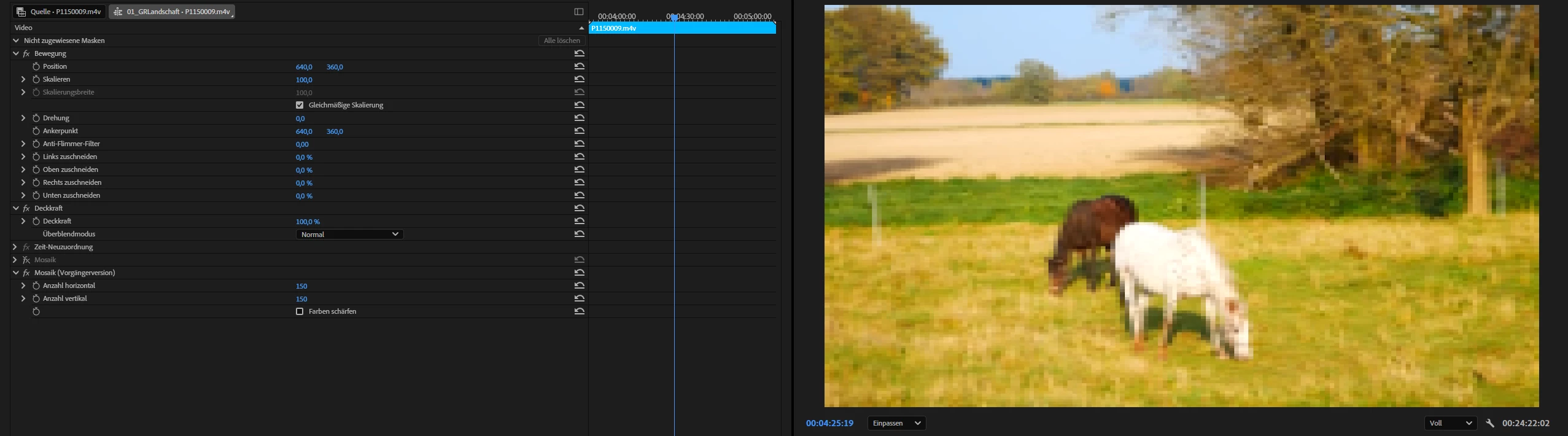
I’ve experienced some problems with the new Mosaic effect. It’s not only adds the mosaic but also adds a blur that will get the image softer, the bigger the tiles are.

The legacy Mosaic in comparison adds no blur at all.

The reason why I added this as a bug, even when comparing two different effects is because I don’t expect a Mosaic effect to soften the image in the first place, just to pixelate it (the blur is done before the pixelation. That’s my problem with it).

There is a feather amount in the new effect but it only adds more blur and can’t be adjusted to the negative.

Why don’t I just use the legacy version of the effect? As it’s legacy I don’t know for how long it will be supported and the new one has more settings that I would like to use. But the softening that I can’t change is a problem for me.

Steps to reproduce

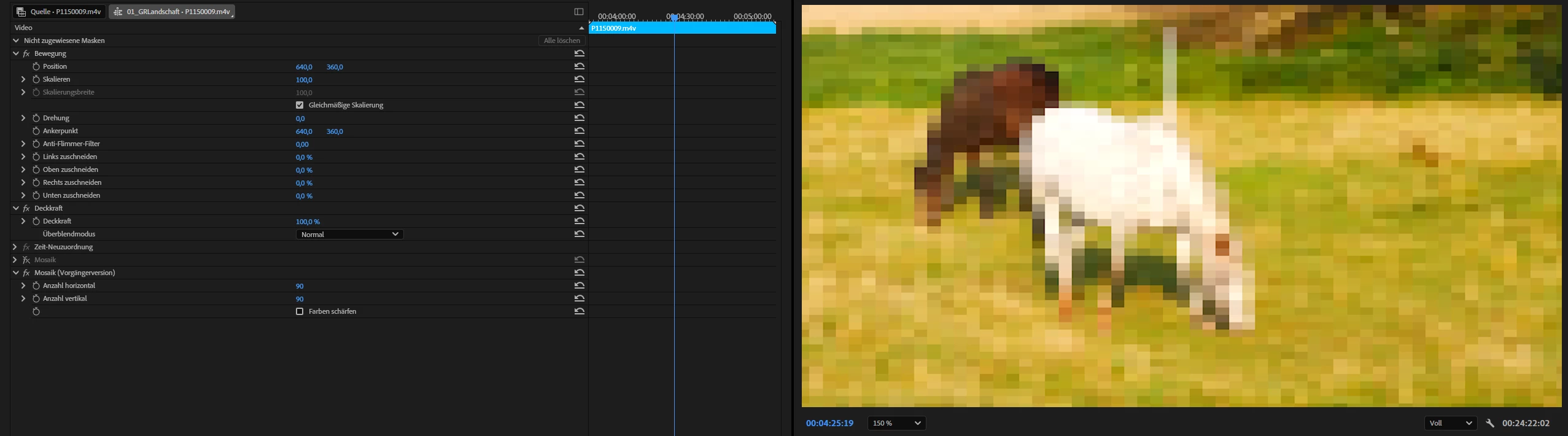
I did test it with different settings, matching the tile size of both effects roughly.

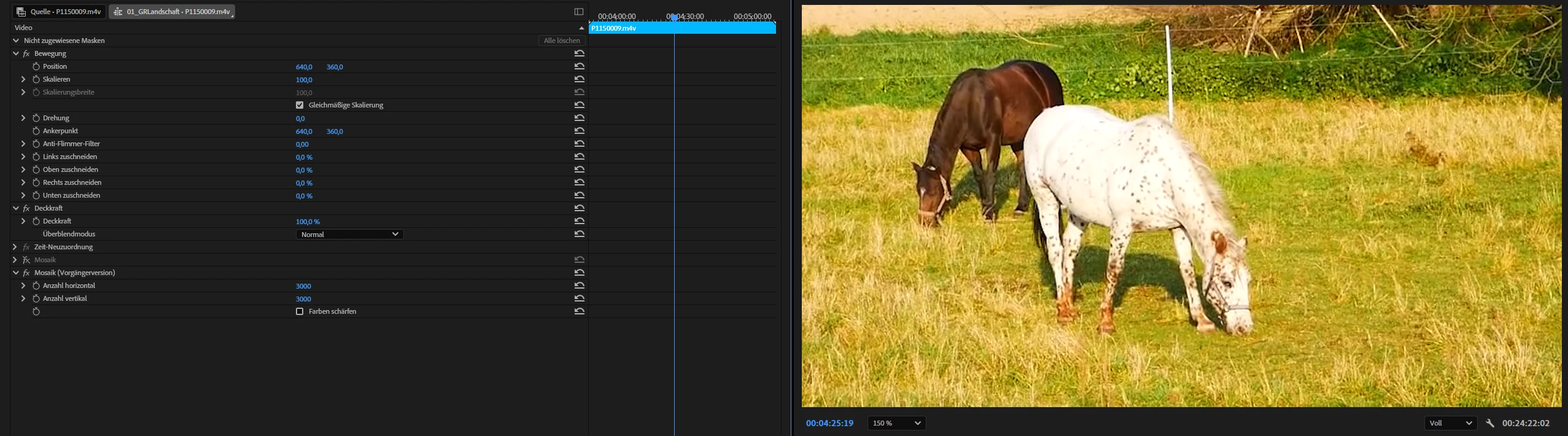
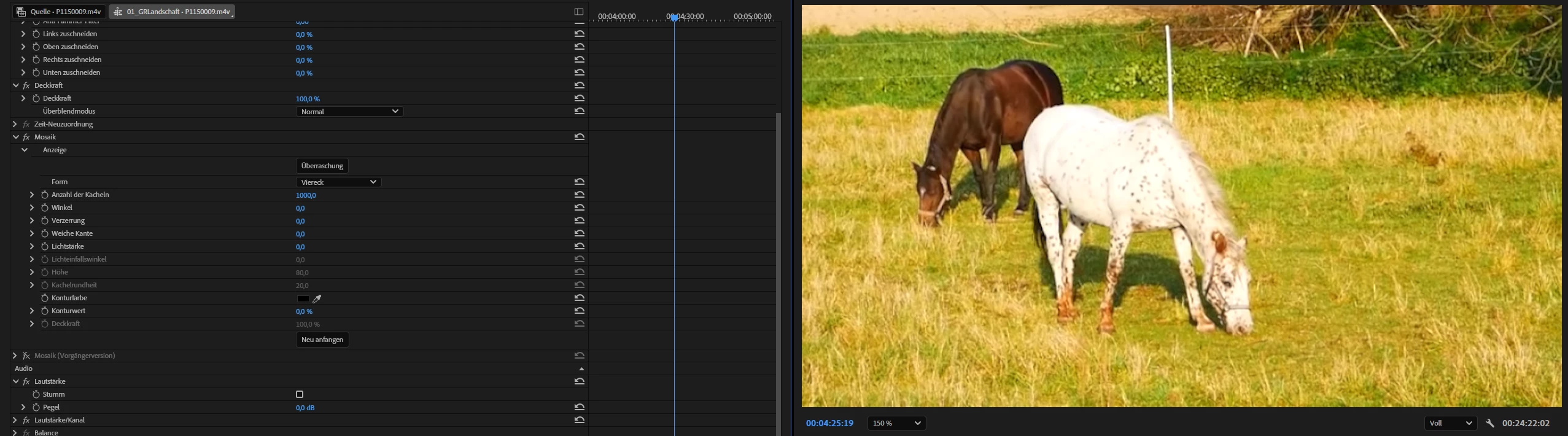
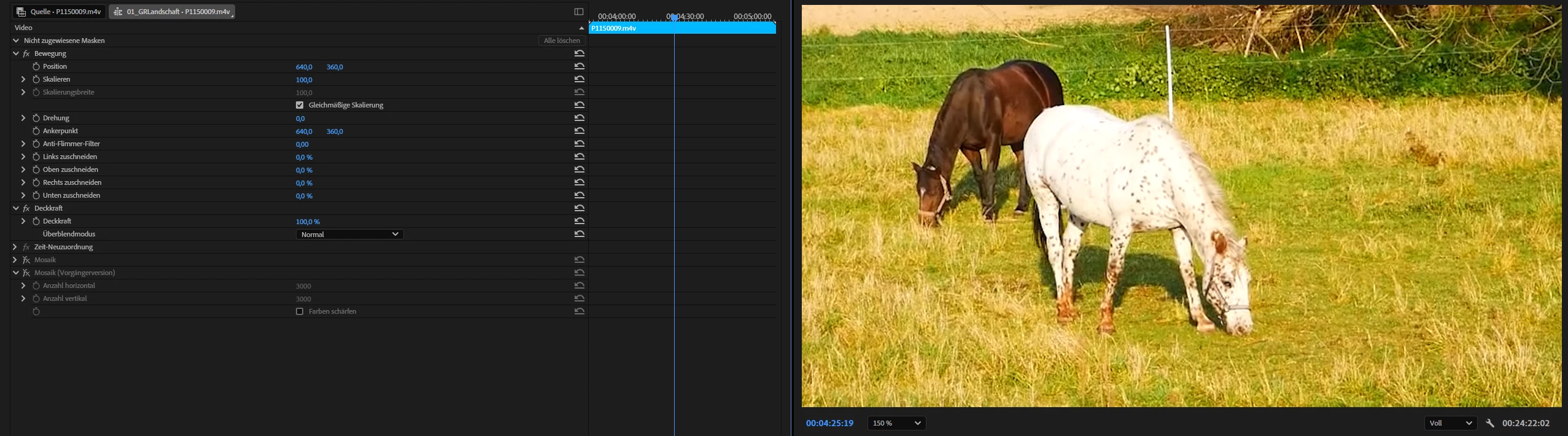
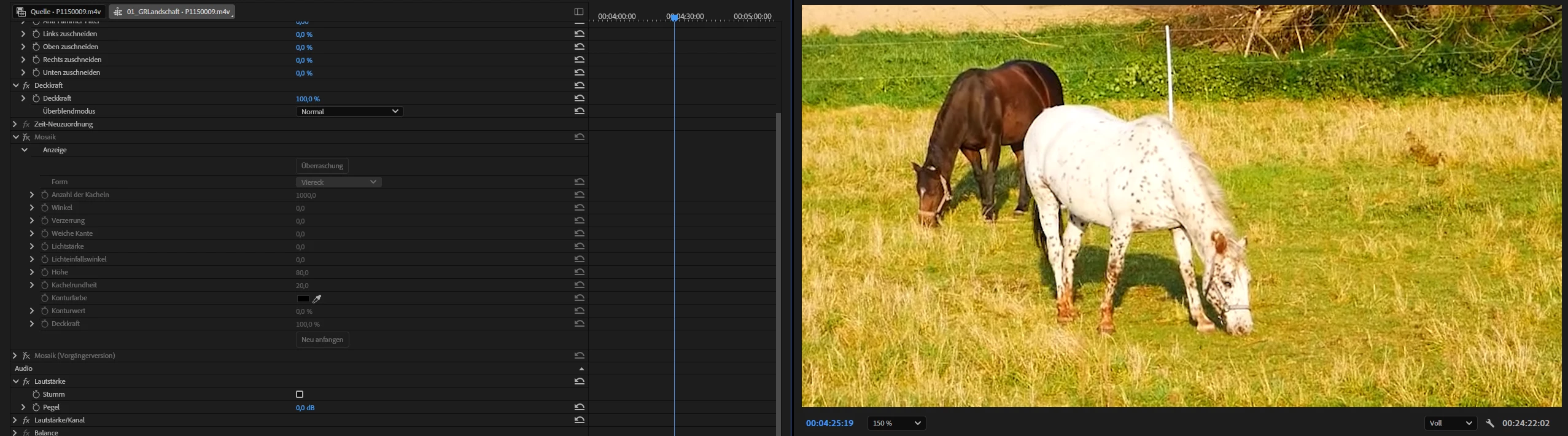
I also did a test with the tile size really high to show that a blur is added to the image, even when the tiles are so tiny that they shouldn’t change the image at all (like the legacy effect does with high tile size).

Legacy vs New:
 

Same with fewer tiles:
 

Comparison with and without effect using high tile settings (expected is roughly the same image/no added blur/softening).

Legacy:
 

New:
 

Adobe Premiere Pro version

26.2.2

Operating system

Windows 11

Video format

Different formats (mp4 h264, mov prores 422)

    1 reply

    KatieToo
    Community Manager
    Community Manager
    June 2, 2026

    Hi ​@athletic_fact6385 

    Welcome to the Premiere Pro forums! We are glad to see you here. Thank you for including the comparison screenshots and some information about your setup. We need a few more details to try to help with the issue. Since you’re on Windows, what GPU driver do you have? Additional details on the footage might also be helpful like resolution for the .mp4/.mov you’re working with. Please see, How do I write a bug report?

    You can keep using the legacy Mosaic effect, as I do not anticipate that leaving anytime soon.

    As for the newer Film Impact Mosaic effect, it does offer more setting controls including Softness, which I did see on your screenshots were set to 0. That’s correct, the Softness setting only increases up on the blur.

    Sorry for the frustration and hope we can help soon!

    Appreciate your post,
    Katie

    Known Participant
    June 2, 2026

    Thanks for your questions.

    About the driver: it’s the Nvidia Studio Driver Version 610.47
    The GPU is a Nvidia GeForce RTX 5070 Ti

    As for the footage, I didn’t add much detail because it made no difference what resolution (FHD or 4K) or codec (see original post) I used.
    The images are FHD footage but the problems are not less visible with 4K footage. So it’s not a matter of resolution on my end.

    The info about the legacy effect is good to know but I would love to use the options that the new effect gives me (if the problem with the blur wasn’t there). Mainly I’m interested in the tile distortion… do there’s no workaround to use that but skip the blur.


    KatieToo
    Community Manager
    Community Manager
    June 5, 2026

    @athletic_fact6385 Thanks so much for pointing this out. Your report was very helpful. I wanted to update you that our team is aware of this issue and will implement a fix in a future release.

    For now, you can continue using the Legacy Mosaic effect as a workaround, and we will update you once we have more info.

    Thanks for your post and time,
    Katie