
Known Participant
September 6, 2024

P: Bug: Lumetri Color Panel will not preview LUTs when applied to Adjustment Layer

  • September 6, 2024
  • 11 replies
  • 4036 views
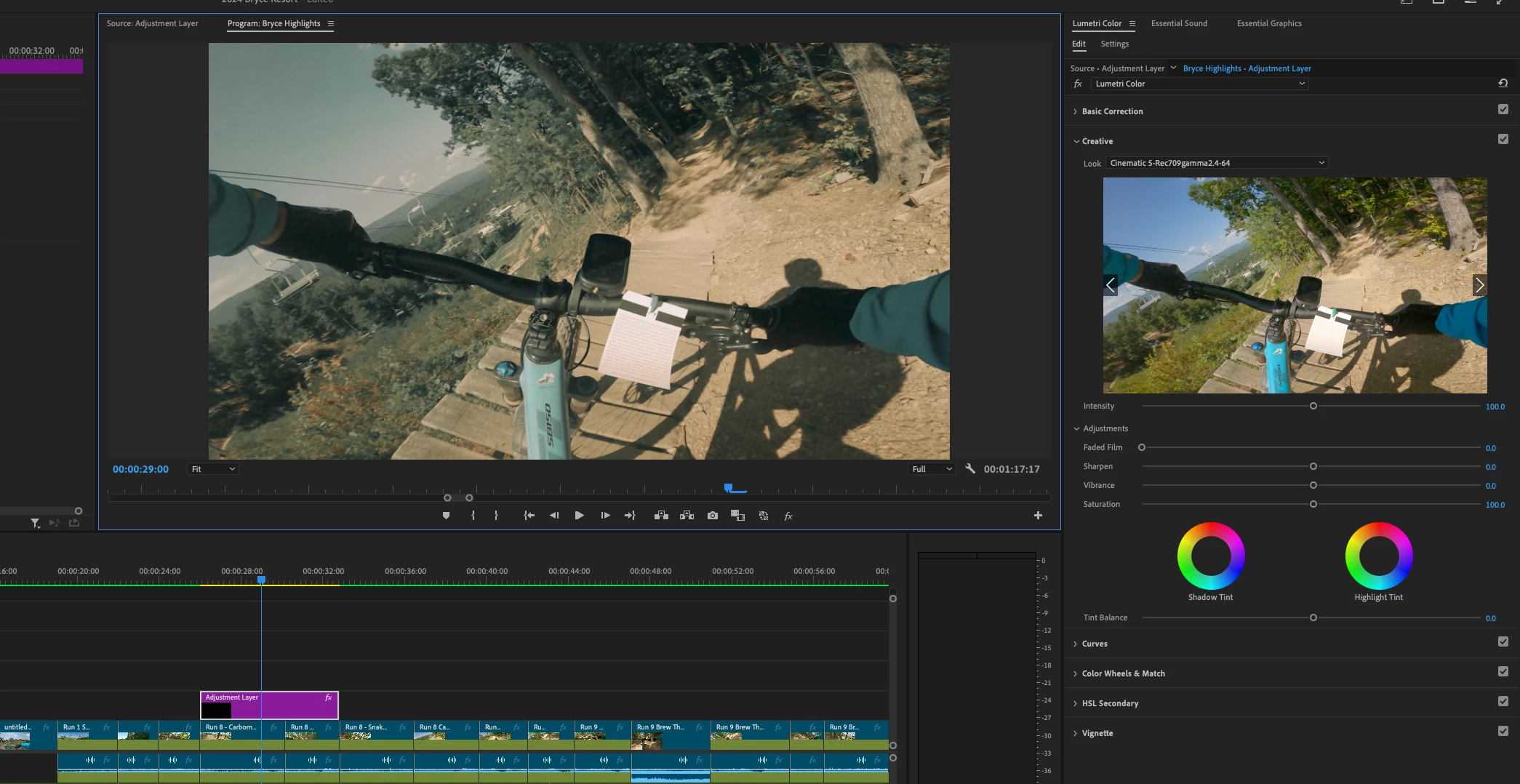
  • Issue - When attempting to apply a creative LUT to an adjustment layer, the selected LUT will not preview in the Lumetri Color Panel. If I apply the same LUTs to source footage and not the adjustment layer, they will preview.  
  • Adobe Premiere Pro version number: 24.6.1
  • Operating system - macOS Sonoma 14.6.1
  • System Info: CPU, GPU, RAM, HD:  (Mac Studio)
    • CPU: Apple M2 Max
    • RAM: 32GB
    • Hard Drive: Internal SSD
  • Video format: .mp4 8-bit h.264 from GoPro Hero 9,   also with DJI Osmo Pocket 3 - .HEVC 10-bit 4:2:0
  • Workflow details: This is with any sequence. Any project on this machine. I’m applying a source footage to a track and an adjustment layer to a track above.  This same process works just fine on my windows PC machine. So this is why I think it’s a bug or a setting that I have not been able to replicate. This problem exists if it’s a Adobe supplied LUT or a custom LUT from a 3rd party.
  • Steps to reproduce - Add a source file to track V1. Add an adjustment layer to V2. Open Lumetri color and go to the creative tab. Click the arrows to scroll through lots or select one from the list.
  • Expected result - Expected to see a preview of the LUT effect in the Lumetri color panel.
  • Actual result -  Lumetri color panel Creative LuT preview window maintains the view of the original clip with no change when you select different ones. (LUT will apply and you can see it in the Program window, but that makes it harder to browse through a series of LUTs to find the look you are looking for.)


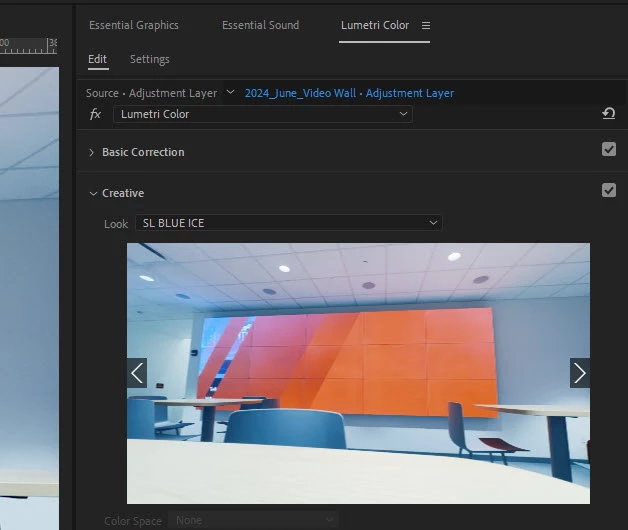
PC Preview working correctly
11 replies

nadworks-cb
Known Participant
September 7, 2025

It's been a year since this was reported now and this bug has still not been fixed.

It worked before and it was mega-useful.

Does anybody have an update?

Participant
January 21, 2025

I'm having the same issue. The lut preview isn't working/applying to adjustment layer 

Participant
November 20, 2024

I also have the same issue when I update my Premiere Pro in the same week this thread is started. But I want to pinpoint another additional issue, besides the preview in the Creative tab isn't working, the 'Look' LUTs in the Creative tab is behave differently.

I sometimes apply the Creative tab's LUTs to see it in the main preview panel, I did that because the preview in the Creative tab is showing the result of the LUTs on 100% intensity and I want to see how it looks at certain percentage in the main preview panel (I usually put a 40% intensity on the intensity slider below the Creative tab preview), and after that I'm previewing the next Creative LUTs (using the prev-next arrow on the preview on the Creative tab) until I see another LUTs that might fit into my footage, and applied-preview it again and repeat it again until I have some good alternatives.

Problem is.. in the current version of Premiere, after I applied a creative LUTs to preview, and I try to preview the next LUTs using the arrow.. it started again from the beginning. Okay I try to make it simple here: let's say I have a set of Creative LUTs from "LUTs A" to "LUTs Z", I want to preview it one by one from beginning until I see "LUTs F" is seems fit, so I apply it to see on the main preview panel, and when I meant to continue the preview-ing to "LUTs G" using the arrow, the preview in Creative tab is showing the effects of "LUTs A", not continuing to "LUTs G". So everytime I apply to see the any Creative tab's LUTs, it will start from the beginning of my LUTs library when using the arrow. In the previous version, it was so fast using the arrow than drop down by the mouse pointer, because in my LUTs library I'm using IWLTBAP color grade pack which contains hundreds of LUTs, so it's really impractical to use the arrow if everytime I applied to preview, it started from the beginning again. And dropdown menu is still a big no for hundreds collection of LUTs

The previous version of Premiere was really good in preview-ing LUTs

jamieclarke
Community Manager
Community Manager
October 30, 2024

Updating Status to Acknowledged

Participating Frequently
October 7, 2024
Hi all, i'm kindly asking help from someone.
I'm having issue with the LUT monitor preview on the "Creative" tab on lumetri color; when i create an adjustment layer and put it above a video clip when i try to apply a lut it's not showing on the small preview screen on the "creative" tab.
This is driving me crazy cause i have to check all the luts manually one by one.
I've never had this issue, can anyone help me with it?
in the file you can see the behaviour.

jamieclarke
Community Manager
Community Manager
October 7, 2024

Hi @Tommaso27429828nn3v - I believe the preview section in the creative look has always been a preview of the original file.  Even if you put an adjustment layer above your media, your preview will still be from the original file. 

Known Participant
September 13, 2024

LUTs DO preview when you select the source footage so for now, I'm working out a look on source footage and then save and clear and apply to the adjustment layer... Not ideal, but It's a little better than click to apply to adjustment layer to preview.

Known Participant
September 13, 2024

Yeah, I did not have a resolution for this yet. I have done a number of things with no success including clearing cache, I recently uninstalled and reinstalled all with no success. 

Participant
September 13, 2024

*update* reverting did not fix it. So what now, do we have to wait for them to find a fix and put it on the new update? it's really slowing down my workflow just researching. 

Participant
September 13, 2024

I'm having the same issue. I think I updated the latest version and that's what screwed it up—wondering if reverting to a previous version before I updated will fix the issue till the next update. Did you find a fix? 

Kevin J. Monahan Jr.
Community Manager
Community Manager
September 10, 2024

Hello!

Thanks for the bug report, @Motoed-Hidden. This is a bug since you used to be able to preview the LUTs applied to an Adjustment Layer in the Lumetri Color panel UI.


Sorry for the frustration. I hope the team will assist you shortly with this issue.


Here is a screenshot from v.15.

Thanks,

Kevin

Kevin Monahan - Sr. Community and Engagement Strategist – Adobe Pro Video and Audio