
L.Ni
Participating Frequently
September 14, 2025

P: Imported xml timeline - motion properties disappeared

  • September 14, 2025
  • 20 replies
  • 1091 views

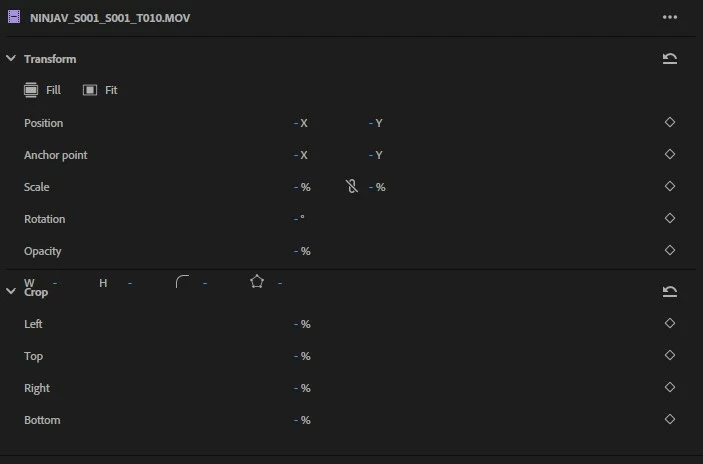
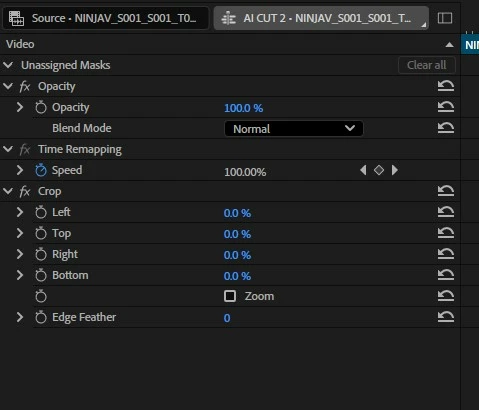
Issue: Clips in a timeline imported from a Resolve xml file appear with no motion properties. Properties are null in the properties panel. The twirl-down motion menu in the effect controls panel is gone entirely. Operations like "fill frame" or manipluating the null properties can cause crashes. This is when using Beta & main release.


Use case: I intend to use Resolves AI smart-switch feature to expedite a podcast edit. Then send to premiere for finishing. I have successfully imported the sequence with all edits appearing correctly. But I can't be certain I will be able to scale it to a 1080p timeline to match my gfx assets etc without it breaking. I'm hoping this is a simple case of a parameter needing to be specified in the xml but this is where my knowledge ends. Happy to provide more details.
 

20 replies

Participant
November 19, 2025

Instead of 25.6.0?

jamieclarke
Community Manager
Community Manager
November 19, 2025

Updating Status to Fixed in 25.6.1

Participant
November 18, 2025

Any idea when this update is coming?

Participating Frequently
November 11, 2025

A thing I've found can help with this (it's been plaguing me also) is to use chatGPT or the like to correct the xml file.  Sometimes it takes a bit of arguing, but I've had success with this approach.  You give it the xml that resolve spits out, and then ask it to ensure the FX motion property persists on import into premiere and to give you a downloadable xml.  As always with chatGPT your milage may vary, and sometimes takes some argument.

Participant
November 8, 2025

Working in premier pro v25.5 on a Sequoia 15.6.1. 

all the clips in one of my timelines do not have the motion tab in the effects control when selecting a clip. 

I cant even copy and paste atriburtes to the clips. 


I've reset the workspaces, open and closed the project and nothing seams to help. 


Peru Bob
Community Expert
Community Expert
November 8, 2025

Try creating a new project and import the old one into it.

Make sure to set up the new project to not import workspaces.

Participant
October 10, 2025

Any idea when this is happening? I have reverted to version 24 to solve this problem as it's a major part of my workflow.


Participating Frequently
October 9, 2025

Junk Head, if you export the sequence that has the missing motion properties from Premiere as an FCP XML and then import that FCP XML back in, the motion properties will re-appear. Does that help?

Participant
October 9, 2025

The problem is that once it is in PP, you can't do anything to make the motion properties come back... You have to start again in a new project in beta, since opening the same project in beta will not fix it or anything... This bug really needs a fix in the stable release ASAP...

Participant
September 25, 2025

@Rabih_Sleiman8490 Premiere won't import FCPXML. At least not without running it through something like XtoCC.

Participating Frequently
September 25, 2025

Quick test for you: can you try exporting your Resolve timeline as FCPXML instead of standard XML and see if the Motion properties survive the import?