

BeratGL
Known Participant
July 14, 2026

P: Incorrect Preview Scaling when program monitor's set to 1/2 & 1/4 resolution. (Images & Masks)

  • July 14, 2026
  • 29 replies
  • 221 views

I've encountered a rendering/preview issue that appears to affect certain resolution elements when the Program Monitor playback and paused resolution are set to 1/4. (or the lowest possible resolution)

When scaling a PNG above 100 the preview becomes inaccurate compared to how it appears at Full resolution. As the scale increases (around 130% or higher), the image begins to behave as if Uniform Scale is disabled, appearing visibly stretched.

The issue becomes significantly worse when Film Impact effects are applied. the image's position is also shifted incorrectly.
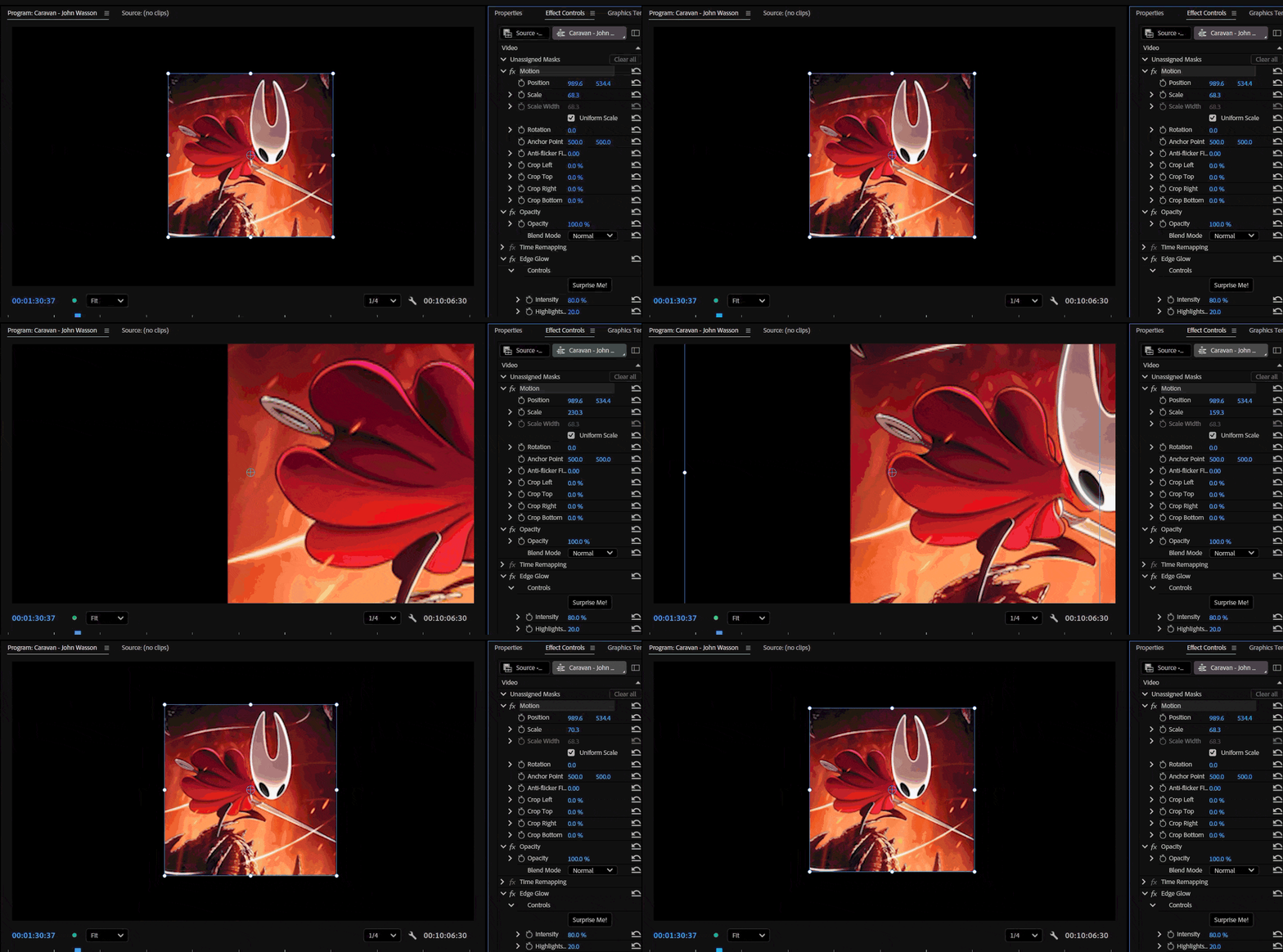
At 1/4 paused resolution & Edge Glow effect applied. (Ex-Film Impact effect)


Steps to Reproduce

  1. Import the attached PNG (or the provided sample project/assets).
  2. Place the PNG on a sequence.
  3. Increase its Scale above 100%.
  4. Set both Playback Resolution and Paused Resolution to 1/4.
  5. Compare the image to how it appears when the Program Monitor is set back to Full resolution.

Additional Tests

Test 1 - No Effects

  • Scale the PNG above 100%.
  • At 1/4 resolution, the preview no longer matches the Full-resolution preview.
  • Around 130% scale, the image appears stretched, almost as if Uniform Scale has been disabled. (only during playback)
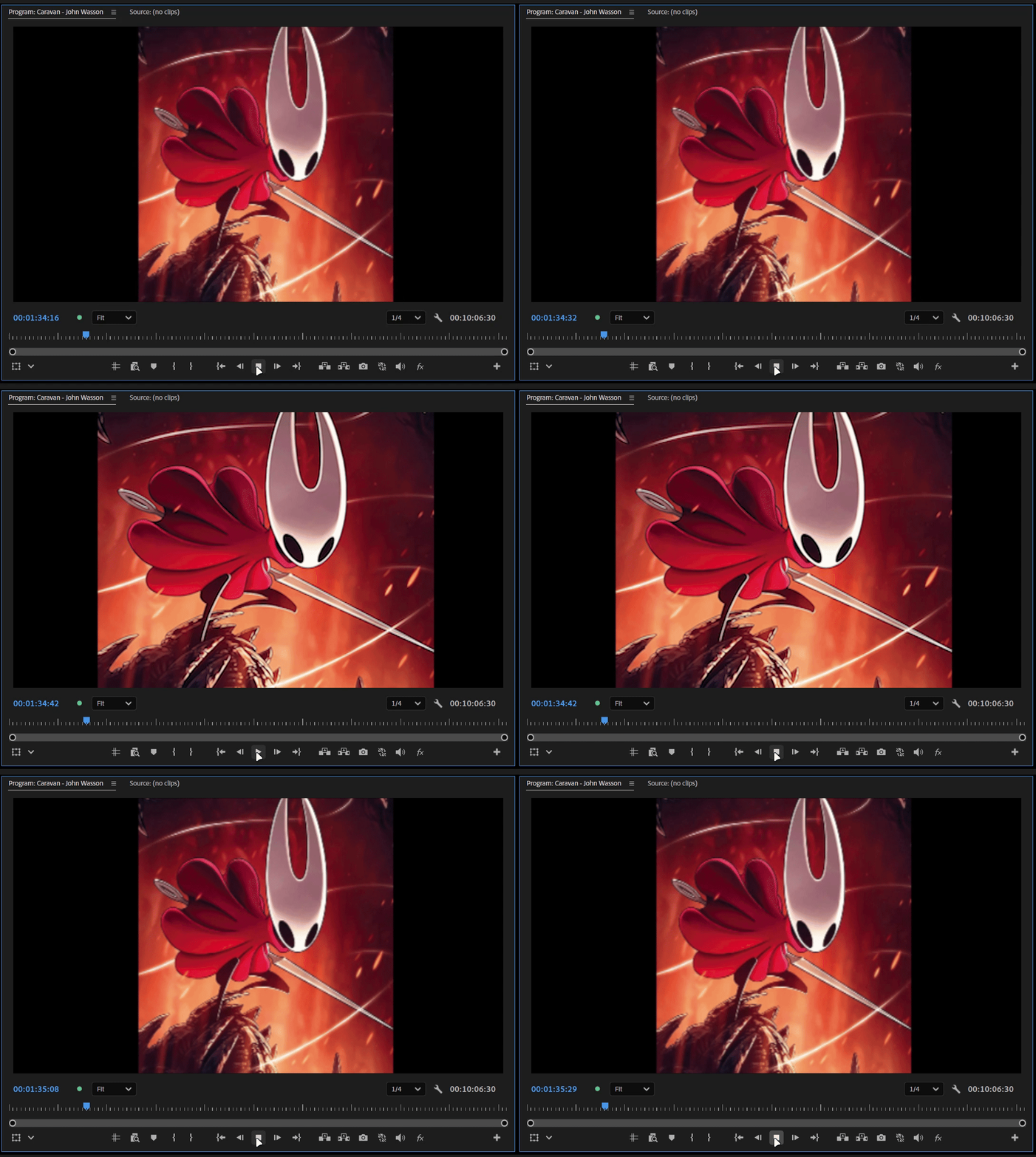
While playing and pausing around ¼ preview resolution. (no effect applied)

Test 2 - Native Premiere Effect

  • Apply Gaussian Blur (Legacy).
  • The scaling issue remains, but the image position stays correct.

Test 3 - Film Impact Effect

  • Apply a non-native Film Impact effect (for example, Edge Glow).
  • In addition to the scaling distortion, the image position shifts unexpectedly and may move partially or completely outside the frame.

Test 4 - Third-Party Effect

  • Apply a third-party effect such as S_Blur from Sapphire.
  • The preview becomes incorrect at any reduced Program Monitor resolution (1/2, 1/4, etc.).
  • The image again appears as though Uniform Scale is disabled.
  • Returning the Program Monitor to Full resolution immediately restores the correct appearance.

Test 5 - Masks

  • In vertical videos, masks also appear to shift position once the scale of the mask exceeds 100%.
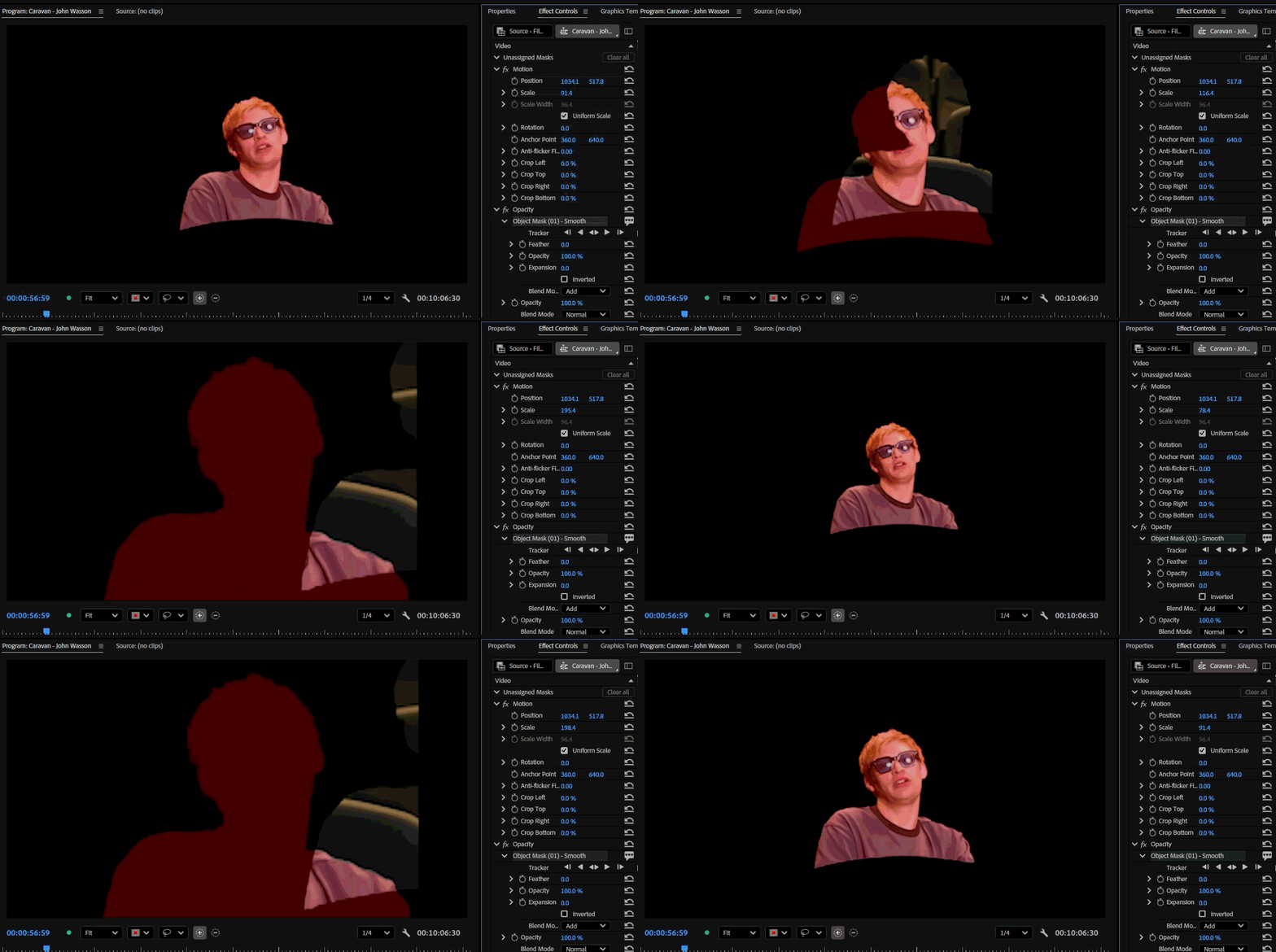
I will provide the footage. please mask the person and scale the mask above 100 at ¼ paused resolution.

Summary

At reduced Program Monitor resolutions (especially 1/4):

  • The image no longer matches its appearance at Full resolution. (when scale is 100+ )
  • Scaling becomes inaccurate.
  • Around 130% scale, the image appears stretched as if Uniform Scale is disabled. (only during playback)
  • Some third-party effects exaggerate the issue.
  • Film Impact effects also cause the image position to become offset. (In Both 1/2 and 1/4 resolution)
  • Masks in vertical clips may shift position when the image is scaled above 100%.

Switching the Program Monitor back to Full resolution immediately restores the correct appearance.

Additional Notes

I have attached sample footage and images because I could not reproduce this issue using standard 1920×1080 PNGs or videos. This suggests the bug may be related to the source asset's resolution.

However, I can consistently reproduce it using the assets I've attached. This makes me suspect the bug is related to the source media's resolution or dimensions rather than scaling alone.

Please try reproducing the issue using the attached media rather than replacing it with your own test assets, as the problem does not seem to occur with common resolution files.


System info
    Application: Premiere Pro v26.3
    OS: Windows v10.0.26200, RAM: 31.82 GB GB, CPUs (logical): 24 
    GPU: Rtx 3060 Ti  Nvidia Studio Driver ver. 610.62

    29 replies

    Participant
    July 13, 2026

    Hey, to answer your first response and give more details, this is samsung log footage (with a conversion LUT), the sequence is 2160 x 3840 but the footage was shot in FHD so its upscaled (maybe making the problem a bit worse?), 29.97 frames, rec. 709, and H.264. Additionally I'm on windows with an Nvidia RTX 5060, version 32.0.15.8115

    I do think what is happening in your test is what's happening in mine but you can take a look for yourself, thanks!

    Amy the Stuv
    Community Manager
    Community Manager
    July 13, 2026

    @DBW This does look like it is related to an issue we were already tracking. I’ve updated the ticket with this information. Thank you!


    Workarounds while we fix this bug are to either continue setting to Full Resolution or to Transcode Media from Variable Bit Rate to Constant Bit Rate using Media Encoder.


    You might also be able to utilize a proxy workflow, right click the clips inside Premiere and Create Proxies, then set the Program monitor to reference the proxies. Just remember to set the program monitor to Full on export when you toggle proxies off or this glitch will rear it’s ugly head again. Conversely, you could also treat Proxies as new masters by creating a matching resolution ingest setting as this will automatically update all of your sequences referencing these clips.


    Unfortunately you will have to recreate your Object masks with Proxies and Resolution set to ½. It will upscale to Full Resolution, but will not downscale currently.


    I will let you know when there is an official fix for this and sorry for the inconvenience.

    Participant
    July 13, 2026

    Thank you!

    Amy the Stuv
    Community Manager
    Community Manager
    July 13, 2026

    Additionally ​@DBW 


    In my experiments we do have an issue with Variable Bit Rate (VBR) footage glitching when the resolution is set to ½ that we are currently working on. Could you do a screen recording where the Object Mask is selected so we could possibly see if the outline of the mask is still working, it just can’t capture the original frame because it bounced up out of visible frame?

    My experiment - Object Mask is still where original is supposed to be. Original footage (VBR) is bounced up and squeezed. My Object Mask was tracking something vertically low, near the bottom of the frame so I can still see it onscreen.


    Amy the Stuv
    Community Manager
    Community Manager
    July 13, 2026

    Hello ​@DBW 


    Welcome to the Premiere Forums. Thank you for the screen recording, that’s very helpful. We could also use some of the other information in How do I write a bug report? as we investigate this issue. I believe you already provided the first six bullet points, but knowing more about your system and the files in use can help us recreate the bugs so we can fix them.


    Hoping we can help,

    Amy

    Participant
    July 12, 2026

    I'm in premiere 26.3 and was editing in full resolution in the program monitor. As my project got bigger, I went to change the resolution to 1/2, which caused all of my masks to disappear when playing it back in the program monitor. The paused resolution, which is at full, still shows the masks and when I change the playback resolution back to full the masks work again. 

    This is stopping me from being able to edit what I need to as my computer cannot handle the project at full render quality, so any fix ideas would be appreciated.

    I also add a video of one of about 8 examples from my 30 second timeliness so far, Thanks

    KatieToo
    Community Manager
    Community Manager
    July 9, 2026

    @alexCFH Sorry to hear that’s happening for you too, that’s frustrating! Really appreciate you including some of your setup specs and in which version Premiere. I was curious if moving it to Full on playback would change anything, which sounds like it is a workaround, though it should appear correctly on the other settings, that said.

    Wondering if we can get a simplified project with media sample(s) of the images (is it also happening to the footage?) where this is occurring on for further testing from you. You could zip that up and send via Google Drive or another place of choice, or we can send you a Dropbox upload link in DMs. 

    Happy to help,
    Katie

    alexCFH
    Participant
    July 10, 2026

    When I change it to full it does help, but my timeline is laggy, it’s a 4k sequence with RED LOG files, and Sony LOG files as well. So when it comes time to do color and audio, it’s going to struggle playing back in full. 

    It is happening to the footage as well, it seems to happen ONLY with Film Impact effects, and nothing else

    Can you send me a dropbox link, I can put a couple images with Film Impact effects so you can see what’s going on. It

    alexCFH
    Participant
    July 9, 2026

    I am getting the same thing! Even when I render and my program monitor is set to ¼, it renders with those erros. I have to render it in full resolution. Mind you, I have a 4K clip with RED footage, and it’s a long documentary.
    I am mainly using the Grow, Shrink, and Move effect on my still images and every single one with Film Impact is causing the same issue

    2020 iMac 
    MacOS - 26.2
    3.6 GHz 10-Core Intel
    64GB of RAM
    Premiere Pro 26.3

    Participant
    July 7, 2026

    Thanks ​@KatieToo. I attached a screen recording. 


    Film Impact Effect: Focus Blur

    I also tried a mask with Gaussian Blur and it’s doing the same thing. 

    MacBook Pro/Apple M1 Pro/32gb memory/MacOS Tahoe


    KatieToo
    Community Manager
    Community Manager
    July 7, 2026

    @hunter_5176 Thank you for that screen recording, that helped a lot. I tested it on my m3 mac, but couldn’t seem to replicate that with either Focus or Gaussian blur. Almost looks to be some kind of rendering issue. Can you try the following on that clip and see if it improves?

    • Trying render the in/out on the timeline first
    • Program monitor playback in Full
    • ​​​​​​​Putting the clip(s) with the effect in a nest

    Also curious is there a mask on that clip or some kind of transition as well or perhaps that’s just part of render issue.

    Appreciate your time and let us know if that helps,
    ​​​​​​​Katie

    KatieToo
    Community Manager
    Community Manager
    July 7, 2026

    Hi ​@hunter_5176 

    Welcome to the Premiere forums, glad you’re here! Thank you for including what version and build Premiere you’re using and a little about the issue. We do need a few more details to try to help with the issue like computer specs and if Windows what driver, etc. with our bug report details.
     

    Can you let us know what specific effects from Film Impact you’re experiencing this with and on what type of media? 

    Do you mean it’s slightly become out of sync, visual to audio during playback, after applying the effect when you say it’s shifting off frame during playing?

    A short screen recording from a section showing what it’s doing could be very helpful, as well.

    Sorry for any frustrations and hope to help!
    Katie

    Participant
    July 7, 2026

    Film Impact Dashboard effects causing footage to shift off frame during playing. Latest update. 26.3 build 93