

AndrewTheGreat
Known Participant
October 15, 2024

P: Premiere Pro v25 - Lumetri color wheel bug

  • October 15, 2024
  • 26 replies
  • 4696 views

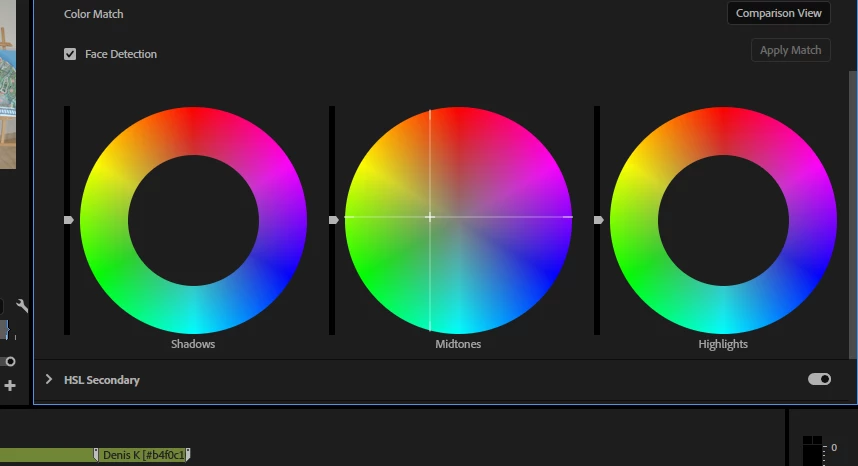
In Lumetri color of Premiere Pro v25 there's a bug with using color wheels. If you put your mouse cursor over one of them, click and drag it to change the color, the mouse moves about 5 milimetres and stops even though you are dragging it further on. When you release the mouse button, the cursor jumps to the position where you dragged it to. Reproduced easily, two of my collegues confirmed.
26 replies

Participant
November 1, 2024

Thank you, it’s really fixed now. You were quick and efficient. Thank you, Adobe.

jamieclarke
Community Manager
Community Manager
October 29, 2024

Updating Status this has been fixed in beta version 25.1.0 build 63

Participant
October 24, 2024

Same issue here.


Premiere Pro V25

Latest Nvidia Studio Driver

Windows 11

i7-12700K

RTX4070ti

64GB DDR5

12TB NVME


R Neil Haugen
Legend
October 24, 2024

Good job ... and yea, as noted earlier, I replicated this on my Pc.


Though I normally work the wheels with a Tangent Elements full-on colorist control panel, with actual wheels ... the balls and rings ... and that of course doesn't have the issue.


But with a mouse, yes, this happens for me also.

Everyone's mileage always varies ...
AndrewTheGreat
Known Participant
October 24, 2024

A video illustration for those who cannot reproduce the issue:

Stop trying to edit and EDIT!
Itam
Known Participant
October 24, 2024

Yes, same thing here. After updating to 25.0.0  the color wheels seem to have some kind of lag when controlling them.
Specs:
Premiere 25.0.0 (build 61)

Win 11 (up-to-date)
EVGA Nvida GeForce RTX 3060 12 GB GDDR6 (v. 565.90 Studio drivers)
32GB RAM
i7-13700K

Example clip:
Type: MPEG Movie
File Size: 86,28 MB
Image Size: 1920 x 1080
Frame Rate: 50,00
Source Audio Format: 48000 Hz - 16-bit - Stereo
Project Audio Format: 48000 Hz - 32 bit floating point - Stereo
Total Duration: 00:00:06:12
Pixel Aspect Ratio: 1,0
Alpha: None
Color Space: Rec. 709
Color Space Override: Off
Input LUT: None
Video Codec Type: MP4/MOV H.264 10 bit 4:2:2

R Neil Haugen
Legend
October 24, 2024

I can't replicate those issues on my computer.


That color wheels issues from the other users, yes.

Everyone's mileage always varies ...
Claire H.
Community Manager
Community Manager
October 24, 2024

Updating Status. Bug reported and being investigated by the Adobe team.

Participant
October 21, 2024

The same thing happens with the creative tab Tint wheels.


Also, curves are completely broken - you can't drag the middle point as usual if your cursor goes out of the working area. Just try to adjust black point and move your cursor a bit lower than the black point - you'll get the idea.


Another update, another bugs. Lot of bugs actually.

Participant
October 21, 2024
Lumetri Color delay in Curves , Color Wheels and Match.
Very terrible at color correction. Please fix this error soon


Participant
October 21, 2024

Same here