Victor5CD3
Known Participant
January 14, 2026

Performance issues with the new video card.

  • January 14, 2026
  • 28 replies
  • 1346 views

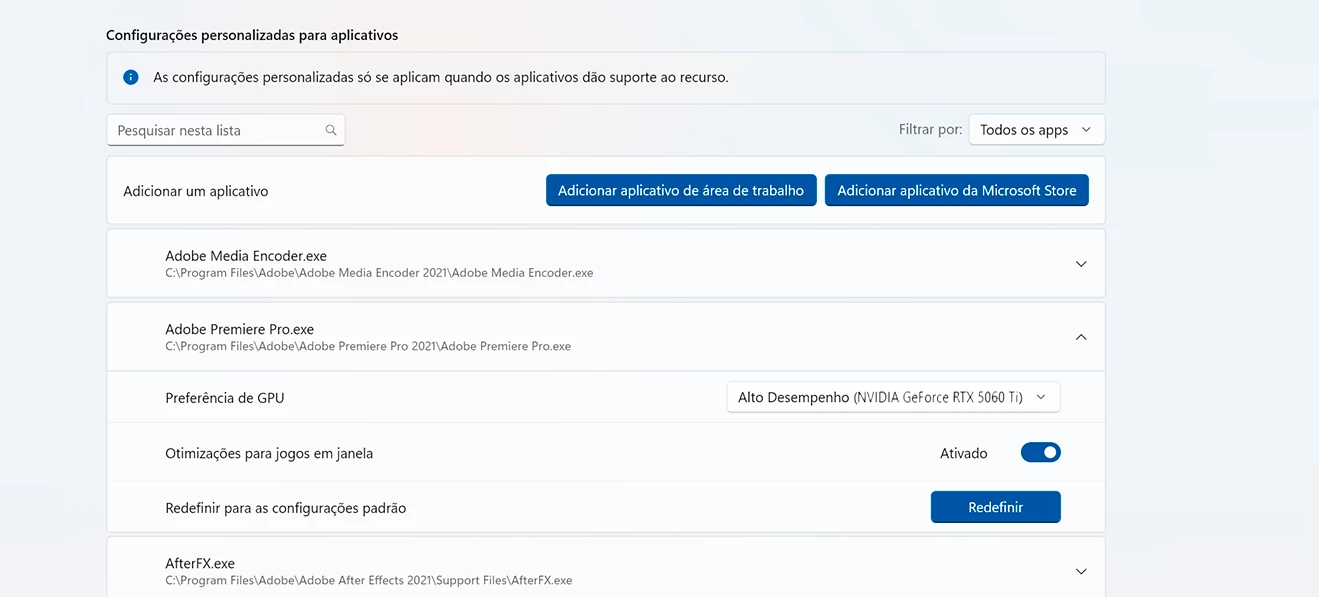
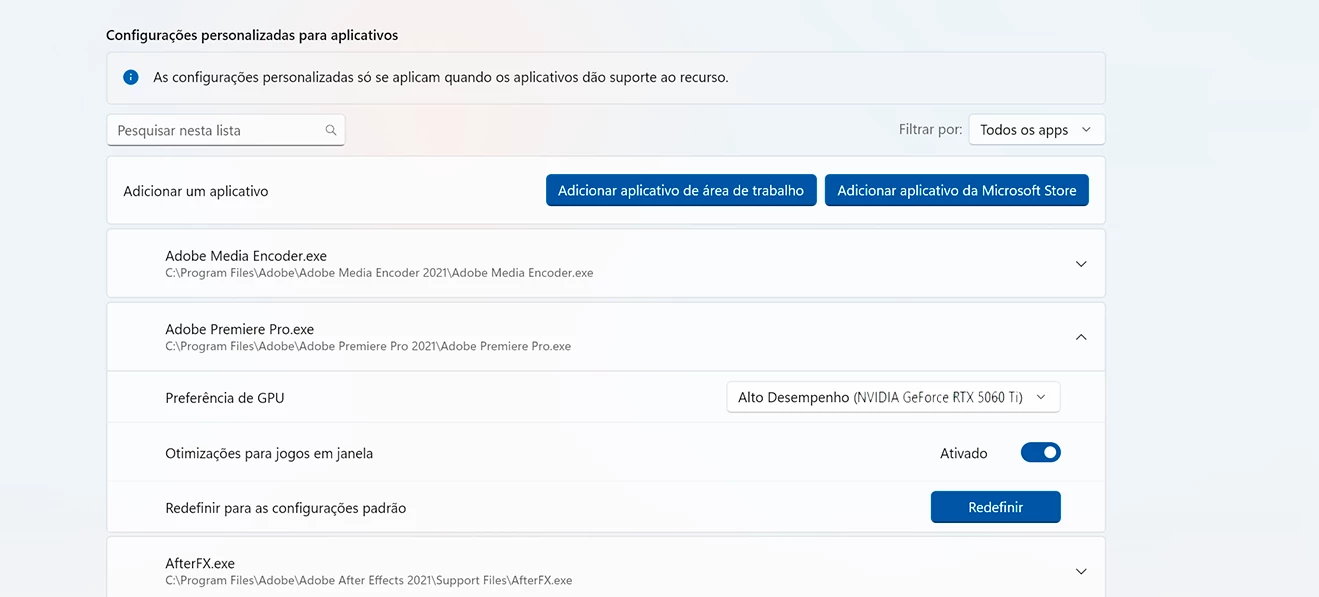
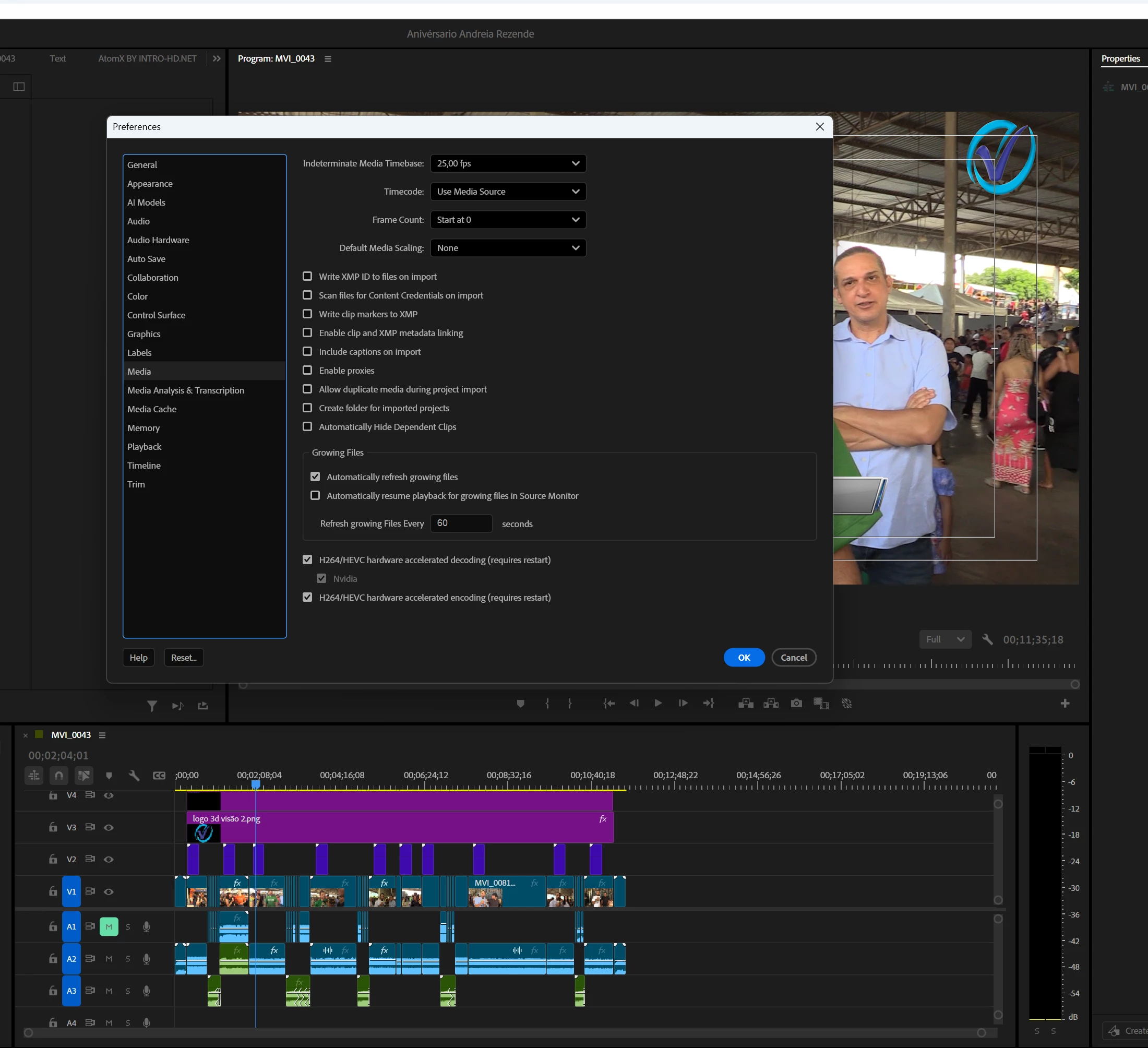
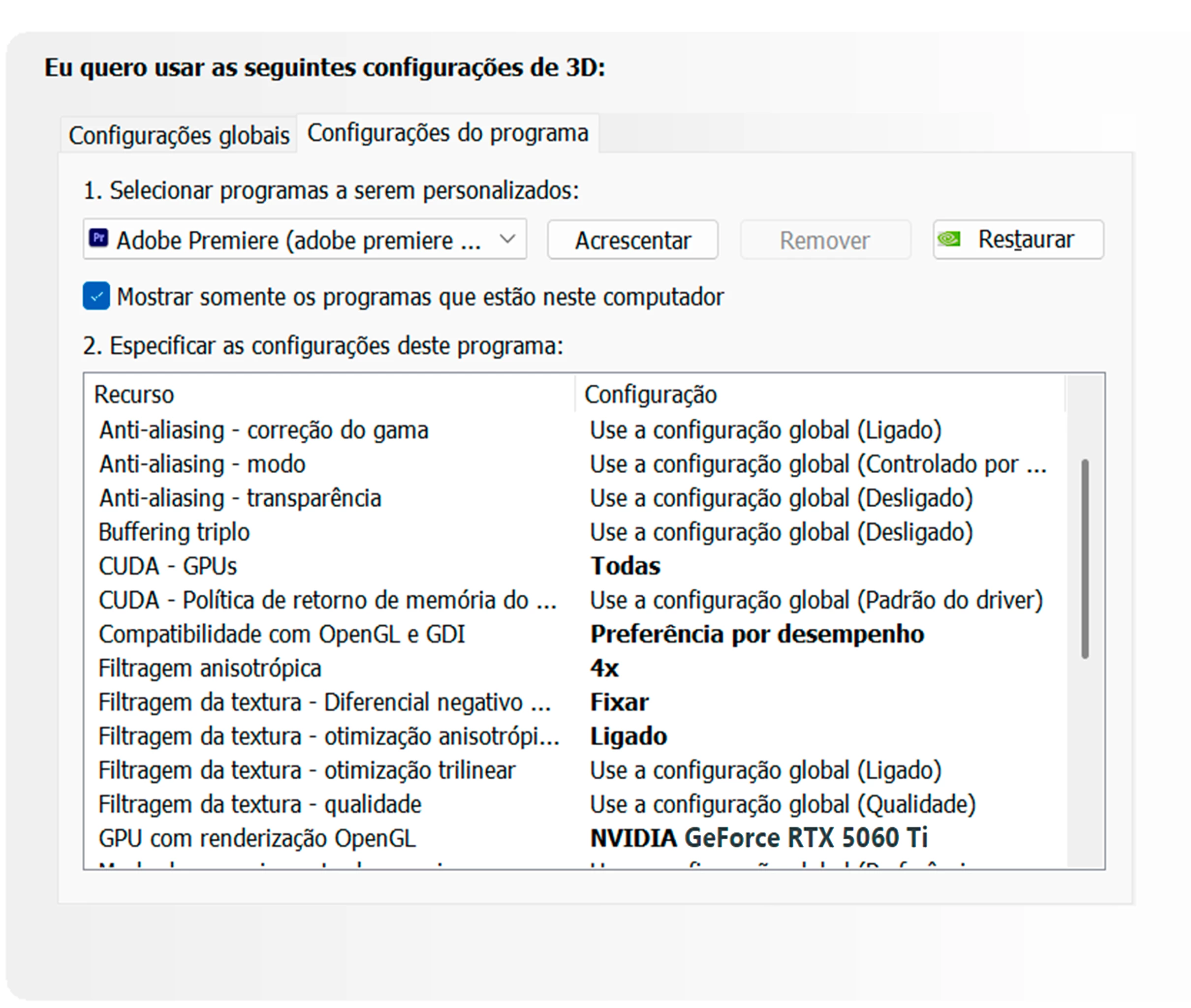
As I recently reported here on the forum, I bought a new video card, the RTX 5060 Ti. I was having problems with crashes and black screens during export, which was resolved with the new Nvidia driver from January 5th. However, I hadn't checked its performance in the Windows Task Manager. Today, while editing a video of just over 10 minutes in Full HD, I decided to open the Task Manager to check its performance. I saw that it was being used between 19% and 22%, and the processor was under higher load, sometimes reaching 100%. The usage between CPU and GPU should be balanced. The low video card usage is extremely frustrating. I am waiting for an Adobe moderator to tell me something. I respect the export process, which took 12 minutes to complete, and the video card usage varied between 19% and 22%. Below are some screenshots of how I configured the video card after installation. Remember that the old driver was uninstalled using DDU, resulting in a completely clean installation, following Adobe's standard recommendations for Premiere users. I'm waiting for someone from Adobe to respond.painel de controle Nvidia.pngwindows nvidia.pngwindows nvidia.pngCaptura de tela 2026-01-14 172808.png
28 replies

Victor5CD3
Known Participant
January 15, 2026

Hi RjL, yes, my system is PCI Express 4.0, so you mean that this is limiting? When I bought the card, I did a lot of research beforehand, on forums like Reddit and on the Puget Systems website. There were many posts about the first versions of the RTX 50 series cards causing crashes and black screens, but then I came here to the forum and some other users said it was safe to update. Also, a search on the GPT chat reports that this loss in bandwidth on PCI Express doesn't affect video editing because it only loses about 5 to 10%. Since you're reporting that the bandwidth is limiting, isn't there another solution to minimize this? Seeing that the price of RAM, motherboards, and processors is quite expensive now, I don't intend to migrate to another machine. I'm also contacting the store where I bought the card; a technician will assist me later. Thank you for your report. Here in Brazil, many stores sell workstations with configurations similar to mine.

Build CPU Ryzen 5700X,64 GB ram,Nvidia geforce 5060 Ti 16 Gb,SSD nvme 1tb + ssd sata 2Tb HD Disc 2Tb Win11 24h2
Victor5CD3
Known Participant
January 15, 2026

Hi Jamie, I'm using Adobe Premiere version 25.5. My computer opens and everything works very fast thanks to the NVMe and SSD. I'm using Windows 11 Pro 24h2.

I've already mentioned in other threads that version 25.5 is the most stable. I tested all the variants of 25.6, but the most stable for me was 25.5, so I continue using it. These screenshots show how my system is configured. I'm using the latest Nvidia Studio driver from January 5th, version 591.74, and it's the only one that isn't causing crashes or black screens.

Thank you for your reply, I hope there's a solution.

Build CPU Ryzen 5700X,64 GB ram,Nvidia geforce 5060 Ti 16 Gb,SSD nvme 1tb + ssd sata 2Tb HD Disc 2Tb Win11 24h2
jamieclarke
Community Manager
Community Manager
January 15, 2026

Hi @Victor5CD3 -  Thanks for submitting your bug report. We need a few more details to try to help with the issue.


What version of Premiere are you using?

Is your media all the same format?

Can you right click your media files and select "Media File Properties..." and then post a screenshot

Do you see a blue circle (Progress indicator) in the upper right hand corner?

Adobe recommends using the "Studio" driver version when working in Premiere Pro.

Sorry for the frustration.

Legend
January 15, 2026

This may be a sign of an interface bandwidth mismatch. The RTX 5060 Ti is designed for a PCI-e 5.0 x8 connection, but your system's motherboard may only be PCI-e 4.0 or even PCI-e 3.0 compliant, which significantly increases the CPU utilization trying to minimize that interface-induced bottleneck.


A full PCI-e 5.0 x8 connection between the CPU and the GPU would have increased the GPU utilization to as high as 50% for this job. Your system's limitation to PCI-e 4.0 x8 or even PCI-e 3.0 x8 with that GPU is altering the balance between the CPU and the GPU, resulting in a CPU bottleneck that's worse than it normally would have been.

R Neil Haugen
Legend
January 15, 2026

At times with a vastly upgraded card, it shows a lower percentage being used due to the efficiencies of the new card, but there's more actual work being done. I've seen that before.


However, in this case, the person around here that could give far more detailed knowledgeable specifics is @RjL190365  ... so I hope they can pop in soon.

Everyone's mileage always varies ...
Victor5CD3
Known Participant
January 15, 2026

Neil, in this case, I don't believe any heavy effects were used, only Lumetri Color and some Film Impact transitions. Since it was a news report, it was mostly hard cuts, with very few transitions used. As it was going to a web TV crew, I exported it in VBR 2 pass, minimum 25 and maximum 35 bitrate.

I still don't know why it's using so little of the GPU; it should be balanced with the CPU. I don't know if I should make some other configuration changes to my system, or if these new RTX cards are really bad, even though it's not a very entry-level card, but it's not a top-of-the-line one either. It cost me a lot of money to not get the expected performance, seeing other users with RTX 5070 or 5090 having similar problems.

So far, Adobe support has given vague answers; the problems persist even though it has twice the resources and more memory. My old RTX 3060 worked much better. Could it be that Adobe Premiere is still not well optimized to work well with the RTX 50 series? 

It was mentioned that it took 12 minutes to export a video of just over 10 minutes in AVCHD H.264, which I found very slow. With the new graphics card, I expected to significantly reduce the export time. With the RTX 3060, I exported in 8 minutes. I don't understand why it takes longer with a newer card with more features.

Build CPU Ryzen 5700X,64 GB ram,Nvidia geforce 5060 Ti 16 Gb,SSD nvme 1tb + ssd sata 2Tb HD Disc 2Tb Win11 24h2
R Neil Haugen
Legend
January 15, 2026

Exporting processes can depend a ton on the media of the sequence, effects used including Ae comps, mogrts and such, plus what you are exporting to as far as a codec.


Some things will use the GPU, some won't. So depending on the above the GPU may get used a lot, or not so much.


Give us the pertinent information, and 'we' can advise better on what is going on.

Everyone's mileage always varies ...
Victor5CD3
Known Participant
January 14, 2026

painel de controle.png

Build CPU Ryzen 5700X,64 GB ram,Nvidia geforce 5060 Ti 16 Gb,SSD nvme 1tb + ssd sata 2Tb HD Disc 2Tb Win11 24h2