
Inspiring
November 19, 2025

Playback on 2nd monitor not working

  • November 19, 2025
  • 3 replies
  • 38 views

Despite having it enabled, full-screen playback on my 2nd monitor does not work when I boot up Premiere.


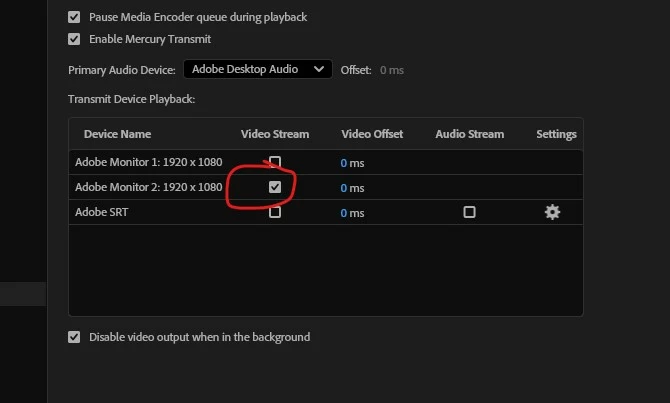
I have to go into preferences > playback > ok, and then it works. I don't even change anything, because it's already enabled. But for some reason, it won't work until I go into the menu and "ok" it again. 


Does anyone know why this might be happening? 


Thanks
 

3 replies

jamieclarke
Community Manager
Community Manager
November 19, 2025

Hi @Herbie787 - We need a few more details to try to help with the issue.  Please see, How to Report a Problem.

Herbie787Author
Inspiring
November 19, 2025

Hi,


I just did those 2 checkboxes you suggested. 


Rebooted Premiere, re-enabled the monitor playback (it worked, as it should).
Then I exited Premiere, opened back up the same project, and the timeline didn't play back on the 2nd monitor. 

I had to go back into the playback menu and hit "ok" again - even though it was still checked (like in the image I posted).


Suggestions?


Thanks 

jamieclarke
Community Manager
Community Manager
November 19, 2025

Hi @Herbie787 -  Thanks for submitting your bug report. We need a few more details to try to help with the issue.
Please see, How to Report a Problem.


Can you try and hold down "SHIFT" while launching Premiere and check the boxes
"Reset app preferences" (Backup Preferences first)
"Reset plugin loading cache"

Sorry for the frustration.