
Known Participant
April 30, 2025

Premiere Pro 2025 v 25.2.3 continually freezing up periodically while working.

  • April 30, 2025
  • 14 replies
  • 3322 views

Hi I'm running into an issue where Premiere will start running slow and lagging the responsiveness will come and go and the only way to regain control is to restart the computer,. I'm still able to perform tasks , but the response is very slow even tasks outside of premiere.

any other programs while Premiere is closed like  After Effects, Illustrator, or even Photoshop will work normally without any hiccup.
 
I recently updated from Windows 10 to 11, Installed additional RAM to get it to 128GB
I use Suite studio  within my work flow, but i've also experience the problem working locally. 

Basically i will be working on an edit as simple as this
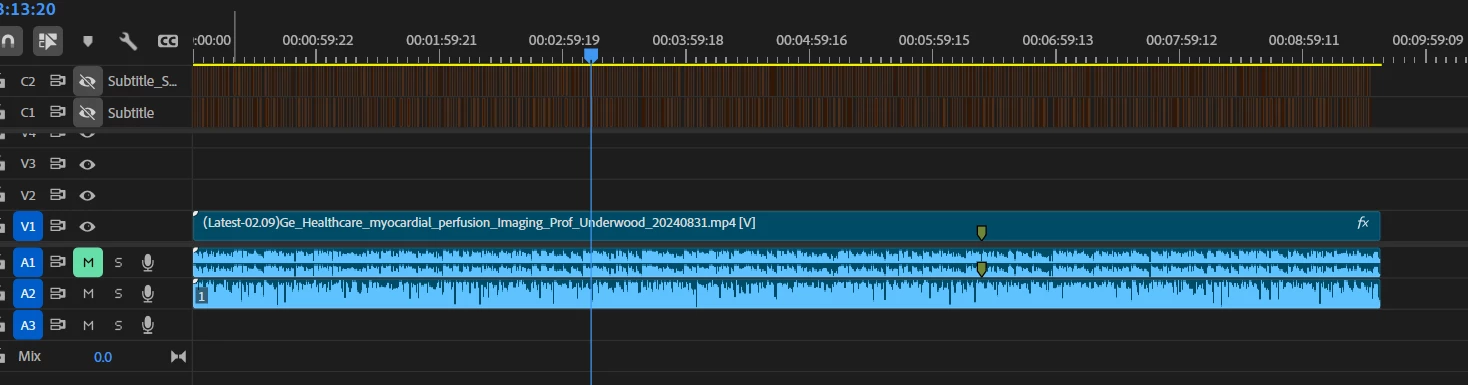
and still have the program and computer freezing up. when ever i'm not running Premiere the computer runs fine i've ran some test on it and there were no hang ups from testing the system out.

Here is an example of what's happening. 
https://vimeo.com/1079549757
Screenshot Examples:
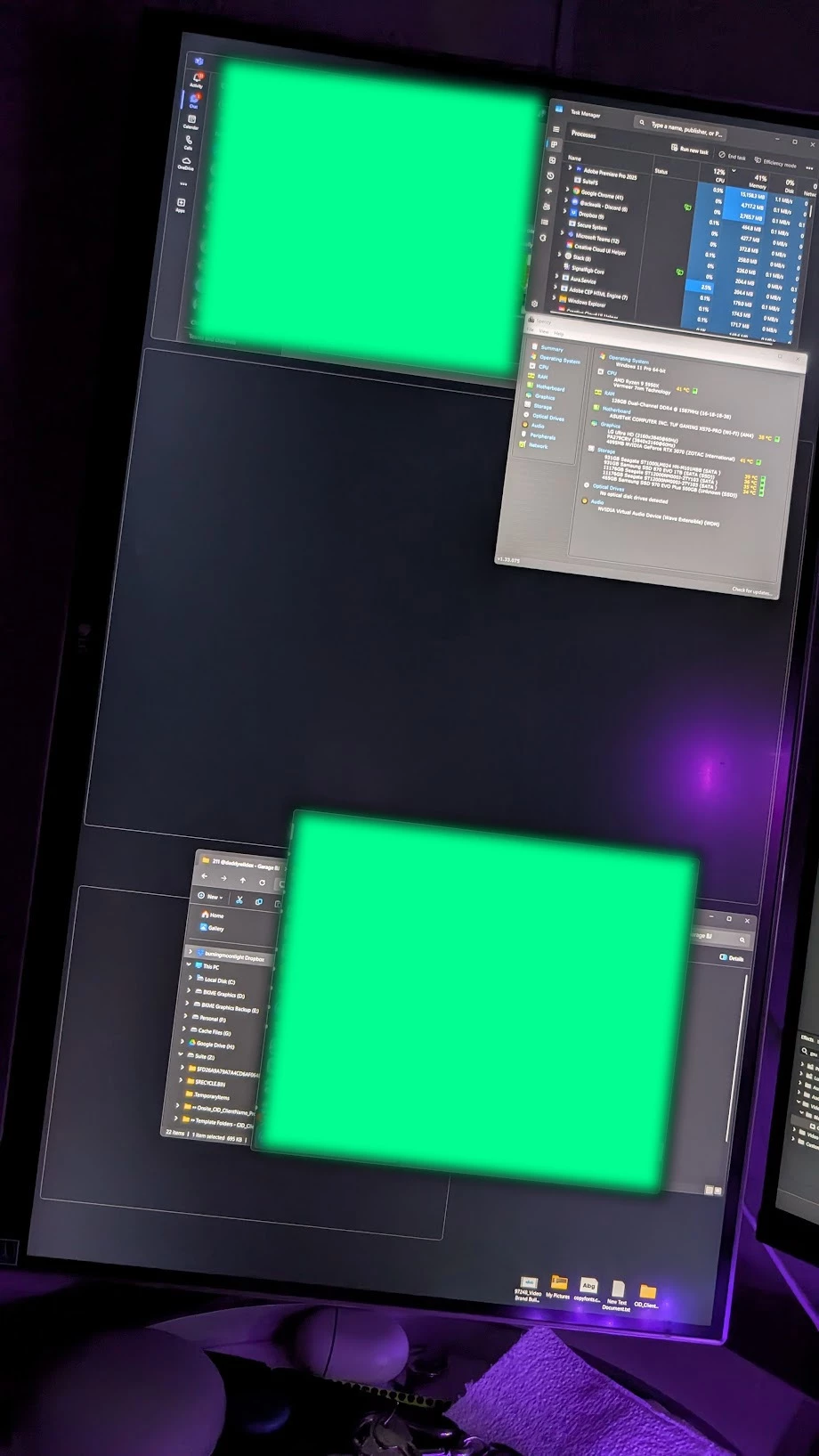


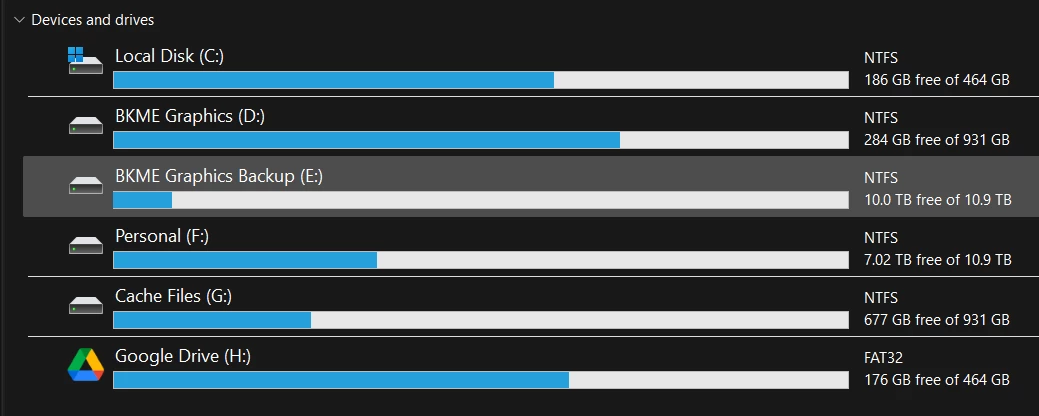
Syetem Setup:
Operating System
Windows 11 Pro 64-bit
CPU
AMD Ryzen 9 5950X 48 °C
Vermeer 7nm Technology
RAM
128GB Dual-Channel DDR4 @ 1588MHz (16-18-18-38)
Motherboard
ASUSTeK COMPUTER INC. TUF GAMING X570-PRO (WI-FI) (AM4) 37 °C
Graphics
LG Ultra HD (2160x3840@60Hz)
PA279CRV (3840x2160@60Hz)
4095MB NVIDIA GeForce RTX 3070 (ZOTAC International) 42 °C
Storage
931GB Seagate ST1000LM024 HN-M101MBB (SATA ) 36 °C
931GB Samsung SSD 870 EVO 1TB (SATA (SSD)) 33 °C
11176GB Seagate ST12000NM000J-2TY103 (SATA ) 34 °C
11176GB Seagate ST12000NM000J-2TY103 (SATA ) 32 °C
465GB Samsung SSD 970 EVO Plus 500GB (Unknown (SSD))
Optical Drives
No optical disk drives detected
Audio
NVIDIA Virtual Audio Device (Wave Extensible) (WDM)


14 replies

BebanksAuthor
Known Participant
June 4, 2025

Does anyone have information on this?

Ryzen 9 9950X | Geforce RTX 5080 | RAM 96.0 GB | Win 11 Pro 24H2 [26100.7627]
BebanksAuthor
Known Participant
May 2, 2025

Yes, I have reset the User Settings. I've gone as far an removing Adobe completly (all programs with there uninstall tool ALL ADOBE PROGRAMS WERE REMOVED). This isn't happening to specific footage this happens to ANY footage. I can have a clean project and it will still do the same thing. [I'm currently runnig 25.1 currently, but a lot of the files I'm working with are have elements of 25.2.3 in them so i get the warning about the color space. I'm seriously considering reverting back to windows 10 to see if this fixes the issue, but i want to see if the next update will fix the issue. 

example of what shows up when i open a project wityh 25.1 that was downgraded from 25.2.3.


Ryzen 9 9950X | Geforce RTX 5080 | RAM 96.0 GB | Win 11 Pro 24H2 [26100.7627]
IanB_360
Community Manager
Community Manager
May 2, 2025

Hi @Bebanks 
have you tried to reset user settings? Also is this happening with specific file footage? Or is it any type of file that you notice causing a crash?

Here to help
Ian

BebanksAuthor
Known Participant
May 1, 2025

I have and the same result was produced i was working in a new project recently  and there was just footage that was 1080p and one morgt from mr horse and it froze just like the video I uplaoded.

Ryzen 9 9950X | Geforce RTX 5080 | RAM 96.0 GB | Win 11 Pro 24H2 [26100.7627]
Wil Renczes
Adobe Employee
Adobe Employee
May 1, 2025

My knee jerk guess is that it might have something to do with the sheer number of subtitles you have associated with that clip.  Have you tried importing that media into a new project, but with the subtitles removed to confirm whether the periodic freezing goes away?  That would help narrow down the investigation.

BebanksAuthor
Known Participant
May 1, 2025

I've uninstalled Suite Studio and ran Premiere using local files. and teh problem is still very apparent. 

after this i tried removing the entire Adobe Creativce Suite along with programs and then reinstalled the necessary programs that i would normally use After Effects, Premiere, IIllustrator, Photoshop. 

This is an example of the 25.1 running a downgraded version of 25.2.3 
Yesterday I also started a new project and 25.1 ran with no issue's 

I am going to run 25.2.3 on Win 10 laptop i have to see if the issue is the same on that same project 

Ryzen 9 9950X | Geforce RTX 5080 | RAM 96.0 GB | Win 11 Pro 24H2 [26100.7627]
BebanksAuthor
Known Participant
April 30, 2025

I've used Studio with the previous version of Premiere Pro 25.1 and it worked flawlessly. I also have PR files I work with locally when Suite Studio is not running.

Ryzen 9 9950X | Geforce RTX 5080 | RAM 96.0 GB | Win 11 Pro 24H2 [26100.7627]
IanB_360
Community Manager
Community Manager
April 30, 2025

updating status. 

IanB_360
Community Manager
Community Manager
April 30, 2025

Hi @Bebanks 
We would suggest using the Windows update to update any windows drivers including the graphics card. Do you have to install anything on your local system in order to use Suite Studio? If so I would uninstall that restart your system and then see how the performance is off your local drives.
we are here to help.

Ian 

BebanksAuthor
Known Participant
April 30, 2025

Do you typically insatll the physX System Software and HD Audio Driver from Nvidia?

Ryzen 9 9950X | Geforce RTX 5080 | RAM 96.0 GB | Win 11 Pro 24H2 [26100.7627]