This is a really annoying issue taht seems to only be happening in this new version. I have always used the extract function to quickly chop out unwanted sections in a timeline but in this version of Premiere, the extract function behaves incorrectly and disregards the selected in and out points for extraction.
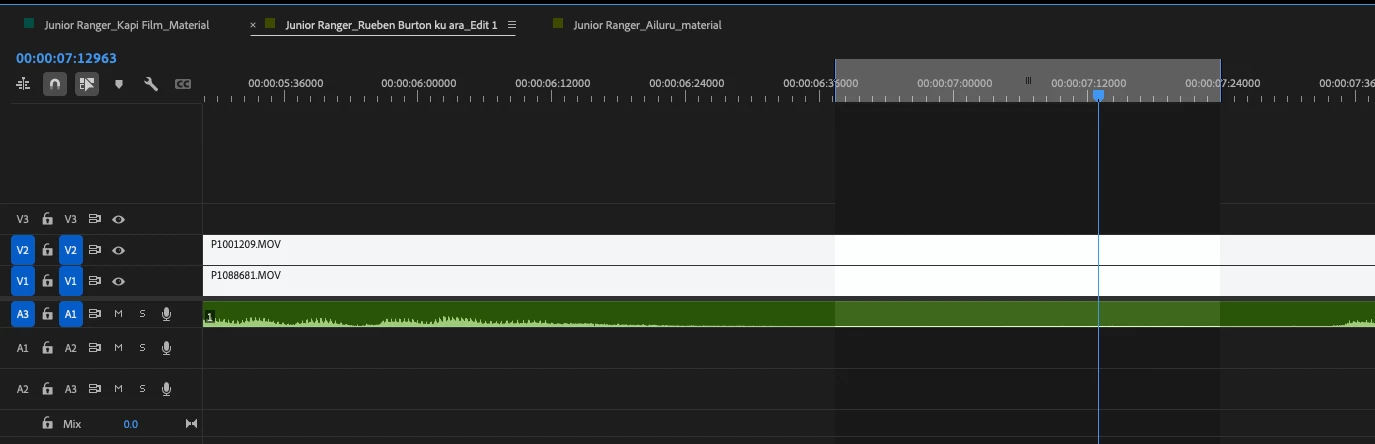
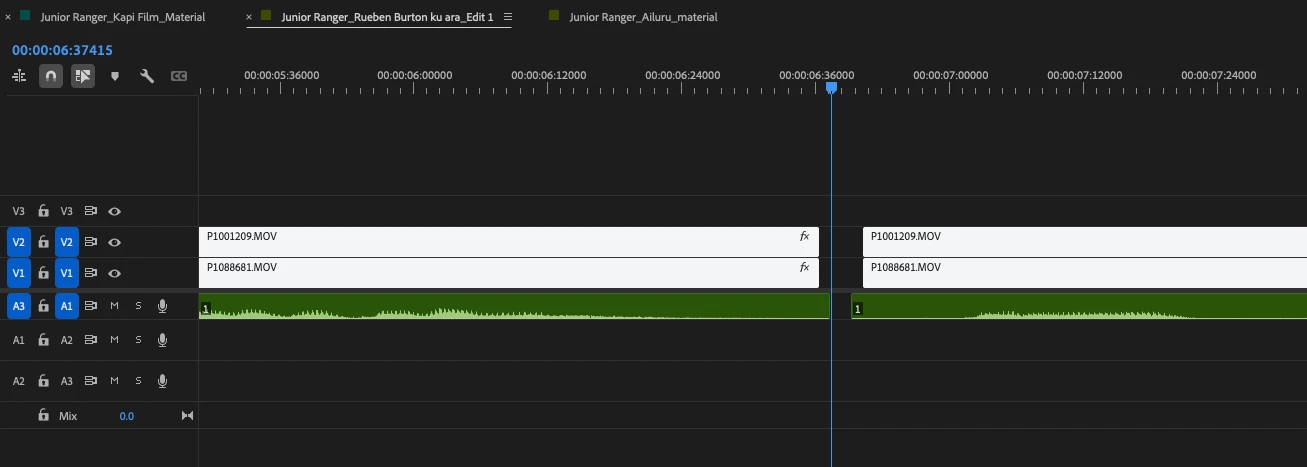
This for example is a section i want to extract. This is the resulting extraction. There is a space left in the video and audio tracks that is not even consistent as it should be and always was in previous versions. I now have to manually cut with the razor tool and then hit ripple delete to close the gap. More steps than I should need to do. This issue is also happening with the lift function where the audio and video tracks. Is there something that has changed in this version that is causing this?
Sorry Amy for late replay to this thread. Yes this is exactly the situation where this issue happened. i often use ‘Show audio time units’ to better sync audio clips to video clips and then forget to unselect this option. i do so and havent had any further issues with this problem. many thanks again
Welcome back to the Premiere Forums. That behavior is very odd and I haven’t experienced it in 26.3, but I may be missing something. Just to confirm, you are talking about the keyboard shortcut Extract found under Sequence.
And you set your in and out points, extract, but it leaves gaps of 3 frames in the video and 1 frame in the audio?
Additionally we could use some information about your setup. Please see,How do I write a bug report? for our preferred format.
Yes the issue is exactly as you described with the extract and lift buttons by either the hotkey (ive reassigned to another button)s or directly in the program monitor buttons, although I just tried it again now with new timelines on the same opened instance of Premiere without closing the program and the issue seems to have disappeared which is good but unhelpful for diagnosing the bug. I’ll come back to the thread when it happens again.
Im on a 2025 Mac Studio. I have encountered this issue before with this version of Premiere and it went way so I suspect there’s some combination of settings or arrangments of my program and source timeline stacks that may be contributing to it. I’ll report back when it happens again.
It appears I can reproduce this when I “Show Audio Time Units.” So just make sure you have that deselected when extracting in the timeline. I’ll keep digging into this.




 AdChoices