
Participating Frequently
June 11, 2025

Premiere Pro CONSTANTLY Freezing with Sufficient Specs (Upgraded to RTX 5090)

  • June 11, 2025
  • 44 replies
  • 4721 views

I recently upgrade my computer to a RTX 5090 and have been experiencing a lot of playback and rendering issues within Premiere pro specifically. I've already done a lot of trouble shooting to make sure i do not have overlapping drivers (removing drivers with DDU while in safemode) and I made sure all of my drivers are up to date, even installing the newest available studio drivers that Nvidia offers. I'll put a full spec list down below.

Problem:
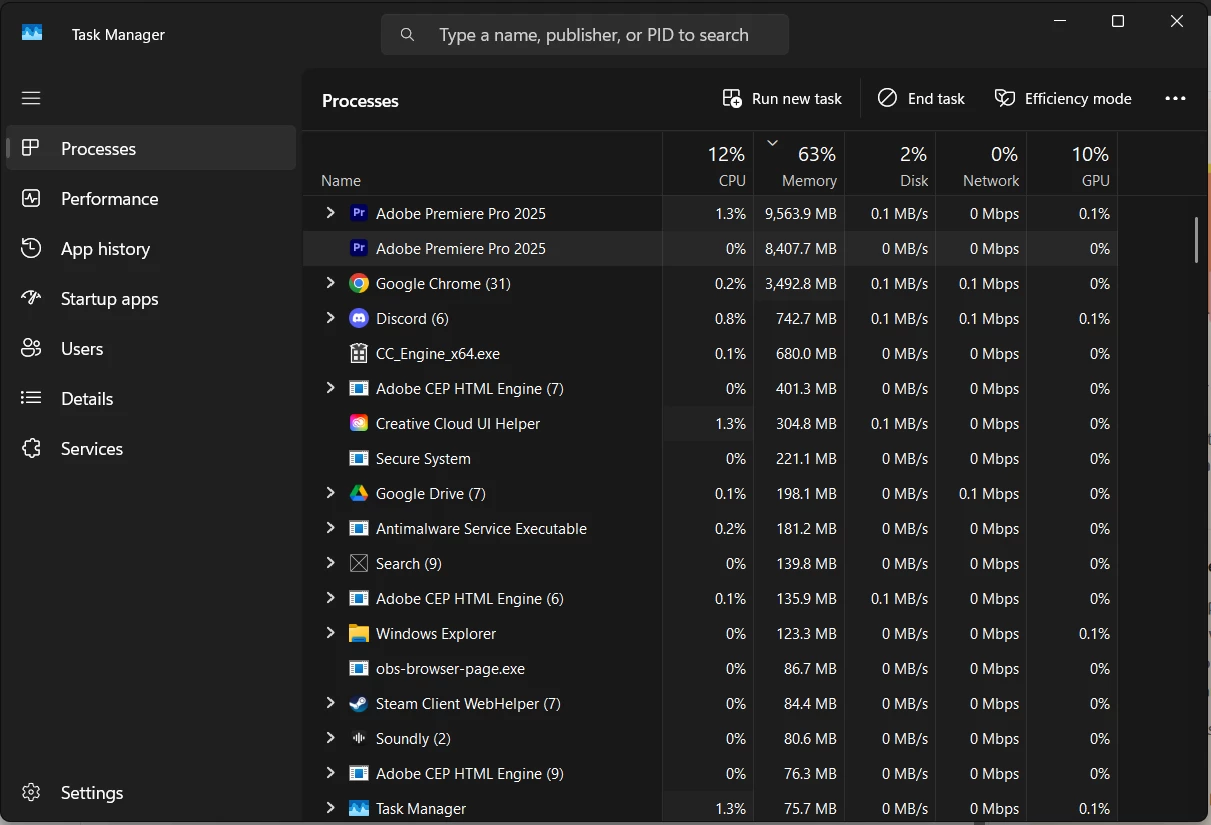
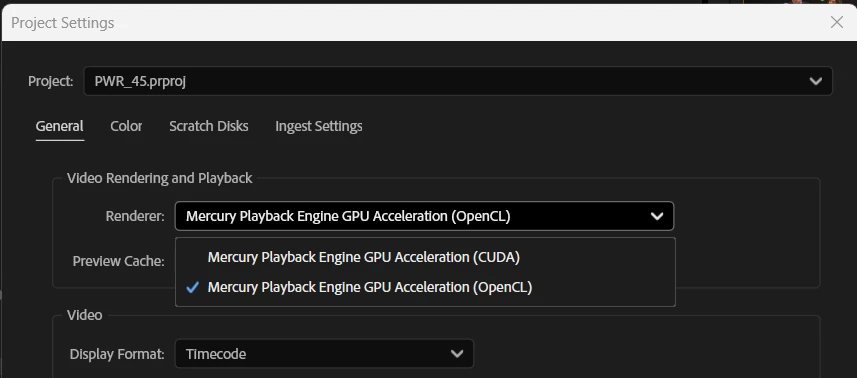
I have been editing for years without these major issues, so I'm assuming my issue is related to my recent GPU upgrade or it's drivers. Whenever I'm editing a video and watching it back on the timeline, it will randomly freeze on one of the frames I was on and stay like that for upwards of 2 minutes until it catches up or I get impatient and try to restart the program. It feels as if my computer is hitching or trying to catch up. I read online that if I switched the video renderer to OpenCL instead of CUDA, it may help and would indicate there is a driver issue. While this is a work around, this makes my playback extremely skippy/laggy due to it not using the GPU. I then go to try to render the video and it will start the render, but somewhere in the middle of the render, it will get completely stuck and stop rendering, although the footage it's rendering is not hardware intensive at all. The way I'm currently working around this is to transfer all my files to a different computer via google drive desktop and then render it there, where render times are fine, and no freezes happen. Also, one last issue i'm constantly running into is that whenever the program is in this "hitching/freezing" state, it is IMPOSSIBLE to fully close out of the program. I will open task manager and force close it and it will still not close. I have to click the power button on my pc and then cancel the shutdown in order for it to close and then it will still be open in the background, stuck at whatever the memory bandwidth was at when it was first shutdown, until the computer is fully restarted. This makes it extremely difficult to relaunch the program normally cause my computer is thinking it's still active I guess(50/50 chance it will launch). please help me. I'm on the latest version of drivers, and adobe software as well.

I do use a decent amount of extensions, which I will list here: (I don't think extension effect anything, but I could be wrong)
- Film Impacts
- Excalibur
- VideoVault3

Full specs list:
CPU: AMD Ryzen 7 7800X3D
GPU: NVIDIA GeForce RTX 5090
Memory: Corsair CMH32GX5M2B6000Z30 (64gb @ 6000MHz)
Storage: Samsung SSD 980 PRO 2TB
Motherboard: B650 GAMING PLUS WIFI (MS-7E26)
BIOS Version/Date: American Megatrends International, LLC. 1.30, 8/10/2023
44 replies

Participant
September 10, 2025

Guys this is solved with the lastest gaming driver, I did a clean install of the driver in advanced settings, and we are back on track! It works! 

Participant
September 10, 2025

I'm happy im not the only one concerned with this  

R Neil Haugen
Legend
September 10, 2025

Are you aware that the Nvidia 50 series of cards are having the same problems across all  the pro video post apps?


I use both Premiere and Resolve, and the BM forums have the same troubles with 50 cards.


Not all cards seem to be an issue, but many. Some users went back to the previous card, some changed a BIOS setting to get their to work, some have changed a setting in Windows or the Nvidia settings to get the blame things working, some got theirs working with driver change, and some just RMA'd their card and the replacement worked.


Nvidia and the software companies are trying to sort this but it's a mess.

Everyone's mileage always varies ...
Participating Frequently
September 10, 2025

Hello @jamieclarke, I just wanted to provide an update on this since it's been months with no fix. 

Current problem: 
Random renders will freeze and prevent Premiere Pro from continuing at all. The render will get stuck at any random percentage and will stay like that until I intervene. I've let it sit for an hour+ rendering a 15 second short form video that should normally take seconds and when I cancel the render, the playback is completely frozen or black and will not display ANY new frames until Premiere Pro is restarted. When I close out of Premiere Pro, it will go into a "Not Responding" crash. So then I will Task Manager end the task. From there I notice that ghost versions of premiere are still open in the background tasks and are IMPOSSIBLE to end, even through task manager. I've also noticed that the render will still be processing in it's destined location and if I try to delete it, it says that it's still open in another program, even if Premiere isn't open.

This is extremely frustrating when I'm working on a lot of small projects that require me to constantly be rendering small short form videos. I've found no fix after months of trying what pretty much feels like everything. Even if I use Adobe Media Encoder, it's pretty much random whether or not the render will fully go through or not. Once I freeze in Premiere Pro, I start rendering with Adobe Media Encoder, but once that freezes, I have to fully restart my computer and try again. This is just a massive hurdle in the workflow that makes the adobe subscription not worth AT ALL and adds extra HOURS onto what should be a relatively simple workflow.

danm32376722
Known Participant
September 1, 2025

Just tried a MSI 5090 OC card with the latest studio drivers 580.97 and I am able to export.

Jeremiah9502
Participant
August 19, 2025

This exact issue still exists in August and Nvidia has not fixed it. 

Have you found a workaround? Because I'm ready to return my brand new 5090 by the end of the day and or move over to Resolve given that Nvidia can't figure out their own products. 

Both companies are seriously lacking. 

Participating Frequently
July 24, 2025

I saw today there was a new update to Premiere Pro Beta, 25.6. Does this address any of these issues?

Participant
July 24, 2025

Having the same issue with a new 5080 card while rendering / exporting to H264, its always getting stuck somewhere. Just updated to the new Studio Driver ver 577 today, same issue. Have a Z790 and i9 13900KS, 96 GB RAM.


Not sure how much the Adobe experts will help you here but, try this and it will work:

Instead of exporting to H264 or H265 export to another format. Since my recordings are from an iPhone and created and the files are MOV, so I just rendered them in ProRes, which is basically Quicktime (Apple ProRes 422). This method worked for me, because my source and output would be in the same format, and I upload on YouTube, which accepts this format. 


The render is a bit slow, and it consumes weirdly CPU, my Intel iGPU and 5080, and its not running continuously, but it doesn't get stuck. The time estimate on the render is not reliable though. But ProRes will work, guarantee, and you will thank me for it 🙂

Participating Frequently
July 23, 2025

@jamieclarke Any updates on this? PLEASE I cannot do my job effieceintly until this bug is ressolved!

danm32376722
Known Participant
July 22, 2025

Software renders fail now as well. Just had to uninstall the 5090 and put my 4080 super back in. The 5090 will be returned back to Newegg. What a shame - how can you have these problems with a flagship card?