
Participating Frequently
June 11, 2025

Premiere Pro CONSTANTLY Freezing with Sufficient Specs (Upgraded to RTX 5090)

  • June 11, 2025
  • 44 replies
  • 4721 views

I recently upgrade my computer to a RTX 5090 and have been experiencing a lot of playback and rendering issues within Premiere pro specifically. I've already done a lot of trouble shooting to make sure i do not have overlapping drivers (removing drivers with DDU while in safemode) and I made sure all of my drivers are up to date, even installing the newest available studio drivers that Nvidia offers. I'll put a full spec list down below.

Problem:
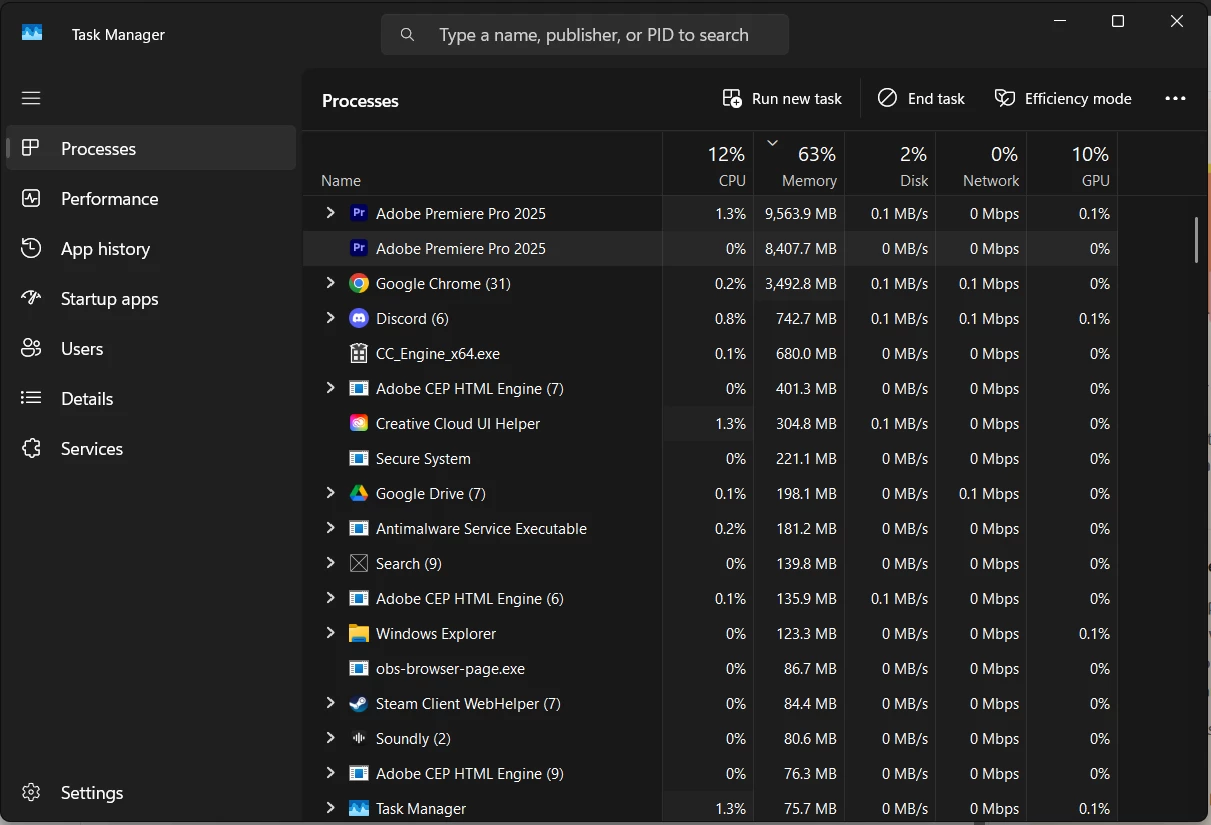
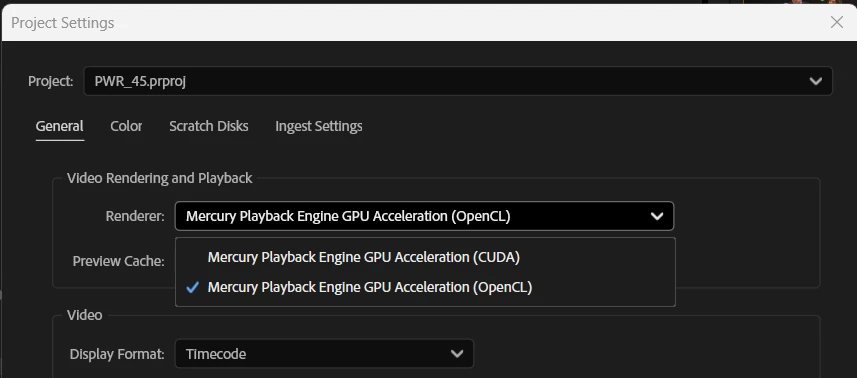
I have been editing for years without these major issues, so I'm assuming my issue is related to my recent GPU upgrade or it's drivers. Whenever I'm editing a video and watching it back on the timeline, it will randomly freeze on one of the frames I was on and stay like that for upwards of 2 minutes until it catches up or I get impatient and try to restart the program. It feels as if my computer is hitching or trying to catch up. I read online that if I switched the video renderer to OpenCL instead of CUDA, it may help and would indicate there is a driver issue. While this is a work around, this makes my playback extremely skippy/laggy due to it not using the GPU. I then go to try to render the video and it will start the render, but somewhere in the middle of the render, it will get completely stuck and stop rendering, although the footage it's rendering is not hardware intensive at all. The way I'm currently working around this is to transfer all my files to a different computer via google drive desktop and then render it there, where render times are fine, and no freezes happen. Also, one last issue i'm constantly running into is that whenever the program is in this "hitching/freezing" state, it is IMPOSSIBLE to fully close out of the program. I will open task manager and force close it and it will still not close. I have to click the power button on my pc and then cancel the shutdown in order for it to close and then it will still be open in the background, stuck at whatever the memory bandwidth was at when it was first shutdown, until the computer is fully restarted. This makes it extremely difficult to relaunch the program normally cause my computer is thinking it's still active I guess(50/50 chance it will launch). please help me. I'm on the latest version of drivers, and adobe software as well.

I do use a decent amount of extensions, which I will list here: (I don't think extension effect anything, but I could be wrong)
- Film Impacts
- Excalibur
- VideoVault3

Full specs list:
CPU: AMD Ryzen 7 7800X3D
GPU: NVIDIA GeForce RTX 5090
Memory: Corsair CMH32GX5M2B6000Z30 (64gb @ 6000MHz)
Storage: Samsung SSD 980 PRO 2TB
Motherboard: B650 GAMING PLUS WIFI (MS-7E26)
BIOS Version/Date: American Megatrends International, LLC. 1.30, 8/10/2023
44 replies

Participating Frequently
June 11, 2025

I appreciate the fast and thorough response! I had already cleared my drivers using DDU, but i did it after installing the 5090 and running into these issues. However, I did not know that DDU installs game ready drivers after clearing all the others. I cleared my drivers in safemode using DDU and then launched the computer and instantly installed the studio drivers, but I may have to try this again cause i'm thinking i may have done something wrong?

I also checked to see if Premiere Pro 25.3 was available as you mentioned, but I do not see that version available to me. I'm currently on version 25.2.3. The only reason i'm using OpenCL video renderer is because I cannot use CUDA. CUDA will play the video smoothly for 2-3 seconds and then freeze forever, as shown in the gif I posted in past replies.

You also asked if there are effects on the clips I showed in the gif, and there are a few effects and color correcting applied, but this issue is happening on all of my projects, no matter if there are effects or not.

FlyingFourFun
Inspiring
June 11, 2025

are there any effects on the clip itself?   also try rendering a proxy and see if that makes it better...  (in addition to my other response).

FlyingFourFun
Inspiring
June 11, 2025

The first thing I would do is see if PP 25.3 update is available to you;  second, do a proper remove of all your nVidia drivers, you cant use the clean install selection within the driver installer, its not really a true clean install;  I just posted this for someone else a few min ago;  use this tool (or one like it that you prefer):

Display Driver Uninstaller (DDU) download version 18.1.1.4


then install the STUDIO driver, I'm sure you already knew this, but thought it worth a mention as when you clean the old driver out with that tool; the driver installer defaults to game ready, and you have to select studio driver again.


I also had a similar issue to you for the playback;  I have not tried 25.3 yet to see if it solves my issue, but it had something to do with premier making what I think was an error in decoding the frame rates, but a manual override of the frame rate solved my issue (I will test 25.3 shortly and see if the problem is solved for me)


The best practice when swapping GPU's especially AMD to nVidia is to do that video driver sanitizing process noted.


As for OpenCL,  I would never use that unless there is some specific plug in you use enough to warrant it - CUDA works great, if memory serves me correct OpenCL gets translated into Cuda by the driver, and the new GPU's have so much power you really don't suffer running with Cuda mode... for this sort of tasks enough to worry about it.


I also have a suspicion that the new blackwell GPU's need the updates in PP 25.3 to work to there full effect, from my occasional trips into the beta forum (but reserve the right to be corrected with someone who follows it closer).


I suspect 25.3 will help you, and a clean driver install as described above will help narrow the issues down for you.


I hope to hear back one of these suggested solve it for you.


Participating Frequently
June 11, 2025

Just to add onto this a little bit more, here is a perfect example of the issue I'm facing: 
https://gyazo.com/ccd9419e35930d55784ac747c9a55da3

As you can see from the gif, the playback does not want to update at all, even if I gave it minutes between moving the playhead, it still would not update. The only way i can get it to update is by switching to OpenCL video renderer, but then it's nearly impossible to edit cause the playbackk looks like a slideshow compared to CUDA video renderer.