
Participant
October 1, 2025

Premiere se bloquea y se reinicia Mac

  • October 1, 2025
  • 3 replies
  • 126 views

Hola.

Estamos teniendo el siguiente error:

Repentinamente la pantalla se nos pone de color lila y el equipo se reinicia.

Estamos trabajando con un proyecto que creemos no debería sobrecargar para nada el ordenador.

La estación es un Mac Studio M3 Ultra 64 Mb de Ram.  S.O Sequoia 14.7.4 (23H420)

Premiere Pro actualizado a su última version 25.5
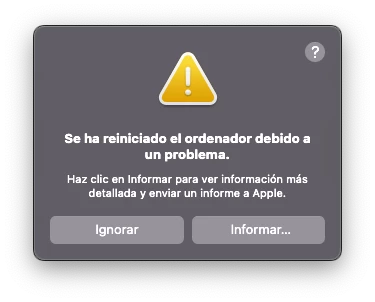
Adjuntamos informe del error.


Saludos.


3 replies

jamieclarke
Community Manager
Community Manager
October 3, 2025

Hi @Toboggan001 - Does this issue occur if you are not using the avid nexis.  You can test this by creating a new project in Premiere Pro on your desktop and import some sample files.

Participant
October 3, 2025

Hi  @jamieclarke 


Thanks for responding so quickly.


Regarding the question of whether we have a Nexis installed on our system, the answer is yes. We have a Nexis installed as shared storage for five Mac Studio workstations (it's a configuration we've used on several occasions).


Regarding the details you asked for:


  • Issue:
    • When working in Adobe Premiere Pro, a purple screen appears and the computer shuts down unexpectedly. This issue has already happened multiple times on the same machine.
  • Steps to reproduce:
    • The computer is turned on with Premiere installed.
    • In the most recent case, Premiere was not being used for editing, only play a secuence.
    • The system displayed a purple screen and then shut down automatically.
  • Expected result:
    • The computer should function normally without graphic failures or unexpected shutdowns.
  • Actual result:
    • A purple screen appears, and immediately afterward, the system shuts down without warning.
  • Screen recording:
    • Not available at this time.
  • Adobe Premiere Pro version:
    • Adobe Premiere Pro version 25.5.0
  • Operating system:
    • Mac OS Sequoia 14.7.4 (23H420)
  • GPU driver version (Windows only):
    • Not applicable (using macOS).
  • Video format:
    • Video format 3840x2160 mp4.
  • Comparative information:
    • The issue has occurred multiple times on this same computer.
    • It does not only affect new projects.
    • The issue has persisted since 15/09/2025.
  • Attachment:
    • Text file with the system error report in the previous message.


Regards.

jamieclarke
Community Manager
Community Manager
October 1, 2025

Hi @Toboggan001 -  Thanks for submitting your bug report. We need a few more details to try to help with the issue.
Please see, How to Report a Problem.


Do you have an avid nexis installed on your system?