Sequoia 15.5. I’m working on a project in after effects right now so a bit apprehensive abotu trying this until the project is out the door, but will try once it’s out. Thanks Amy!
Welcome back to the Premiere Pro forums! To better help you on this issue, we need a few more details. Please see,How do I write a bug report?
It could also help to know if you have any 3rd party plugins installed. These might need to be reset after an upgrade. The troubleshooting tip in the link above could be useful, but listing them here could also help us identify if there is a new bug or not.
@adamc30187466 We are unable to reproduce this issue in house, but there are some things you could try on your end.
Try these steps in order
Validate fonts: Open Font Book > All Fonts > File > Validate Selection. Disable or remove fonts marked damaged or duplicate. Adobe font troubleshooting
Check Adobe Fonts: If a font looks damaged, deactivate and reinstall it through Creative Cloud.
Rule out conflicts: Temporarily quit any third-party font manager and disable recently added fonts. Restart the Mac and try Premiere again.
Reset Premiere: Launch while holding Option + Shift and select the preference-reset and plug-in-cache options. Premiere reset instructions
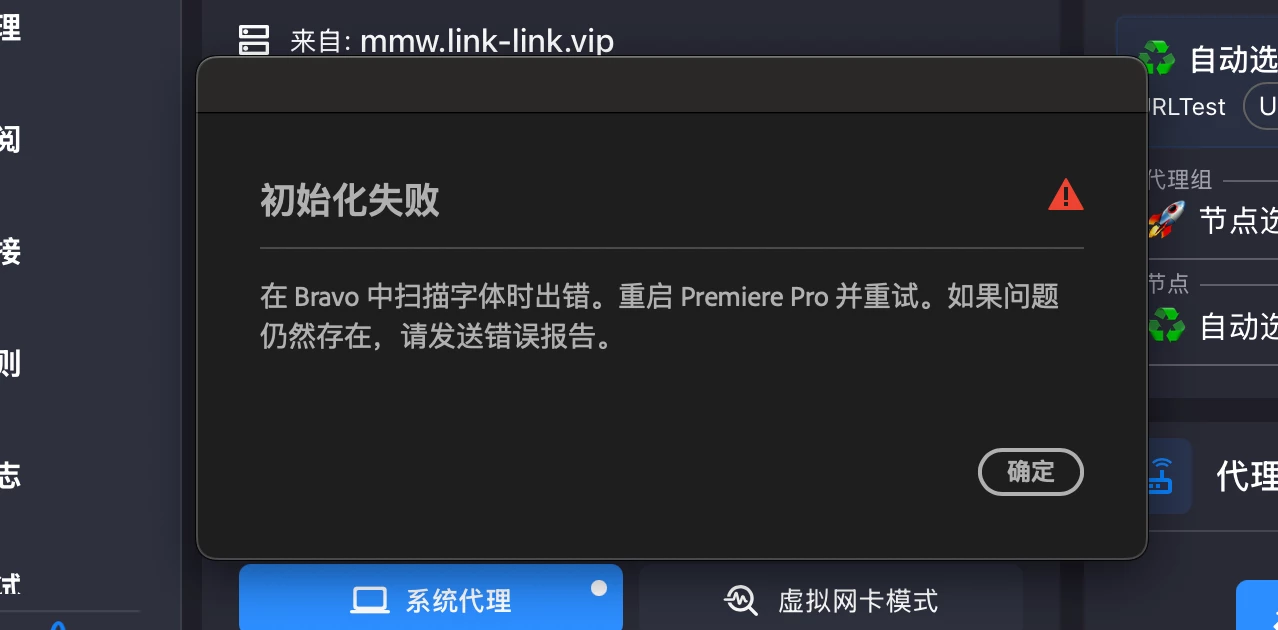
If it still fails, keep the error screenshot and Font Book results for Adobe Support. Don’t delete macOS system fonts or Adobe cache folders manually. Knowing the primary language of the fonts may also be helpful in troubleshooting this issue.



 AdChoices