


Inspiring
September 5, 2024

Render issue in Premiere Pro 24.6 & 24.6.1

  • September 5, 2024
  • 3 replies
  • 667 views

We're experiencing a render issue in Premiere Pro 24.6 & 24.6.1
With Mercury Playback Engine GPU Acceleration (CUDA):
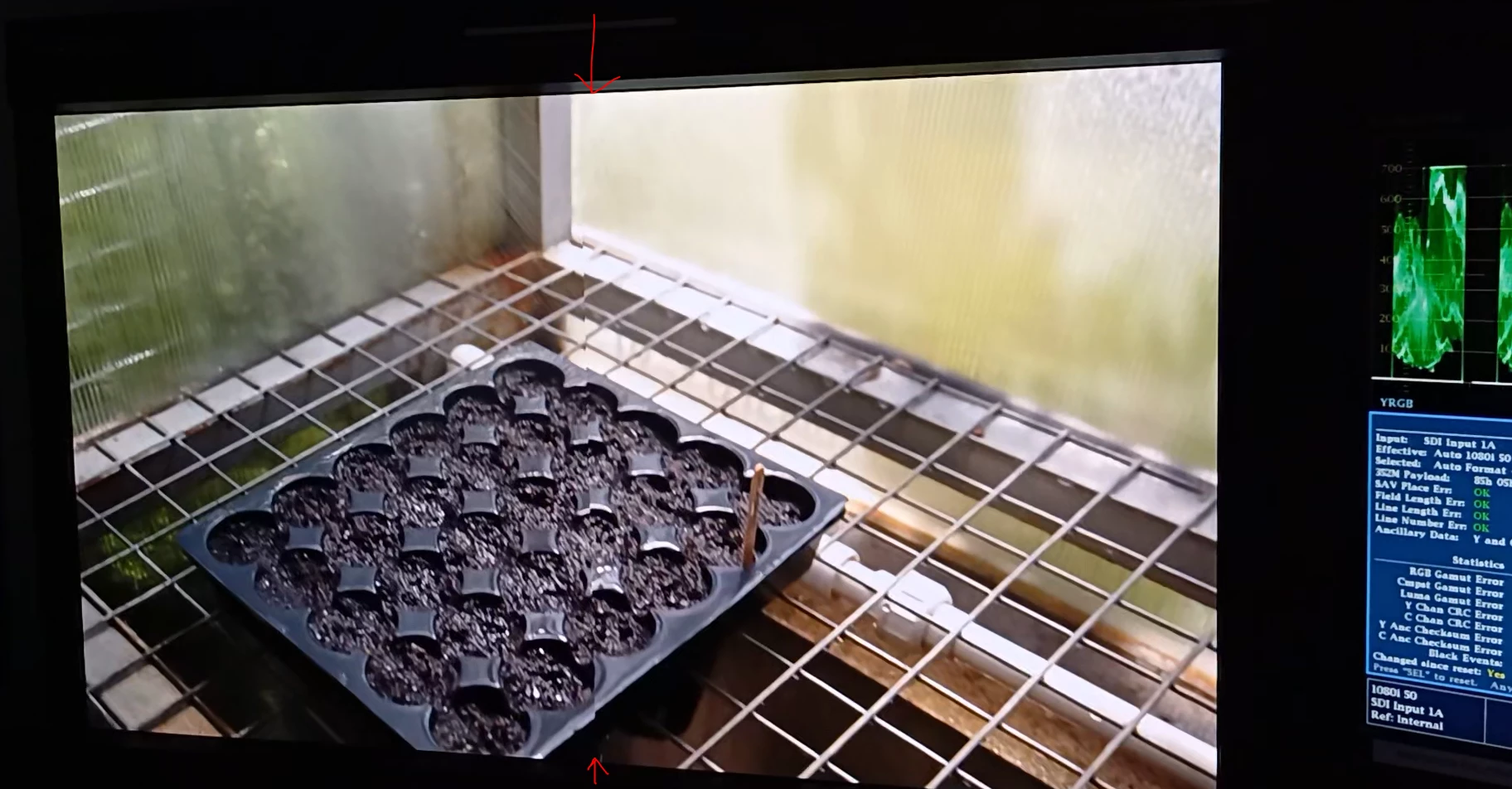
Across multiple edit suites, intermittently our broadcast monitor output (via AJA Kona 5) will show a split frame, which on shots with motion shows the left half OK, but a reverse field like jitter and or lag on the right half (image attached).
This does not appear in the Program Monitor within Premiere. 
It sometimes also appears on unrendered clips during playback. The most concerning experience is when  unrendered sequence playback looks OK, but after rendering, the error has been rendered into the render files.         

With Mercury Playback Engine Software Only - the issue does not occur and renders are normal. 
When we open the same project in an earlier Premiere Pro version (23.0) on the same hardware and drivers and Mercury Playback Engine GPU Acceleration (CUDA), we do not experience the issue. 

Temporary fix: We have noticed in 24.6.x that when High Quality Playback is turned on in the Program Monitor settings, the issue does not occur.    

Windows 10
AMD Ryzen Threadripper PRO 3975WX
Nvidia RTX A5000 with driver versions 537.99 & 552.86 (latest)
AJA Kona 5 


This topic has been closed for replies.

3 replies

Kevin J. Monahan Jr.
Community Manager
Community Manager
September 6, 2024

Hi @Media Mogul17741148,

Is this with any specific footage or all footage? See, How do I write a bug report?


I hope the team will respond soon. Sorry for the hassle.


Thanks,
Kevin


Kevin Monahan - Sr. Community and Engagement Strategist – Adobe Pro Video and Audio
Inspiring
September 5, 2024

I agree, it's not something I normally turn off either. I also just lower the playback resolution if I have dropped frames. High Quality Playback seems to be unticked by default. The biggest concern here is that renders should always be at the best quality. We should not have to now explicitly tell our editors to turn on High Quality Playback or they could have visual artifacts in their renders, especially when we do tick Maximum Render Quality in our Video Previews settings.      

MyerPj
Community Expert
Community Expert
September 5, 2024

FWIW: I've never noticed any benefit for unchecking High Quality Playback, and tell everyone here who is having issues, using 1/4 playback, etc, to turn HQP back on, and up the res. I usually don't see much of a playback/performance benefit to turning those down.