

RGB Curves within the Lumetri Colour panel aren't displaying accurate colours
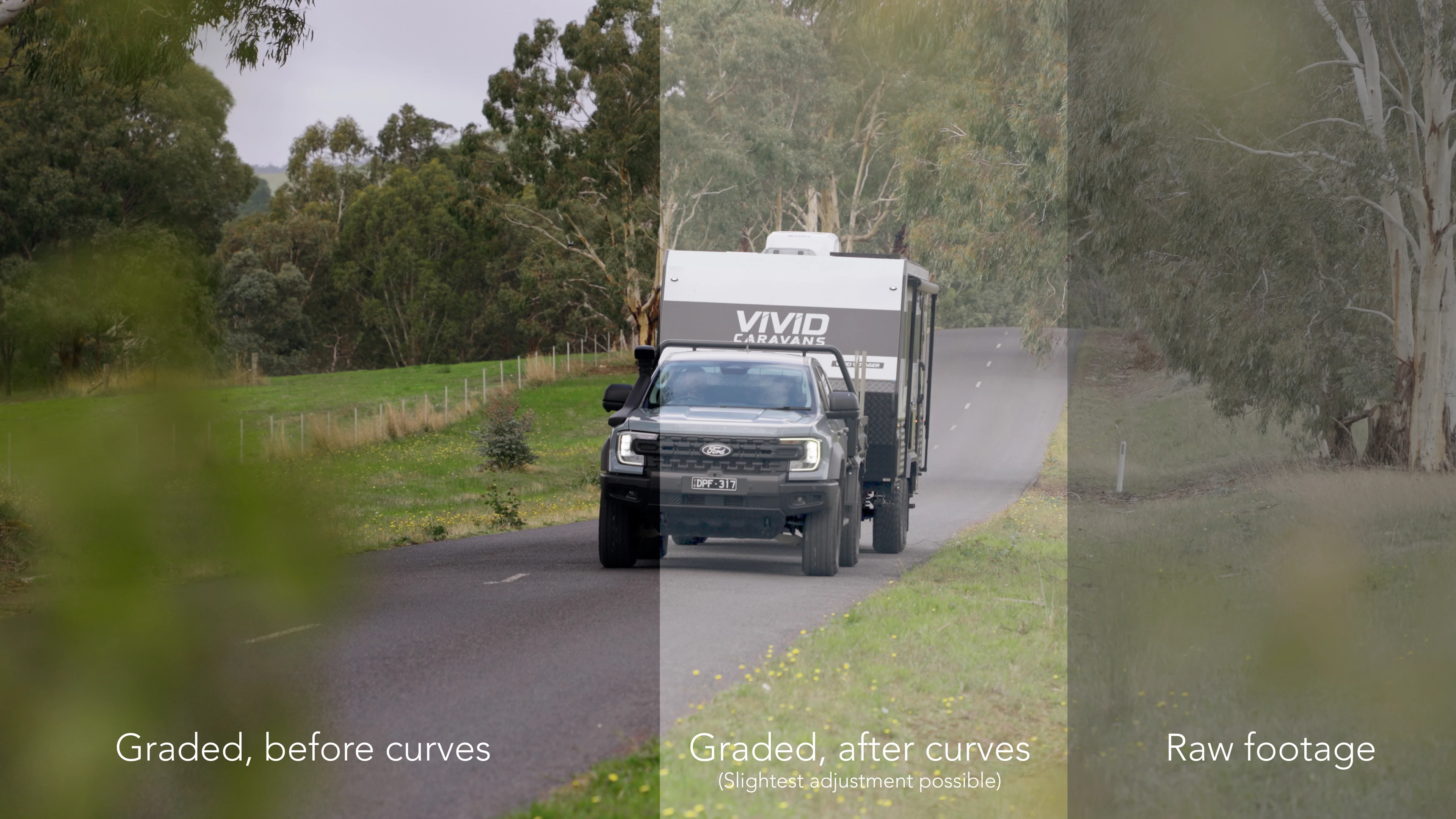
RGB curves within the Lumetri Colour panel aren’t displaying accurate colours or light adjustments. Making the slightest adjustment causes footage to look washed out. It doesn’t appear to remove all the grading, as it appears brighter than the raw footage. Image below
These washed out colours occur within the Red, Green, Blue, and B&W channels. Making any slight adjustment causes the same error.
In testing other footage from the same camera, RGB curves works as usual. No change in settings (4K 3840x2160, 50fps, 10-bit colour), and the same LUTs applied, which makes me curious as to why some shots work and others don’t.
More details:
Occurs in this latest version 26.2.2 (build 3) and previous versions too.
Occurs with footage from different cameras (Sony a7siii, DJI Air 3 etc)


 AdChoices