
Switchting Renderer to CUDA turns Preview Screen black - Cant render with CUDA GPU-accelerator
Hey guys,
As of now i am going insane. About three weeks ago i rendered Videos super fast, but from today on this seemed to have changed and i dont know why.
I used to render with the GPU-Accelerator CUDA but now i am forced to render with OpenCL. Every time i try switching from OpenCL to CUDA my preview screen turns black and i cant edit. Even if i try to render with CUDA after cutting with OpenCL the following Error Message occurs:
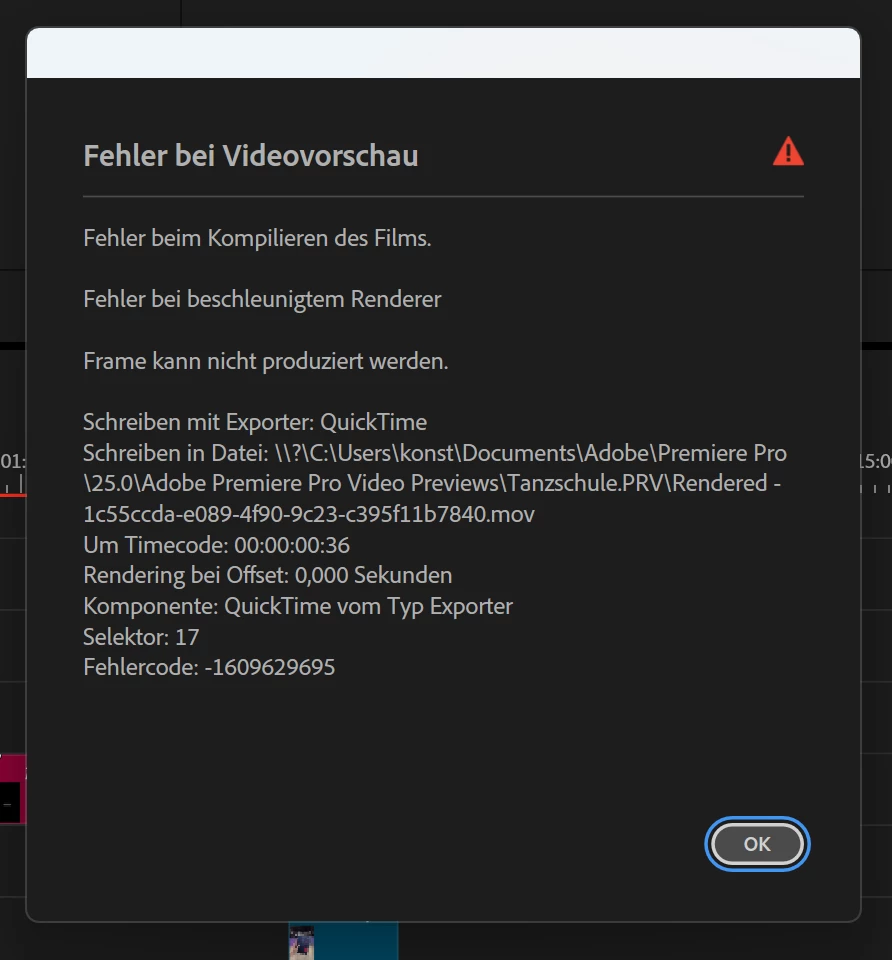
I tried everything, from installing Nvidia CUDA, to switching graphic card driver from game ready to studio, turning stuff on and off again. nothing seems to work. My render time stays super slow. Media Encoder doesnt change that either. And i didnt change my workflow or any other settings. I dont use any third party plugin, i dont use fancy edits. I use my timeline and projects as i did before. It just randomly made my render times super slow and i dont understand, why i cant change the GPU-Accelerator to CUDA, since i have an Nvidida Graphics card.
My specs:
Windows 11
Intel Core i7-12700K
NVIDIA GeForce RTX 3070
Hope anyone can help
Thanks in advance


 AdChoices