
Participant
August 8, 2026

text shadow doesnt apply unless all the text is filled with color

  • August 8, 2026
  • 3 replies
  • 24 views

If I have only certain section of a text filled with a color, in previous versions that section also got the other text effects (like drop shadow), however I noticed this no longer applies.
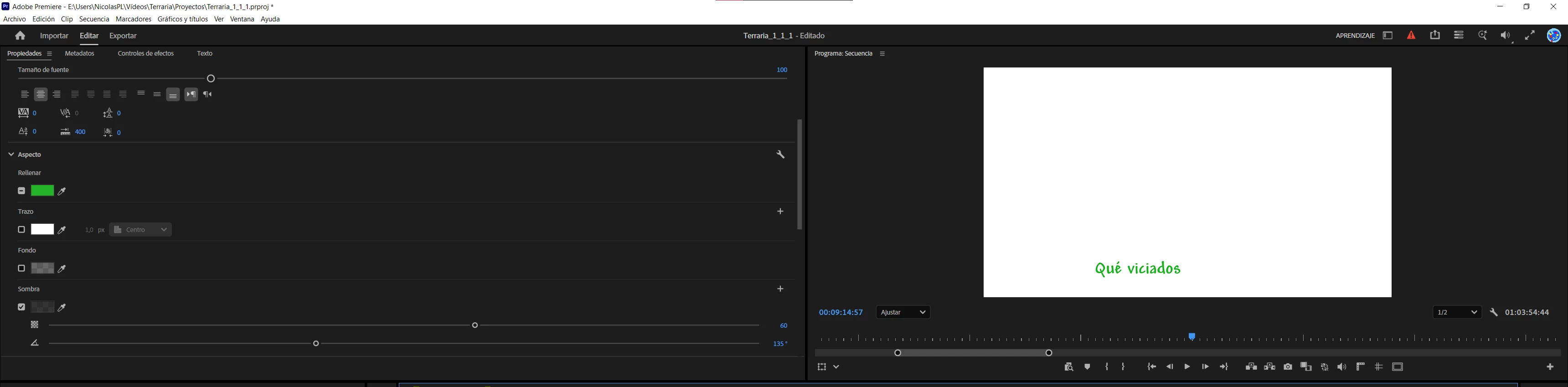
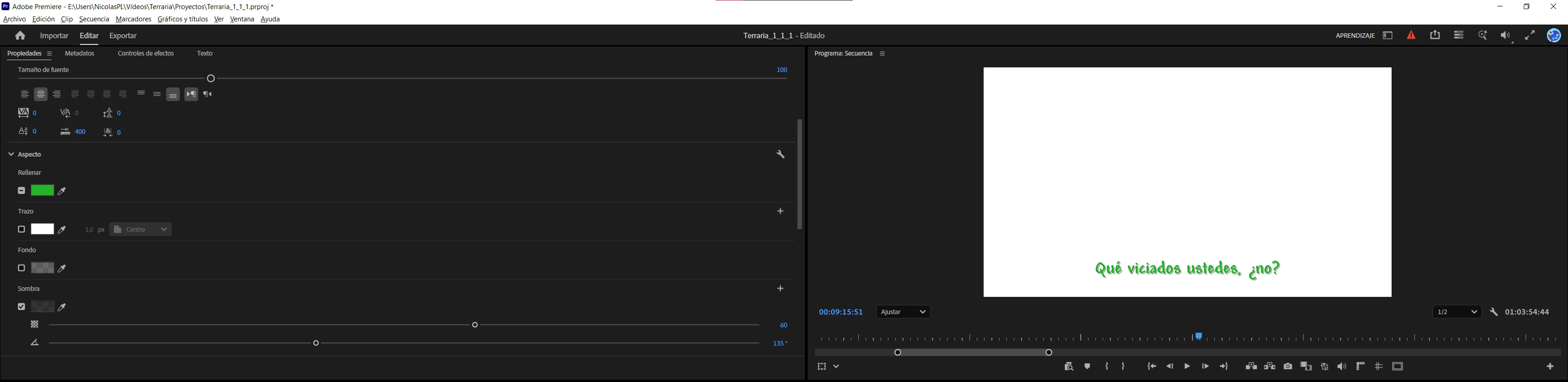
 

Filling color is green only for the first two words of the text. Notice how the text shadow is not present.
Now that the whole text is filled with color, the shadow appears.

As I stated previously, this didn't happen in previous versions because this video is already uploaded to Youtube when I edited it back in 2021.
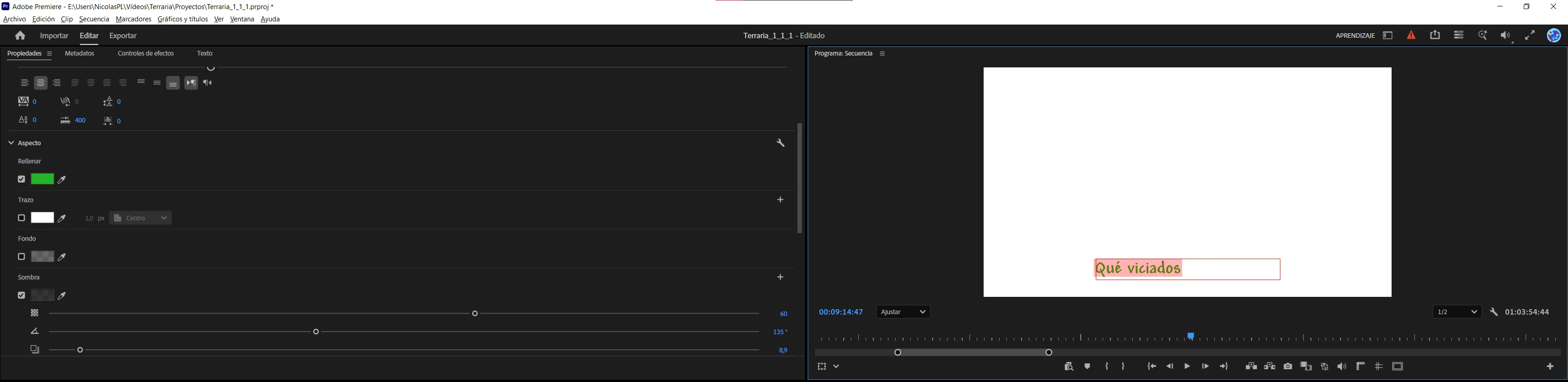
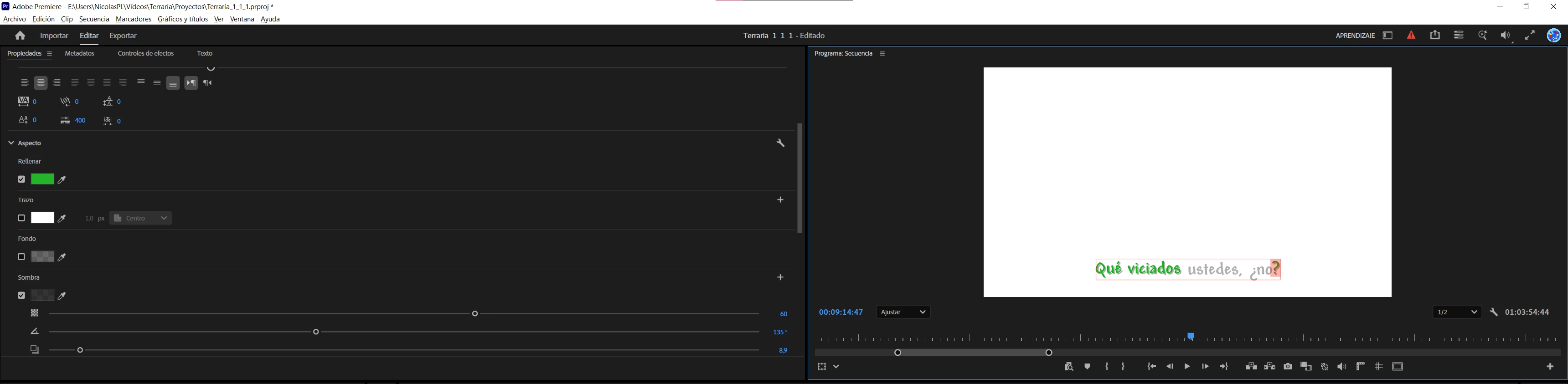
 

Notice how, when the first two words are selected, both the filling color and the drop shadow effect are turned on. However, the drop shadow doesn't appear.
However, the moment when I enable the filling color for the very last character, it starts working how it should be.


    3 replies

    KatieToo
    Community Manager
    Community Manager
    August 10, 2026

    Hi ​@Nicolás30283411lkj7 

    Thanks for stopping by the Premiere forums! In order to help troubleshoot, we do need a few more details to try to help like if Mac (and what macOS) or PC (whether Windows 11/10, plus what driver version & build), and which version & build of Premiere along with other details with our bug report details.

    Appreciate you including some screenshots and information about this text related issue.

    Thanks for your post,
    Katie

    Participant
    August 10, 2026

    Windows 10.

    Premiere v26.3.2 build 2.

    It also affects new projects. Seems like just a behavior issue that can be replicated.

    Participant
    August 8, 2026

    Also, I'm noticing something but since it's only a supposition, I leave it here:


    I think this text system got changed in the previous years and that's why this got broken. Hopefully it gets fixed soon; however, I feel like the way it used to work back in 2021 was like this: If I disable only the filling color (without disabling the drop shadow effect), the drop shadow effect also got deactivated visually because it didn't have a graphic reference of what should it shadow.

    I'm guessing this is the way it used to work back then because seeing at this project, the texts DO have the shadows enabled while the text filling color is NOT.

    This is how the project looked back in 2021. Notice the filling color being disabled, unlike the drop shadow effect.
    This is how the original rendered video uploaded back then to Youtube looks like. Notice how, despite the text configurations shown in the screenshot above, the drop shadows don't appear unless there's a text filling color.

    Hopefully this is enough for this behavior to be reverted back to how it used to work.