
dylanb26155176
Participant
April 5, 2025

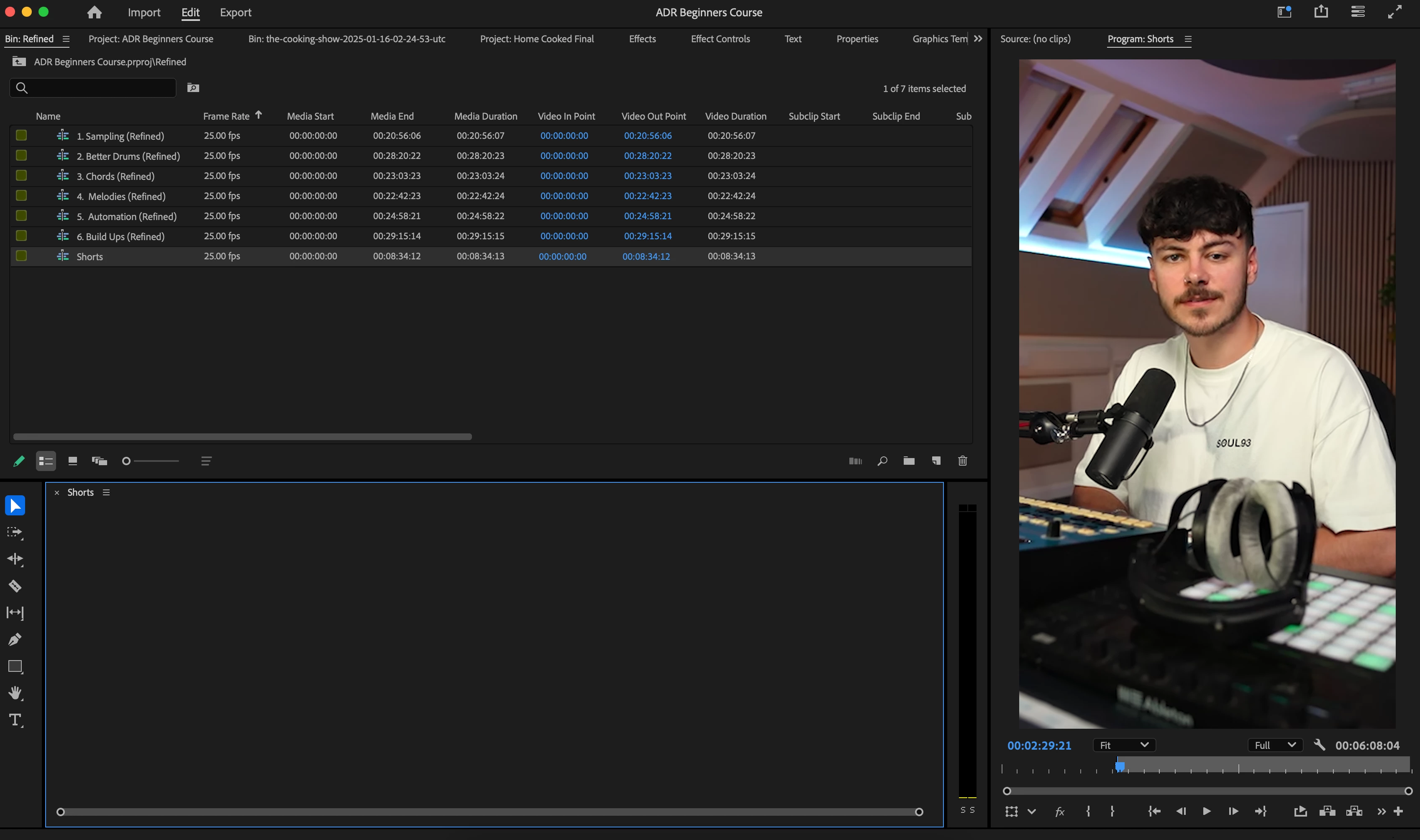
Timeline has disappeared, but edit is still here, resetting workspace hasnt fix it

  • April 5, 2025
  • 3 replies
  • 422 views

its completely disappeared after swithcing from essentials tab to audio tab, tried resetting workspaces, updating to newest premiere pro version but nothing worked so far, edit still plays when i start playback??
3 replies

jamieclarke
Community Manager
Community Manager
April 7, 2025

Hi @dylanb26155176 -   Thanks for submitting your bug report. We need a few more details to try to help with the issue.
Please see, How do I write a bug report?


As Stan has said Can you try and hold down "SHIFT" while launching Premiere and check the box
"Reset app preferences" (Backup Preferences first)

Sorry for the frustration.

Stan Jones
Community Expert
Community Expert
April 6, 2025

@dylanb26155176,


I assume you are now in a custom workspace; it is neither Essentials nor Audio.


In any event, switch to an installed workspace (e.g. Editing), and if that doesn't work, reset the workspace by Window -> Workspaces -> Reset to Saved Layout.


The Timeline panel has more info than yours, even if there are no sequences open in it.


If nothing is working, close PR and create a new test project. If that doesn't work, reset preferences.


Stan


dylanb26155176
Participant
April 5, 2025

My timeline/sequence is missing yet if i press play it still shows the edit?


Any help?

Ann Bens
Community Expert
Community Expert
April 5, 2025

Try resetting workspace.

and/or reset preferences.


Please post OS and Premiere version and build.