Scott37026927hbvh
Participant
June 5, 2026

Transform wireframe, for resizing, anchor point and adjusting mask sizes not showing up in program monitor

  • June 5, 2026
  • 1 reply
  • 36 views

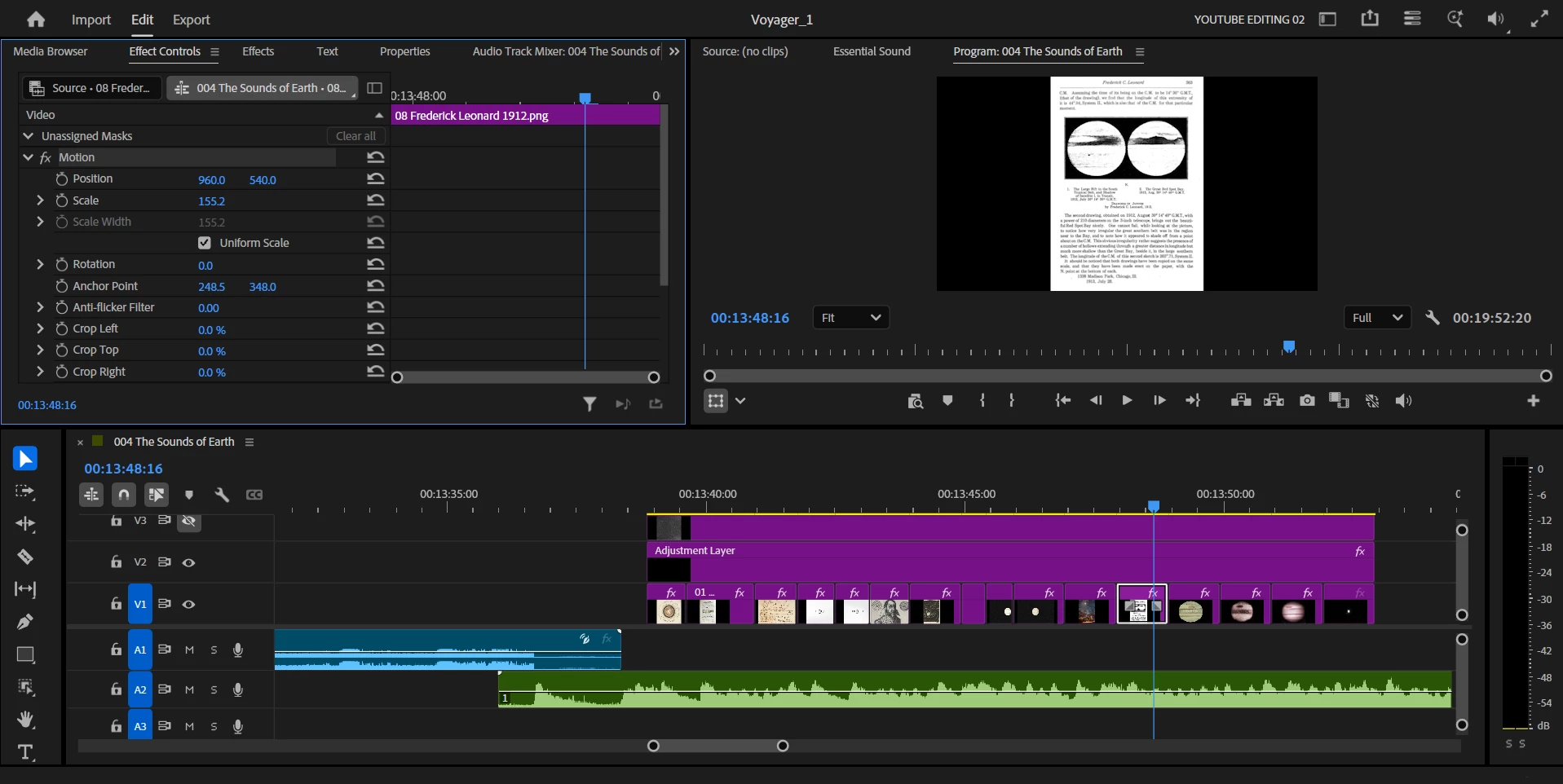
When I first open a project everything is fine, however after a couple of minutes the program monitor no longer shows the blue wireframe around objects to adjust their size, move their anchor point etc. This is also true for masks in the program monitor. 
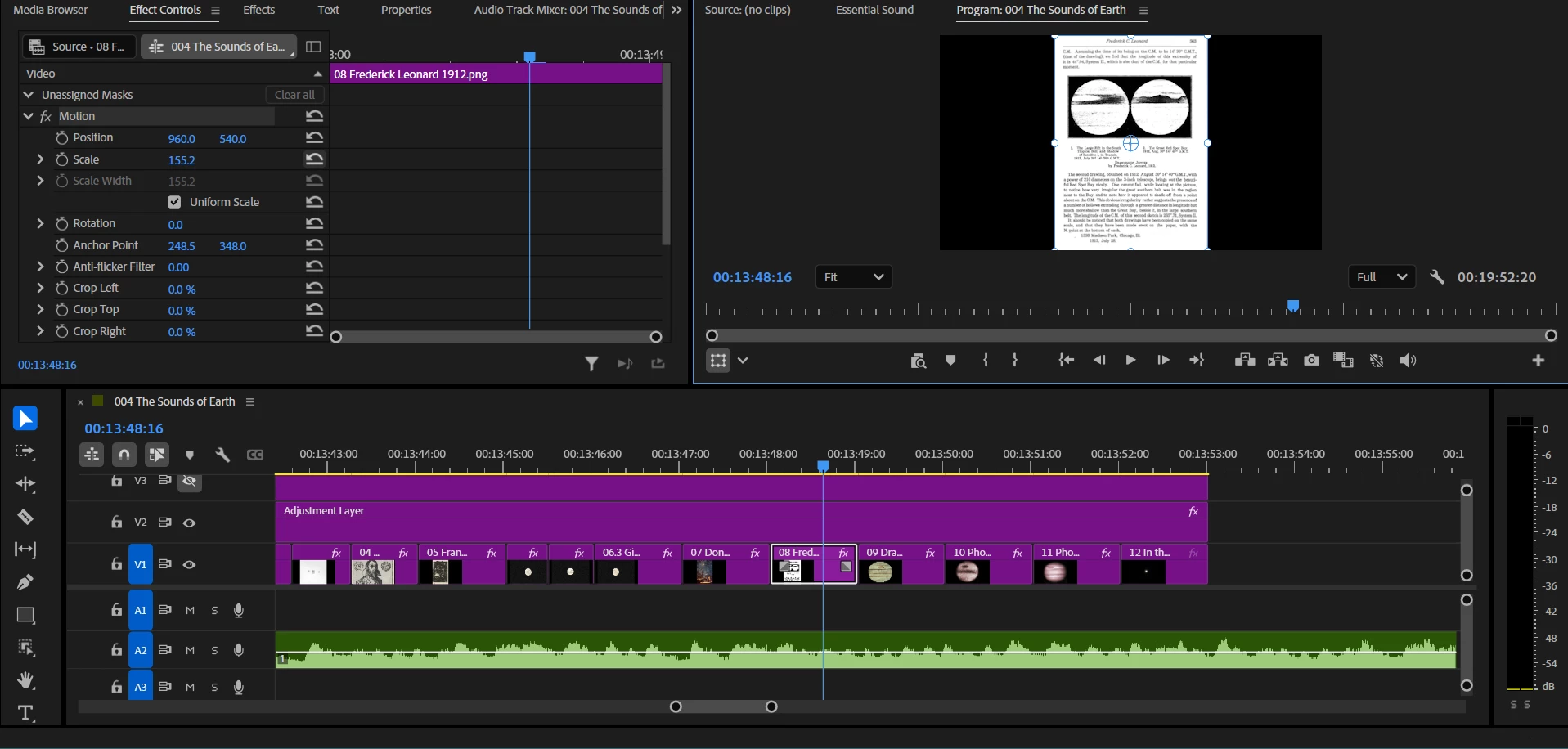
Working fine
Not working a few minutes later


    1 reply

    KatieToo
    Community Manager
    Community Manager
    June 5, 2026

    Hi ​@Scott37026927hbvh 

    Welcome to the Premiere Pro forums! We are glad to see you here. Thanks for including those screenshots. We need a few more details to try to help with the issue. Please see, How do I write a bug report?

    Appreciate you reaching out!

    Happy to help,
    Katie

    Scott37026927hbvh
    Participant
    June 6, 2026

    Hi Katie, 
    Premiere v26.2.2
    Windows 11 Version 10.0.22631 Build 22631
    NVIDIA GeForce GTX 1650 Driver Version 32.0.15.5612
     

    KatieToo
    Community Manager
    Community Manager
    June 8, 2026

    @Scott37026927hbvh Thanks for that information! Okay, so it appears you’re actually using the Nvidia Geforce Game Ready drivers vs. the Studio drivers. Studio tends to play better with Premiere in that case because it prioritizes stability and reliability, even app compatibility. 

    Could you try installing the Studio driver instead to see if you get the same outcome and let me know? 

    Appreciate your time,
    Katie