
Participant
July 3, 2026

Why does my production need to be converted to a newer version even though it was created in the latest version?

  • July 3, 2026
  • 5 replies
  • 56 views

When opening a premiere production in 26.0.2, a convert projects dialogue comes up to convert the production to a newer version.


The project was created in version 26.0.2.  No project was opened in an older version and all projects correspond to that version of premiere.


Upon investigating the project XMLs, the version number on all projects in production is 45. Based on some quick research, this corresponds to the project file format used by Premiere Pro 2026 (the latest version)


The result of this conversion is a folder with the same name with _Pr26_V26.0.2 twice!  Why does premeire not recognize that it was created in that version?

Below is an example of the folder structure.

26_PRODUCTION NAME_Pr26 (original production)

26_PRODUCTION NAME_Pr26_V26.0.2 (first conversion when updating)

26_PRODUCTION NAME_Pr26_V26.0.2_V26.0.2 (premiere not recognizing that IS the current version and forcing a conversion to the same thing)

Am I missing something here?  Any ideas on why this happened?
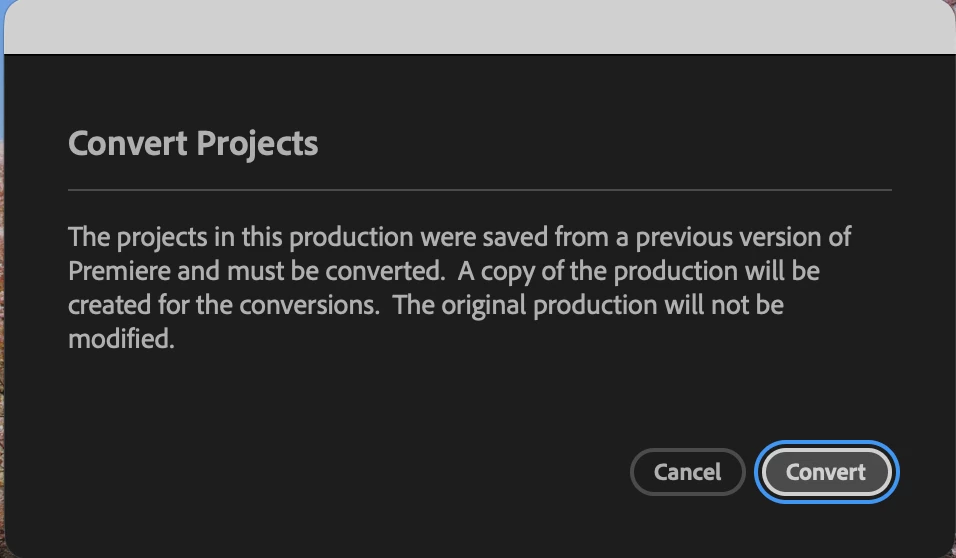


5 replies

KatieToo
Community Manager
Community Manager
July 28, 2026

Hi ​@thfritzmann 

Thanks for stopping by the Premiere forums! Appreciate you including that screenshot and some details about your issue. May we ask more details as part of our bug report details? Such as if Mac (and what macOS version) or PC (whether Windows 11/10 and driver version), is it stored locally on hard drive/ssd, if anything else notable happened or changed when this began, etc.

Echo’ing ​@PaulMurphy, can you please check the .prodset file and compare its version values against a new Production created in 26.0.2? 

You could even test creating a new Production in 26.0.2 and use Add Project to bring in the existing projects to see if that opens cleanly without repeated conversion prompts.

Sorry for any frustrations and here to help!
Katie

Community Expert
July 4, 2026

Your project files may not be the problem. It may be the .prodset file in your production folder that is outdated.
 

Open the .prodset file in a text editor and check the mProjectVersion and mMinCompatibleProjectVersion values. If either is lower than 45, that might be the culprit.

caroline_edits
Community Manager
Community Manager
July 21, 2026

Hey ​@thfritzmann did Paul’s suggestion help with this error message? We wanted to make sure that you’re all good to go.

Caroline

hansee1
Participant
July 29, 2026

We have been experiencing this issue recently with files in v26 and am wondering if there is guidance on how to fix this? I believe you are correct that this is likely being driven by the .prodset file and I can see that the mProjectVersion in this case is indeed set at 43 but I am unclear on what the proper way to resolve the issue is?