


Participant
July 11, 2023

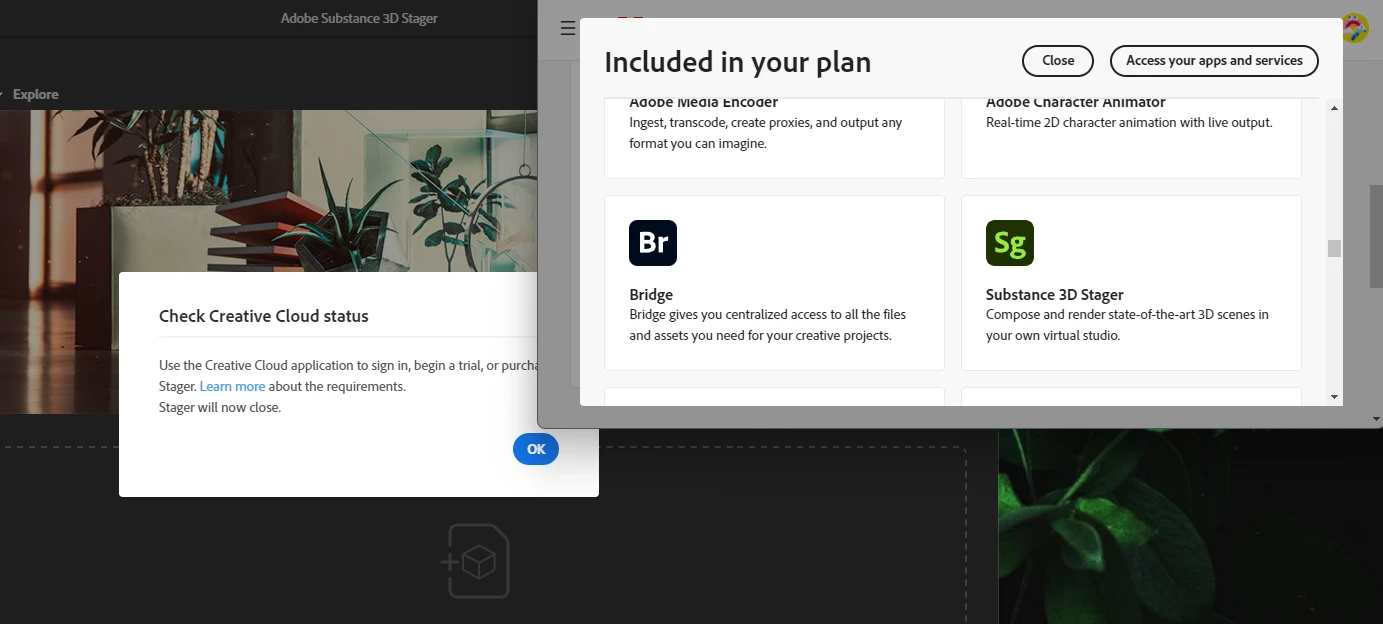
Substance 3D Stager keeps showing "Check Creative Cloud status" even it is included in my plan.

  • July 11, 2023
  • 12 replies
  • 1205 views

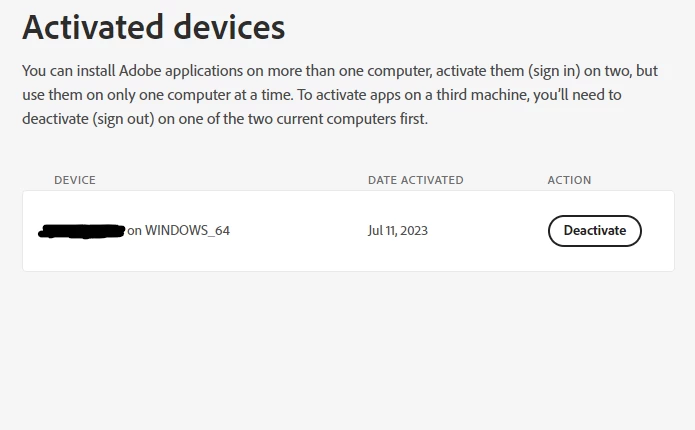
I tried reinstalling Creative Cloud, and all other apps on it (PS, AI, LR...etc) and it worked for a while until the message showed up again. I only use it on one device, I tried log-out and log-in my adobe account, but nothing works......Please help...
 

12 replies

Participant
February 22, 2025

Hello, I just recently encountered this problem with my adobe student account, and I was able to use solution 2 from this adobe help page: https://helpx.adobe.com/download-install/kb/fix-licensing-error-205.html?x-product=Helpx%2F1.0.0&x-product-location=Search%3AForums%3Alink%2F3.6.6

It's worked for me so far, without having to contact my schools IT support.

AlanGilbertson
Community Expert
Community Expert
July 30, 2023

If you're in college, you or the college can get a free licence to the entire Substance suite. For whatever reason, this isn't available to K-12 instutions or students. (I don't work for Adobe, and I have no special insight into this.)

Since earlier this month, you can purchase a perpetual license to "Stager 2023" (v2.10) via Steam. That costs $150. If that's the only part of Substance that you need, perhaps that would be the way to go.

Participant
July 28, 2023

Still no email to validate my student status. When I try to re-submit to get the email, I receive the following error. Please help! I don't want to give up on Substance, but need working software ASAP.

Participant
July 27, 2023

Follow-up:
I've tried submitting my Adobe account from the educational verification page here, but have not received the confirmation email. Hopefully it arrives and I can continue to test the software further.

https://substance3d.adobe.com/education/

Participant
July 27, 2023

Unfortunately it looks like Substance 3D Stager is only available with the $50/month plan and is not included in the Creative Suite package, unless the school pays for it specifically. As my trial has ended, this new software has proven to be cost prohibitive. I'm abandoning the Substance suite and purchasing Rhino, which has an affordable one-time $150 student discounted price. Rhino is much better 3D staging software anyway. Thanks Adobe for pricing out a curious customer and inspiring me to choose one of your competitors. It's a shame as I was truly open to giving Substance a try. Maybe re-think this software pricing structure and make it more affordable for early adopters? Maybe let us just licence individual versions? In my case, I only needed Stager and don't want to pay for the whole package.

I hope you listen to this feedback from a long-time Adobe user.

AlanGilbertson
Community Expert
Community Expert
July 27, 2023

If it's a student account, you'll need to work with your administrator to get fully signed out and signed in again.


If you have a regular individual account, the fix seems to be to uninstall Stager, log out of your Adobe account completely on both machines (assuming you're running two) and all web browsers. Restart you system, log in using your CC desktop app and reinstall Stager. Let us know if that doesn't handle it.

Participant
July 27, 2023

I am having this exact same issue. All my other Adobe apps are working fine, however Substance 3D Stager says I need to "check the Creative Cloud status" when I open it. Also, in my list of apps, it shows that a trial has expired and I need to purchase it.

AlanGilbertson
Community Expert
Community Expert
July 12, 2023

What's missing on that dropdown menu is "Sign-in and Security." I assume that's because you have a student account that is under the control of your educational institution. Logins are controlled by the account administrator.


Ringo_KAuthor
Participant
July 12, 2023

Thank you for pointing out that! However, the"active session" is missing on my account page. Not sure if this is because I am using the student version. And I couldn't find a way to get into the "active session." 

AlanGilbertson
Community Expert
Community Expert
July 11, 2023

What Ares is referring to are active sessions, which are not the same as active devices. You may have more than one session going on a particular device (e.g., one could be from a browser session last month and another from the CC app three days ago and another from a different browser in May. Check into it and end everything except your current CC app and browser sessions.