


Participant
March 24, 2023
Open for Voting

P: Maintaining a scene or character across different prompts

  • March 24, 2023
  • 150 replies
  • 50892 views

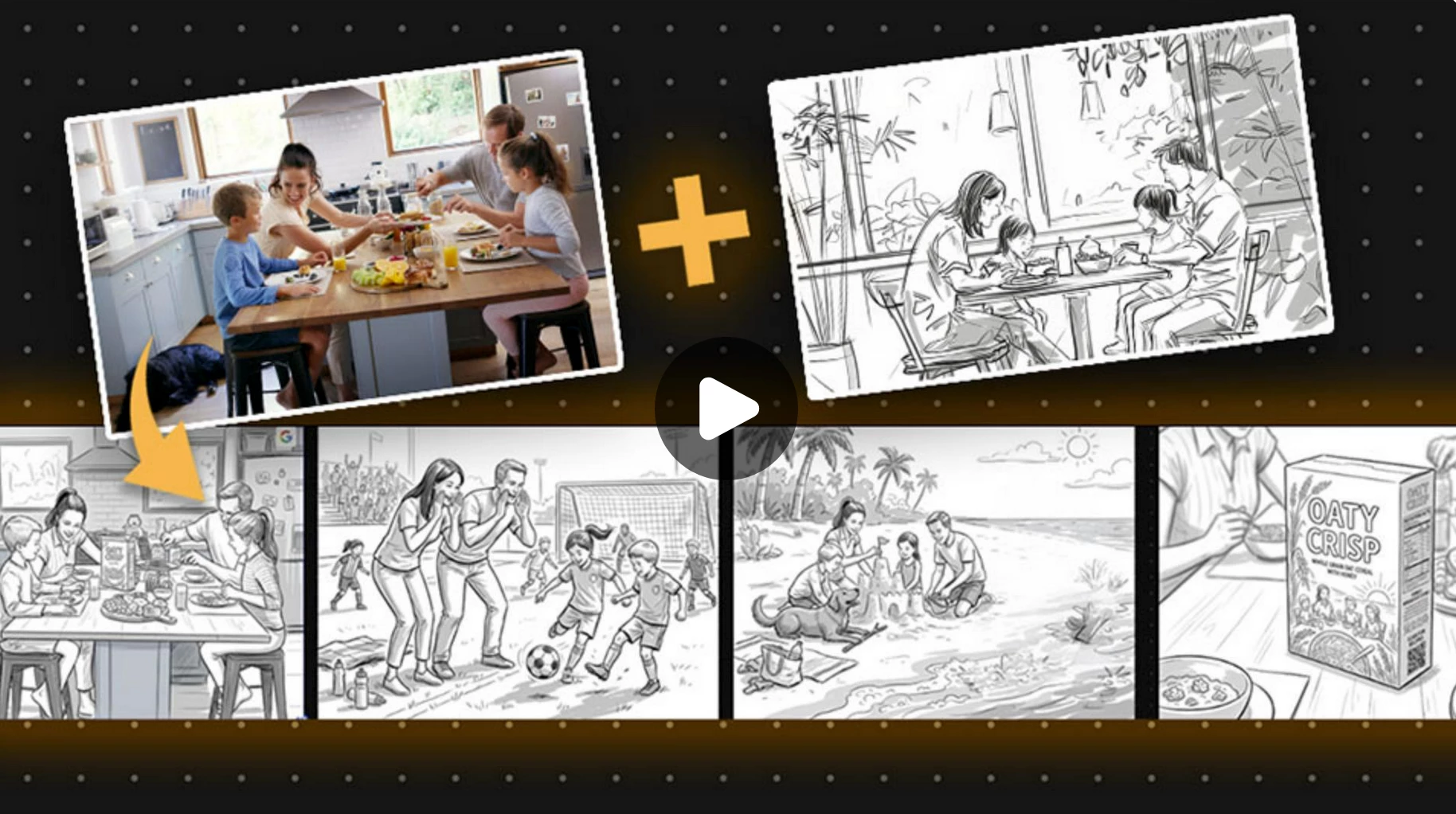
Let's say I wanted to storyboard a script and produce different angles of the same thing. It would be nice to have something that holds on to the core look and objects within the frame so we can get a wide, medium , and close shot of the same scene.
150 replies

Participant
September 11, 2024

To me, any AI that cannot replicate the same characters repeatedly in different settings has no commercial viability and is little more than a child's playtoy. However you do it, I need to be able to define a character, and then place that character in many different settings. Unless you can reproduce the character faithfully, the character has no commercial use. Customers respond to characters. For example, if Garfield looks like Garfield in one image, then looks like Snoopy in the next, then looks like Batman in the next, it is impossible to create branding. If you want a commercial tool, then Firefly MUST have this capability.

CSI Productions
Inspiring
August 20, 2024

Wasn't an idea as much as helping others find a workaround. This was a Premiere Beta Discussion as noted in the subject - also where I posted it (or so I thought).

R.CatesCSI ProductionsIf you want peace, be peaceful.
Participant
August 19, 2024

I am using Firefly to create portraits of people in the early 1800s for a documentary film. Does anyone know of a method to duplicate the face Firefly creats in different backgrounds? I want the same person placed in various locations. 

Monika Gause
Community Expert
Community Expert
August 19, 2024

This is not possible. You can use Generative fill to replace areas of an existing image.

Participant
August 19, 2024

Yes, that kinda works, but the face is looking in the same direction and expression. Thanks!

FYI I import the Firefly images into D-id an animate them. Very cool. 

Participant
August 7, 2024

thank you for the AI ​​features that make my creative work easier. I have a suggestion, please add a feature such as: "Generate images with different poses, but still use the same face as the reference"

droopydog500
Community Manager
Community Manager
July 25, 2024

@CSI Productions, "Idea" posts are not threaded, so it is unclear which messages you are responding to.


    droopy

Adobe Community Expert (not an Adobe employee)
CSI Productions
Inspiring
July 25, 2024

No.

R.CatesCSI ProductionsIf you want peace, be peaceful.
CSI Productions
Inspiring
July 25, 2024

That entry was misleading. You want to use the same character in for example a storyboard, where you can have an established character in various scenes and with various facial expressions, camera angles, clothing etc. What was written as a reference image "suggested" you could establish a character and then use it for a reference image and from there you can generate any other scenario with the character matching the reference - not so.


Reference image won't do that. In the example they are just asking for a cute dog sitting (no different than doing a stock photo search - in this case) and then selecting one of the photos and then changing the look to a different art style.


It won't let you pick one of the photos, use it as a reference and have the same dog chasing a stick, holding a ball in it's mouth or sleeping on a childs bed. This is what we all want but so far it's incapable.


The closest example I've seen is in this thread. It has images of a Latin looking woman with dark hair in various scenarios and that shows promie. Is it Adobe or proper prompt? I submit it's probably a combination of both.


We're all waiting for this feature to get nailed down. If Adobe pulls it off their stock will probably go up because every creative on the planet will be using it.

R.CatesCSI ProductionsIf you want peace, be peaceful.
CSI Productions
Inspiring
July 25, 2024

Welcome to the world of frustrated AI users. This has been one of the most popular requests since Ai Generated imagery has been released on the creative community. Maybe AIimage generation can't do everything. That being said, it sure is cool for the stuff it can do.

R.CatesCSI ProductionsIf you want peace, be peaceful.
CSI Productions
Inspiring
July 25, 2024

Tracy, at the risk of sounding rude, your thread entry is from last year.


I don't understand how a statement that you want to track the popularity of this request is even in question. Ever since Firefly was introduced to the world users have been requesting this feature. From children's book illustrations (my personal request) to storyboards to print ads or corporate how to's - this community has been asking for this since it's inception.


This whole time, through many upvotes to anyone who's requested this feature I think it's painfully clear we've been under the impression Adobe has heard us and was working on it.


Your response suggests you need to take a poll to determine if it's something worth Adobe's time suggesting developing this feature hasn't even been started yet. Has it? Is it even possible? I'm not a programmer so I won't even pretend to know what's involved and I respect those who can write code.


I understand with certain feature requests popularity dictates priority but it's been clear to anyone who's followed this thread that we've been asking/waiting for this feature for over a year.


I would submit the jury is in and the verdict is, there's a dire need for this feature. We'll keep waiting, unless another company figures it out first, in which case, problem solved.


Thank you.

R.CatesCSI ProductionsIf you want peace, be peaceful.
Participant
July 25, 2024

i generated a female model in Photoshop beta AI and now i want to create exactly the same model on a deferent format. is it possible?