Participant
March 25, 2023
Released

P: Transparent background or layers

  • March 25, 2023
  • 92 replies
  • 12114 views

Is there a way to generate an image with a transparent background. Altrnantively, will there be a way to produce an image as file with layers so we can easily  remove the background? 

Pinned Reply By droopydog500

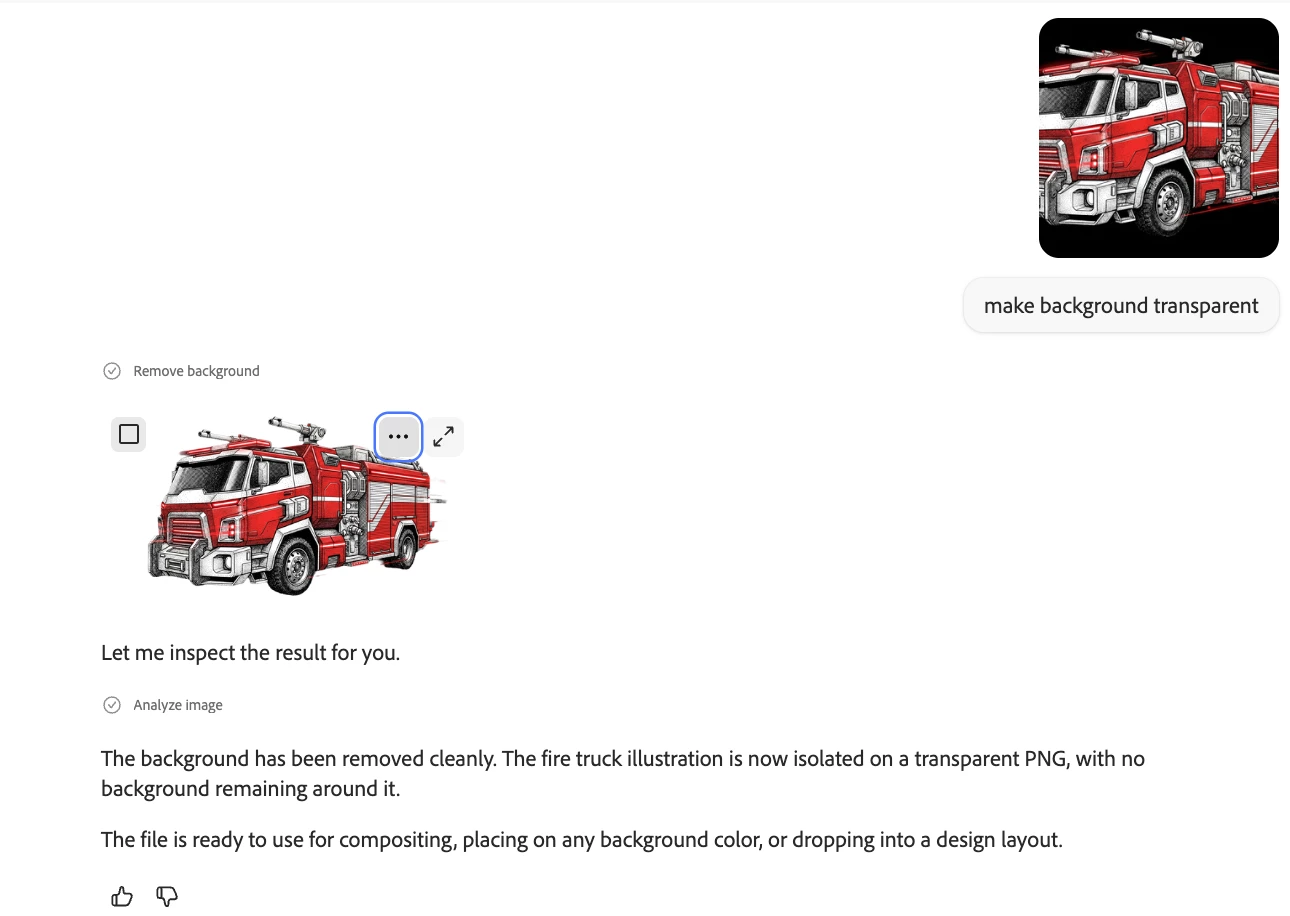
This can be done in the Firefly AI Assistant:

    droopy

92 replies

Participant
May 21, 2024

Need this feature.  Thank you.

Participant
April 7, 2024

I'm removing the background from an image, but when I download and save, the background is still there, even though it's removed in the preview. How do I save without the background?

Monika Gause
Community Expert
Community Expert
April 7, 2024

Using Firefly you can replace the background with something you let Firefly create. But for removing the background and making it transparent, you will need an image editor.

Participant
September 12, 2024

I have the same issue. So my question is why have the feature to remove the background if you cannot save it that way? What is the point? It's done, but now I have to go through extra steps. It did a great job with details in the fur and it's busy work in an editor. 

Participating Frequently
March 31, 2024

I agree... would love to be able to make clip art images with no background.

Participant
March 19, 2024

Absolutely! You would think Adobe would have proivided this by now, it was requested a lot. Instead they just suggested you use Adobe Express to do it. I want to be able to do it from Firefly. I can't use Express on my computer. It would have seemed an easy fix, you could remove the background in Firefly, all we wanted was to be able to save it with the background removed.

MicahBurke
Community Expert
Community Expert
March 19, 2024

Jill, this is the ideas/suggestions forum where we offer suggestions for Firefly.  Transparent generation is possible now in MidJourney and other platforms.  Firefly should offer this.

Jill_C
Community Expert
Community Expert
March 18, 2024

It's best to do this background removal in Photoshop.  

Jill C., Forum Volunteer
Participant
March 18, 2024

I removed the background and now I want to save the image without the background. Can I do this? If I click save, it saves me the original picture with the background.

Participant
March 11, 2024

I removed the background of an image. But when downloaded, the background was included

Highness
Inspiring
February 14, 2024

To update this discussion.  In Firefly2 you can now select the image, then edit and remove background.  Once inside of Adobe Express, select transparent as the background color and download as a png file or save to creative cloud.  You can fine tune your mask from there.  I hope this helps.

Participant
November 29, 2023

Just Transparent Logo


Thanks you