


Participant
March 11, 2023
Open for Voting

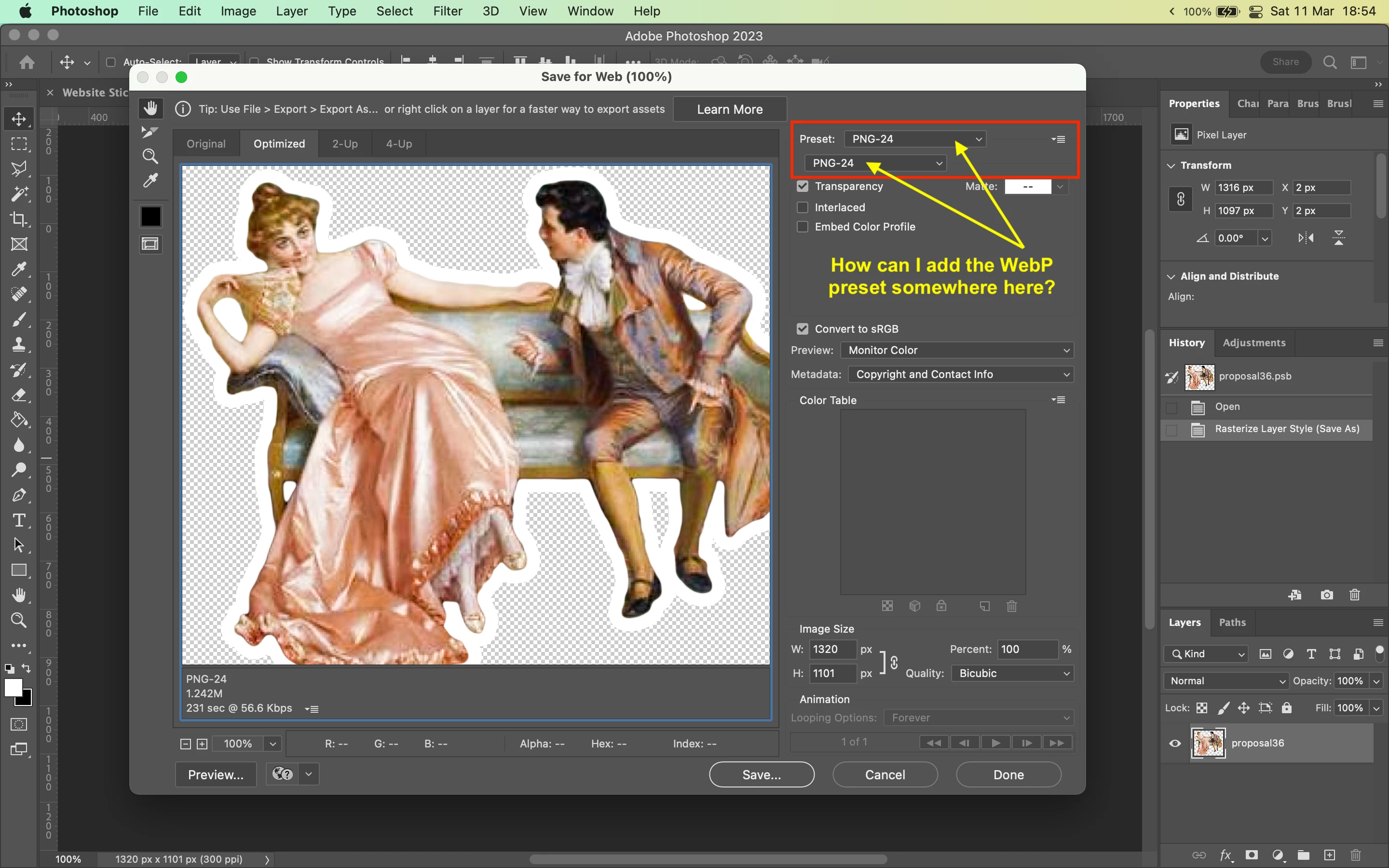
Adding WebP preset to Save For Web?

  • March 11, 2023
  • 12 replies
  • 2078 views

Hi,


Whenever I'm working on a file, 99% of the time I use the Save for Web shortcut [CMD+Option+Shift+S] to export my files.


Right now I'm working on preparing some images for a website and I need to export them in the WebP format. 


I know that I can export to WebP through the "Save as..." window, but that doesn't let me adjust the scale/dimension and see the output file size, which is a bit annoying because I need to have that control to make sure the file is the right size. 


Is there a way to add a WebP preset to the list of presets in the "Save for Web" window?


Thanks!

12 replies

Stephen Marsh
Community Expert
Community Expert
June 30, 2026

I have an open feature request to add a preview and file size estimate to Save As for WebP, you can vote here:


Participant
June 27, 2026

Please add WEBP feature in SAVE FOR WEB, I have to work very hard. First, I save in JPEG format, then convert it to WEBP using SYSTOOL software. If the WEBP feature is added in SAVE FOR WEB, it will save me a lot of time...

D Fosse
Community Expert
Community Expert
June 27, 2026

Agreed, but Save For Web won’t be updated any more. Export As was supposed to replace it, but even that has never been finished (which is why Save For Web is still around).


And I wouldn’t go via jpeg. Jpeg degradation is irreversible and that extra degradation is not necessary. I’d export to PNG first, and then Save As the resulting exported file to webp (which you can). You don’t need any outside apps.


Yes, very cumbersome, I agree - but you can build all this into an action and assign an F-key shortcut to it.

Participant
June 27, 2026

I slice my image into 2 parts and save it, for which the SAVE FOR WEB feature is needed. If they add a feature so that when we use SAVE AS COPY, the sliced image gets saved in 2 parts or however many parts it was sliced into, that would also be good. Then it could easily be saved in WEBP format.


Red Aqua Media
Known Participant
March 19, 2024

The dialog box Save for Web should not be removed. This is a feature, which I use very often as web designer. Also, I am using this for small pixel graphics. Best way to minimize file sizes as possible.

And I upvoted this thread, because I miss this feature, too. I need a preview window to see how the final quality is it (after setting the compression speed and quality).

So please, don't remove this dialog box and add WebP format. IMPORTANT and this is NO legacy!

Please & thanks!

Stephen Marsh
Community Expert
Community Expert
May 25, 2023
quote

I need this!!! And a way to export for wab just a layer. This will make easiyer web degin developing


@hugoo10610566 – For all top-level layers? Or only selected layers?

Participant
May 24, 2023

I need this!!! And a way to export for wab just a layer. This will make easiyer web degin developing

Stephen Marsh
Community Expert
Community Expert
April 15, 2023
Stephen Marsh
Community Expert
Community Expert
March 13, 2023

Voted!

Kevin Stohlmeyer
Community Expert
Community Expert
March 13, 2023

Hi @toldbysun this post has some options, one of which is to create an action as you said, with some contextual options for image size before you Save a Copy...

https://community.adobe.com/t5/photoshop-ecosystem-discussions/export-many-files-at-once-in-webp-format-photoshop/m-p/13604411


toldbysunAuthor
Participant
March 13, 2023

Thank you all. Welp, I guess I'm going to have to figure out a script or an action myself. Thanks for your help!

Kevin Stohlmeyer
Community Expert
Community Expert
March 13, 2023

Hi @toldbysun I moved this post to the Ideas forum so users can upvote.