




P: FFT-based pattern remover (Filter/Brush/Tool)
A filter that automatically removes/reduces repeating patterns like raster patterns or paper texture.It would be of great help for anyone who ever encounters a scanned image with a repeating pattern (typical for image restoration work or when the only source for an image is a printed copy).Before/after example (click to see gif animation): 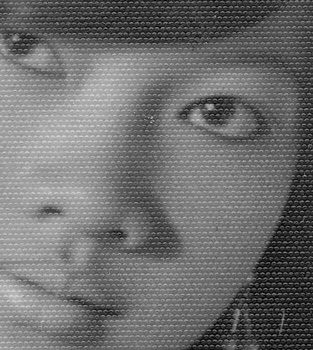 How to make such a filter: This can be done by doing a Fast Fourier Transform (FFT) to split an image into frequency components. The frequencies that make up repeating patterns will stand out and can be removed (today we do this manually with a black brush, but a filter can remove the "peaks" automatically). And inverse FFT is then performed to transform the image back. This entire process can be automated into one step; perhaps just with a slider to let the user choose how aggressively the filter removes frequencies.I posted a detailed explanation here with a short tutorial on how this is done step by step.Note that this only works on a single channel, so normally you would just bother to do this on the Luminosity component. Filtering each RGB-channel separately can also be done. I will leave that up to you Adobe... 😉
 AdChoices